
Add a second way to sign in to one account
Add Gmail to an account created with a phone number. It stays one account and nothing inside it changes.
The screenshots show the app in Bangla, its main language. The buttons sit in the same places in English.
-
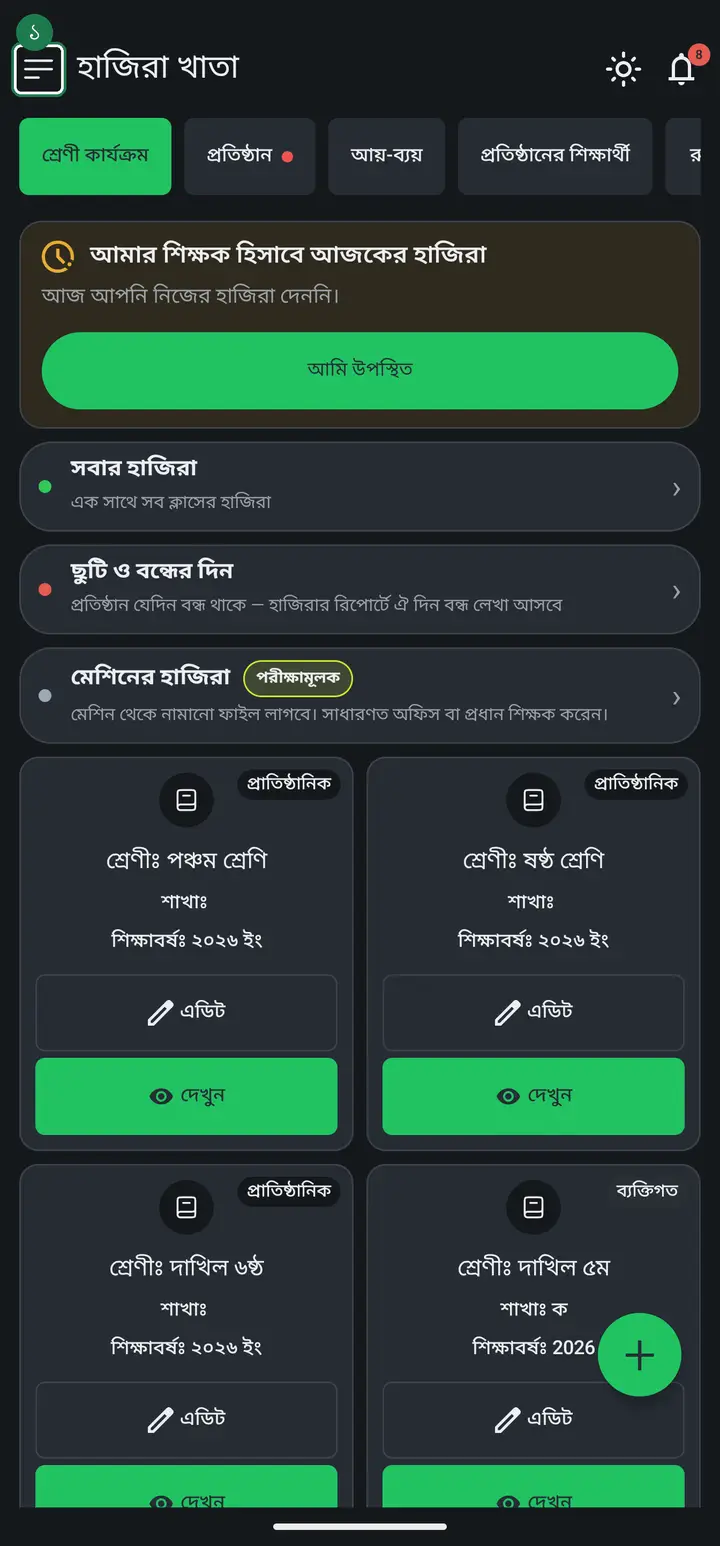
Tap the three lines at the top left to open the menu.
-
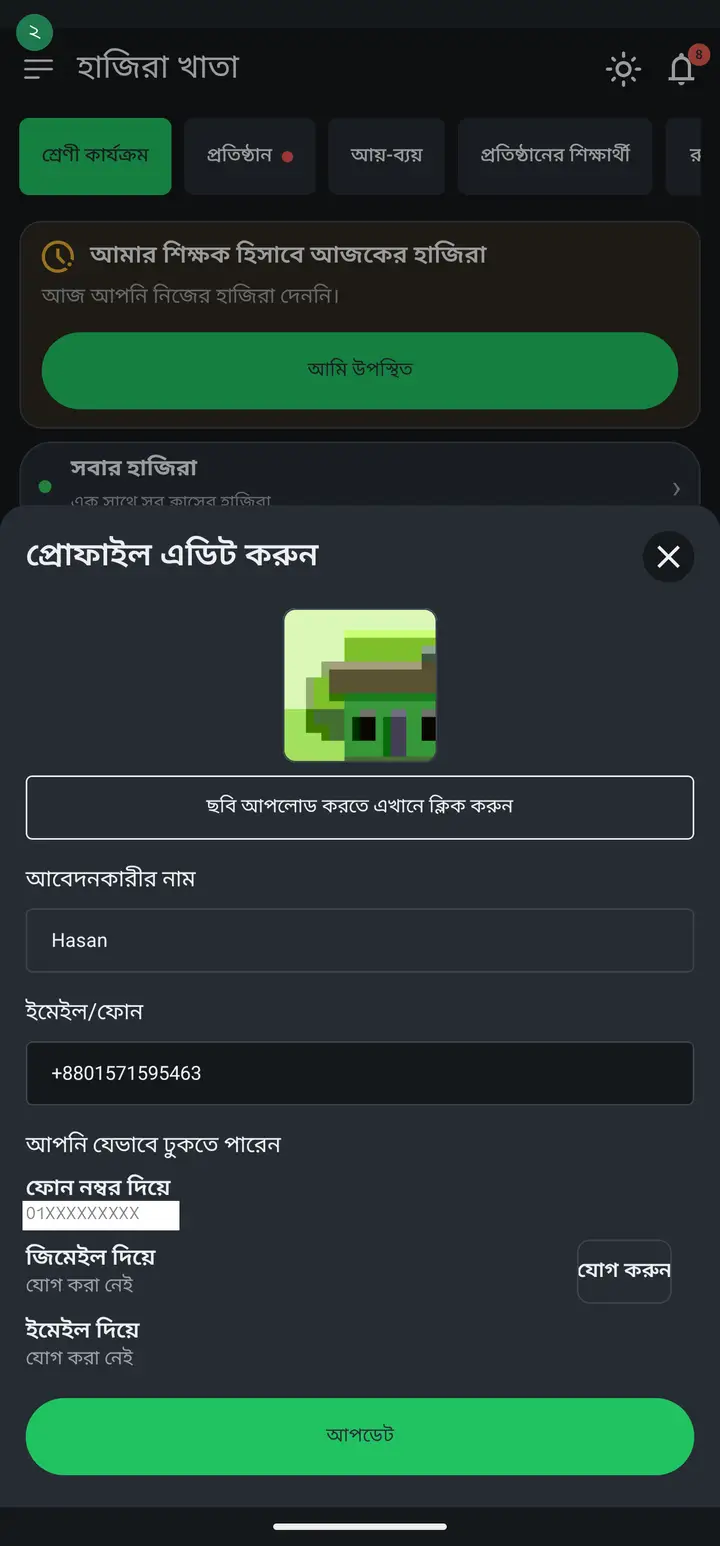
At the very top of the menu is your name, with the number or address you signed in with underneath. Tap there and the profile sheet opens. Look down it — there is a list headed "আপনি যেভাবে ঢুকতে পারেন" (How you can sign in).
-
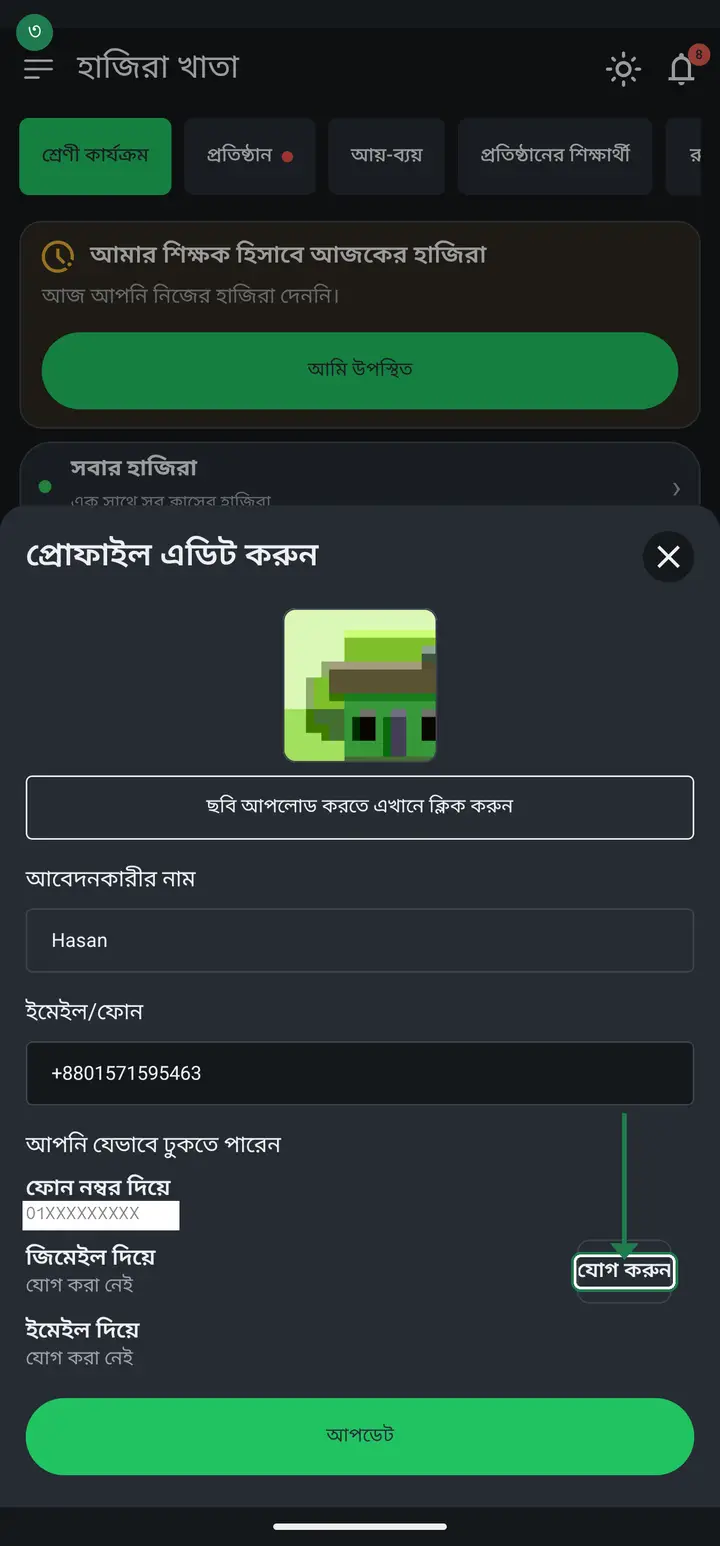
A method you already have shows its number or address underneath; one you do not have says "যোগ করা নেই" (Not added). Tap "যোগ করুন" (Add) beside "জিমেইল দিয়ে" and the Gmail accounts already on the phone appear — pick one and it is done.
Common questions
Will this change my attendance, my students, or the fee records?
No, nothing changes. No new account is created — another way in is added to the account you already have, and everything inside stays exactly as it was. That is the whole reason this exists: someone who started with a phone number and later signed in with Gmail used to be treated as a new person and shown an empty app. With both attached to one account, that cannot happen.
After adding Gmail, can I still sign in with my phone number?
Yes. The old way is not switched off — both work. Use whichever is easier on the day. Gmail needs no code, so it is usually the quicker one.
It says a separate account already exists with this address — what now?
That Gmail was used to open the app on its own at some point, so it already has an account of its own. There is no way yet to join two separate accounts, because each may hold its own records. Try a different Gmail, or tell us in the group and we can look at what is in each one. Retrying will not help — the same message comes back every time.
Why is there no button to add a phone number or an email?
Only Gmail can be added at the moment, so the button appears only beside that one. The other two stay in the list so you can see what is attached and what is not, but a button that does nothing was deliberately not put there. When they are supported the buttons will appear.
Ask AI about this page
Ask an AI app to explain this page in simple language.
Copied — now paste it
Get Hazira Khata free on Google Play
More tutorials
- How to sign in Signing in for the first time with your phone number. No email or password needed.
- How to mark your own attendance As a teacher you can record your own daily attendance — it takes one tap.
- Check your salary and sign "received" When your school records your salary, the app tells you. Check the receipt and tap "বেতন বুঝে পেয়েছি" (Salary received) to leave your own digital signature — proof for both sides.
- How to create a class Before you can take attendance you create the class once. A one-time job.
- Putting your classes in your own order — press, hold and drag KG Two showing before KG One? Classes appear in the order you created them. On the "শ্রেণী কার্যক্রম" page, press and hold a card and drag it where you want — no need to rename anything.
- Make receipts and results look right — font and size Documents printing in an ugly font? Change it in one place and the receipt, result slip and certificate all change together.
- How to add students Enter each student's name and roll once. After that, daily attendance is just ticking boxes.
- How to add a whole class at once You do not have to type 40 names one by one. Type or paste the list and add everyone at once — no computer needed.