
How to add students
Enter each student's name and roll once. After that, daily attendance is just ticking boxes.
The screenshots show the app in Bangla, its main language. The buttons sit in the same places in English.
-
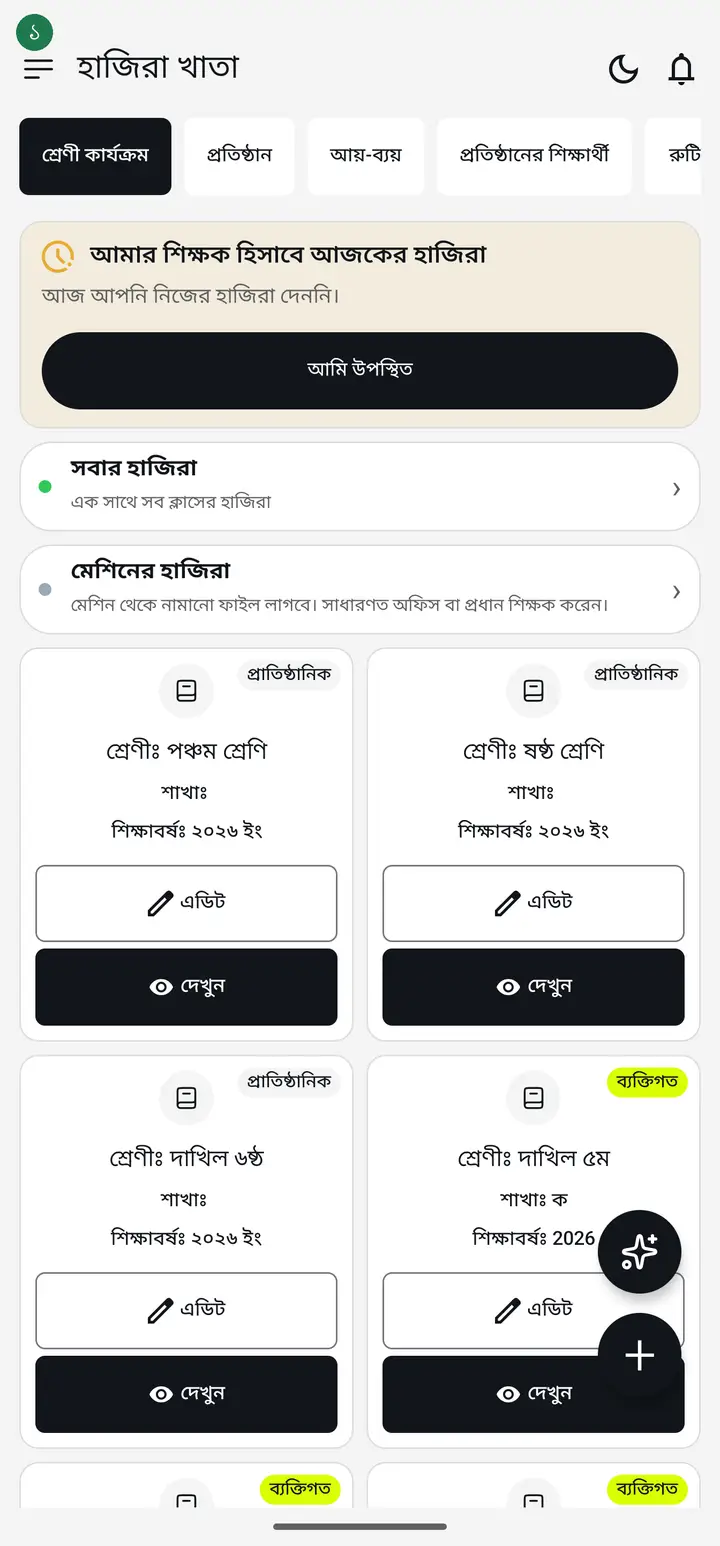
Tap "দেখুন" (View) on the class card.
-
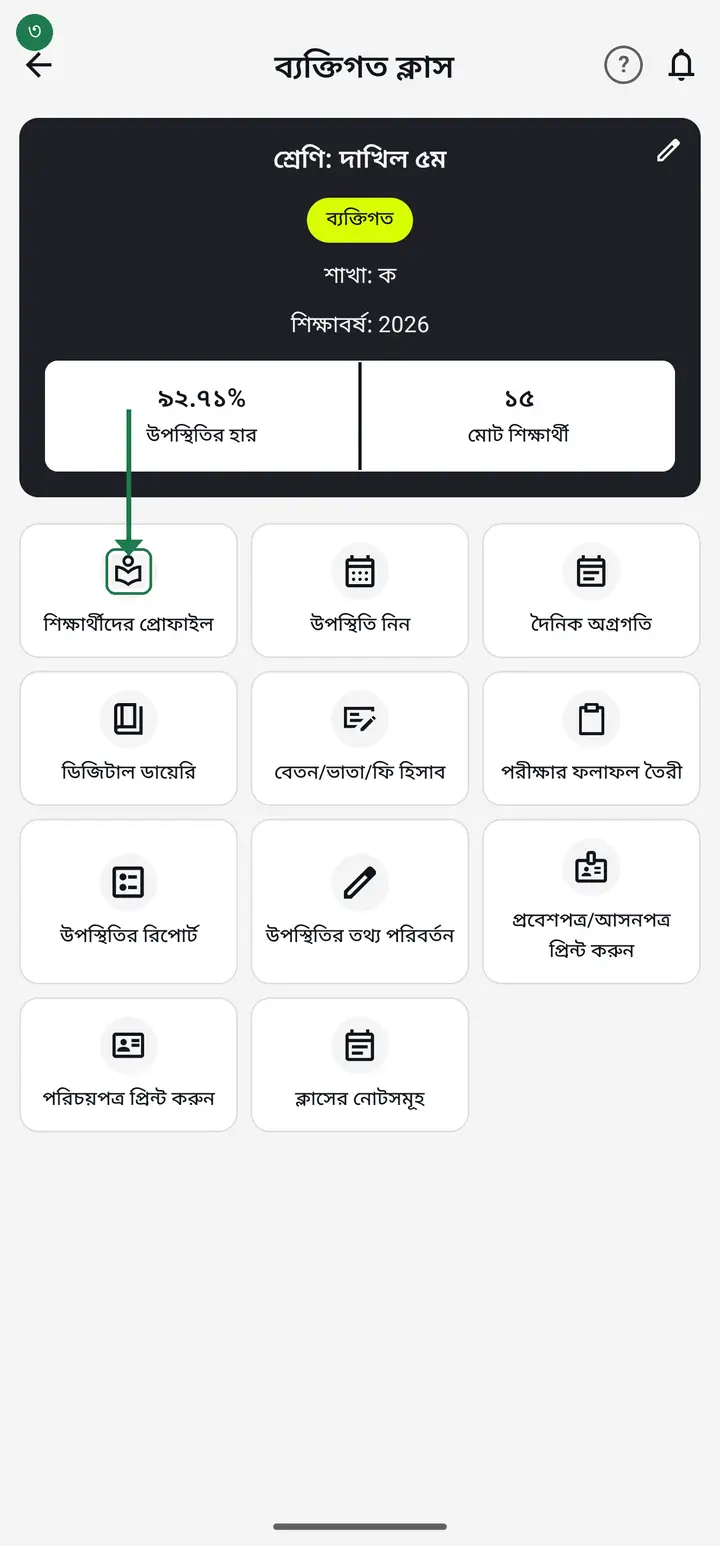
Tap "শিক্ষার্থীদের প্রোফাইল" (Student profiles). The student list opens — empty the first time.
-
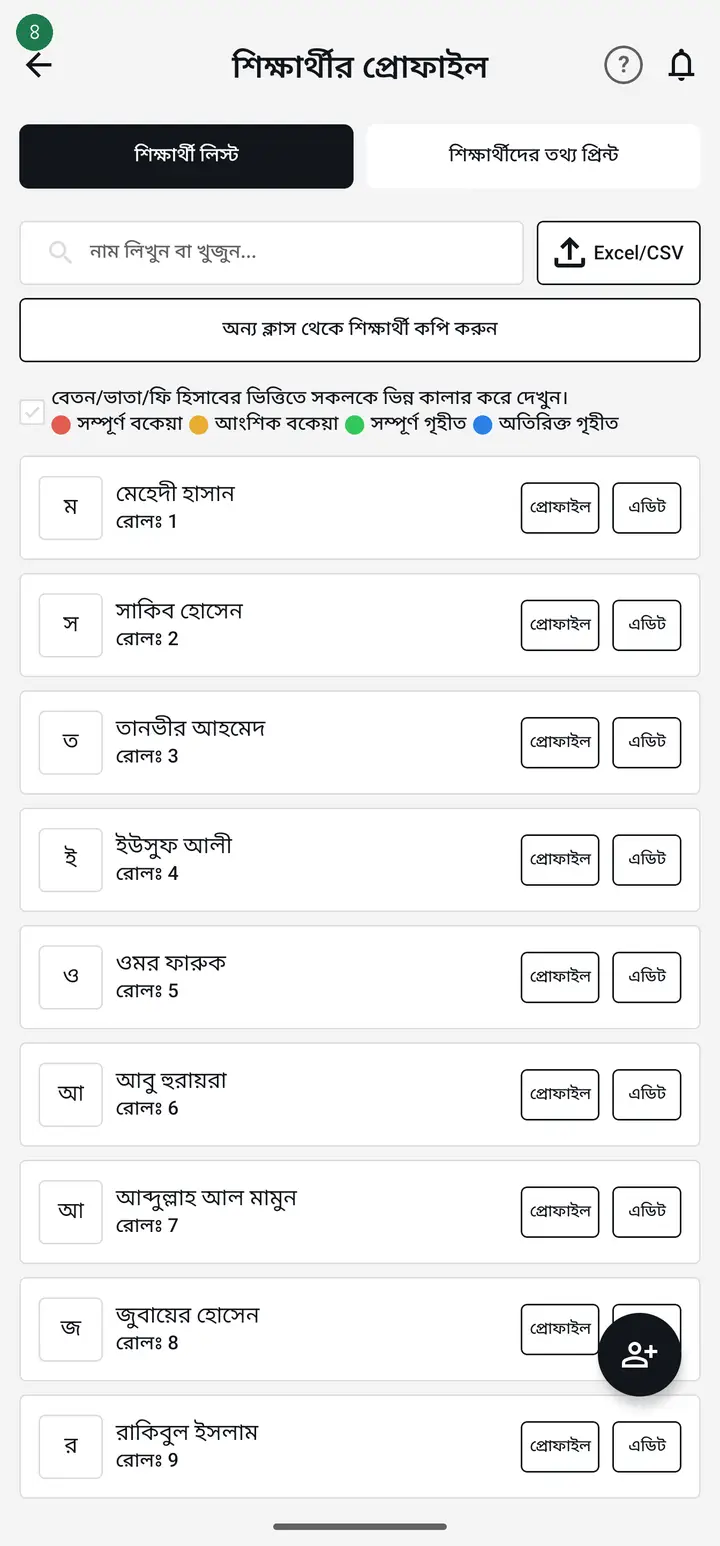
Tap the plus (+) button at the bottom.
-
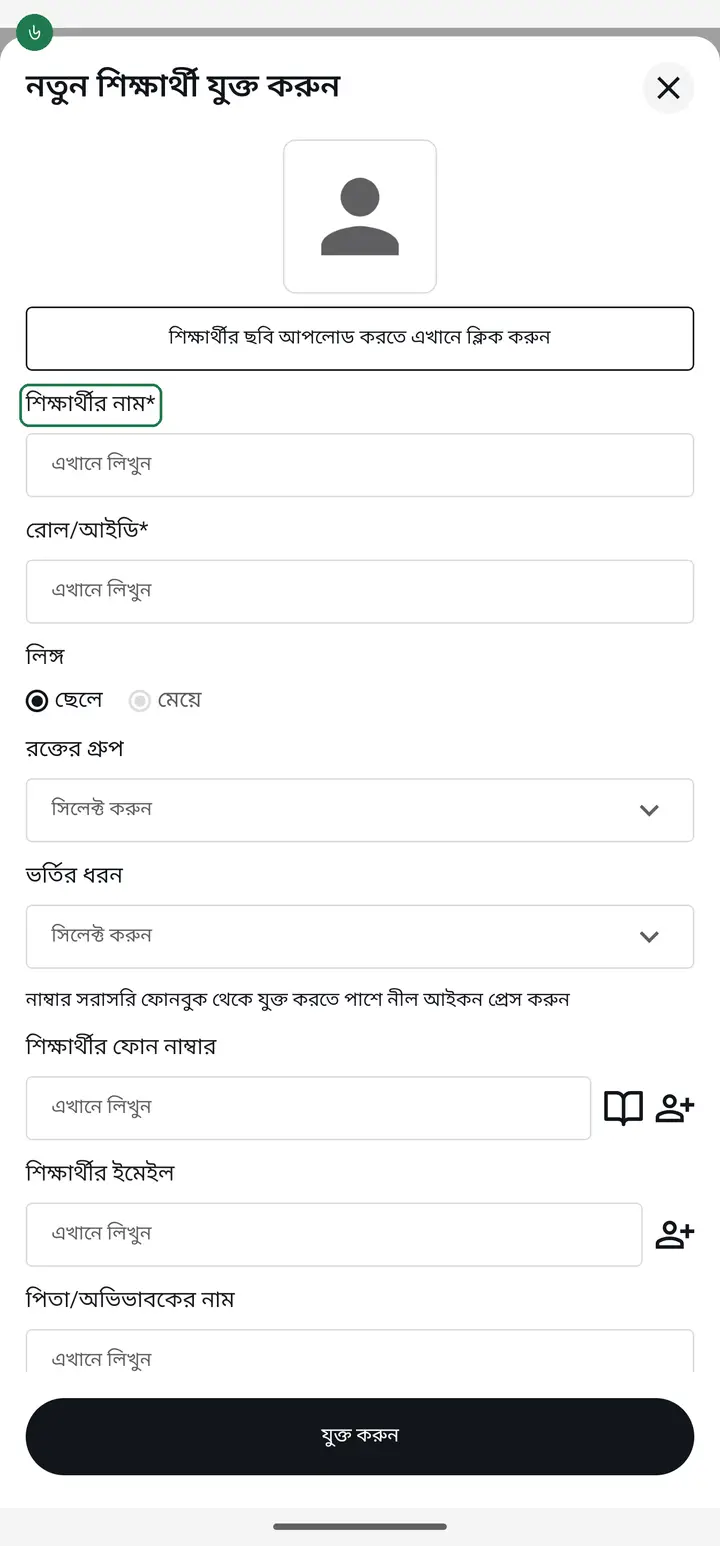
Type the name in "শিক্ষার্থীর নাম (আবশ্যক)" (Student name).
-
Type the roll number in "রোল/আইডি (আবশ্যক)" (Roll/ID) — for example ০১.
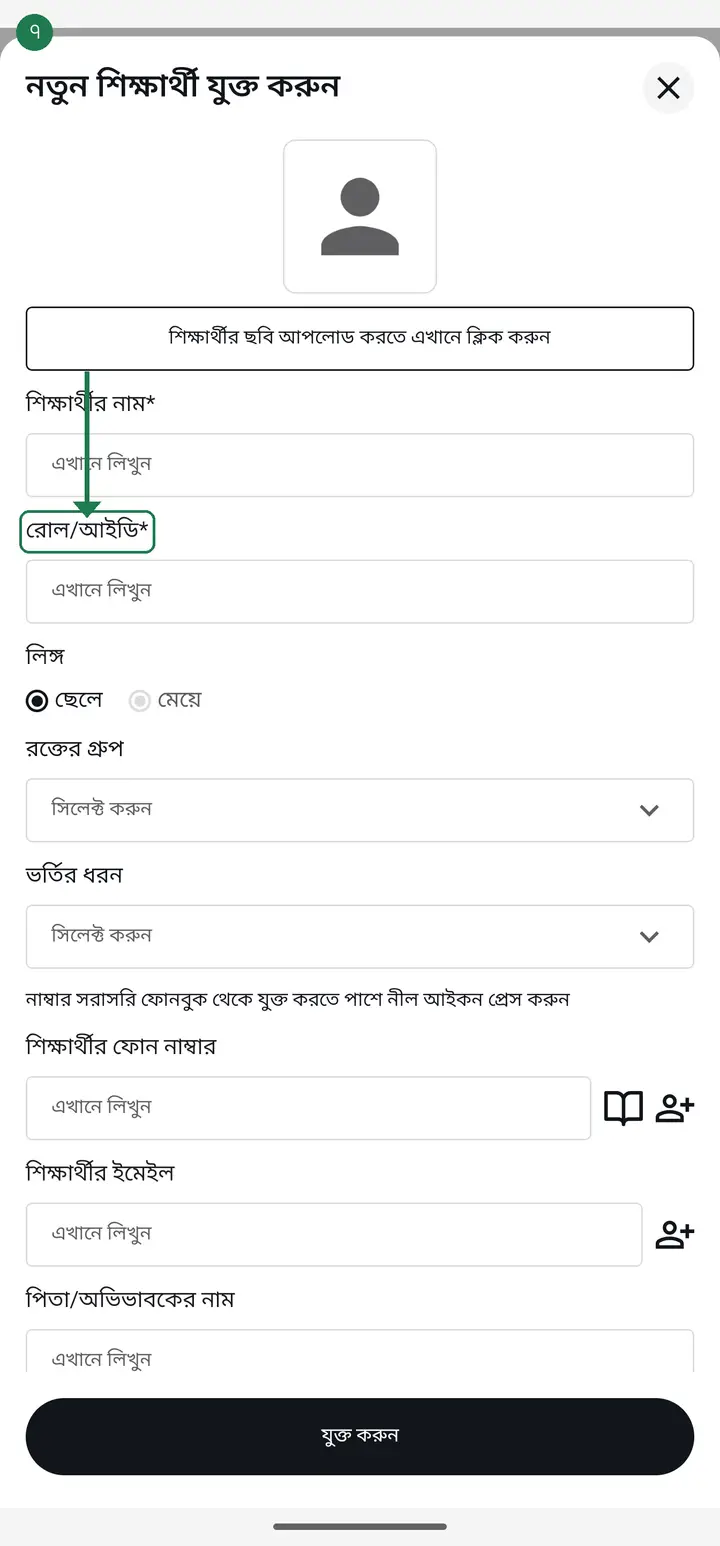
Do not give two students the same roll in one class. The app identifies a student by roll, so duplicates confuse the reports.
-
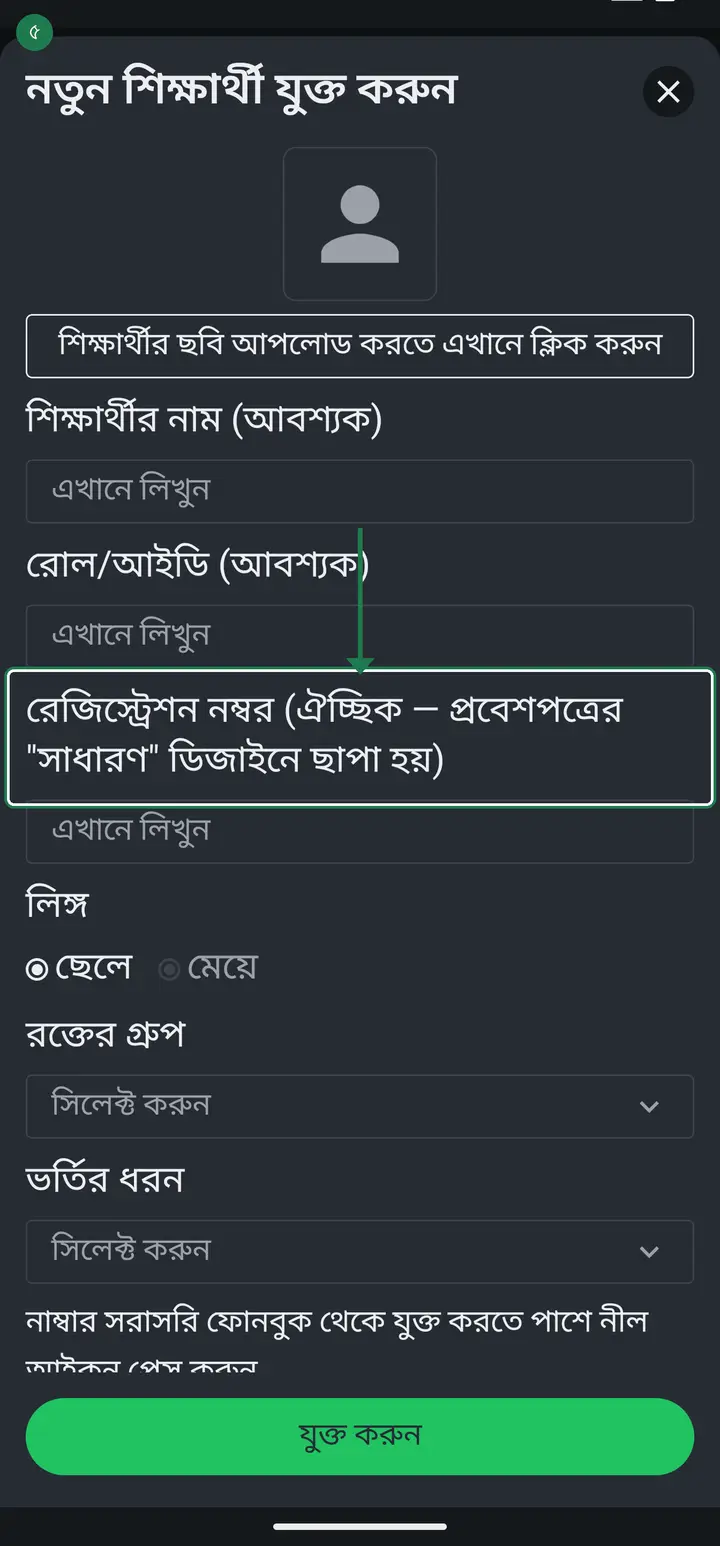
From version 3.2.273 there is a "রেজিস্ট্রেশন নম্বর" (Registration number) box right under the roll. It is optional — for students who have a board registration number, such as classes 9 and 10. Fill it in and the admit card's "সাধারণ" (Standard) design prints it; leave it empty and nothing changes.
-
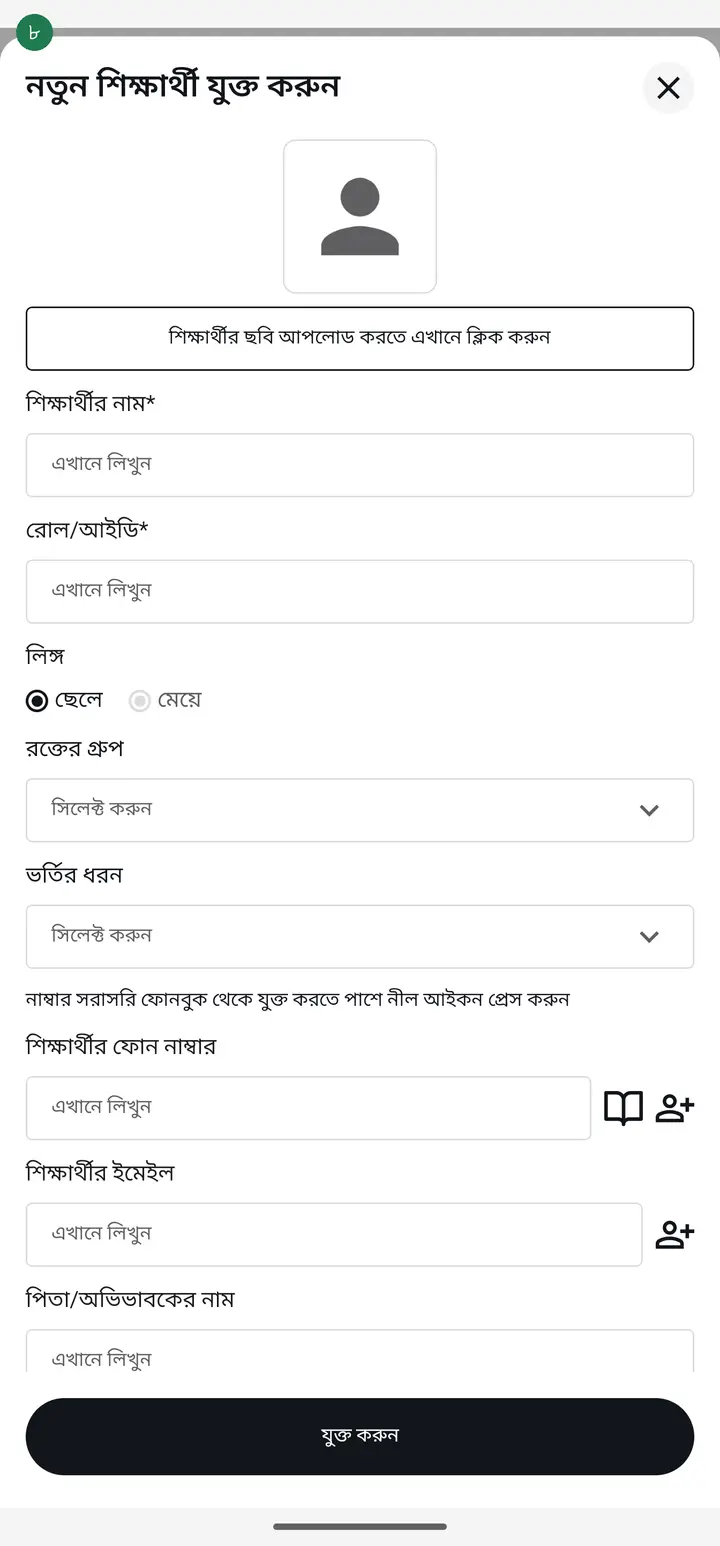
You can also add the guardian's name and mobile number. You can leave these for later.
-
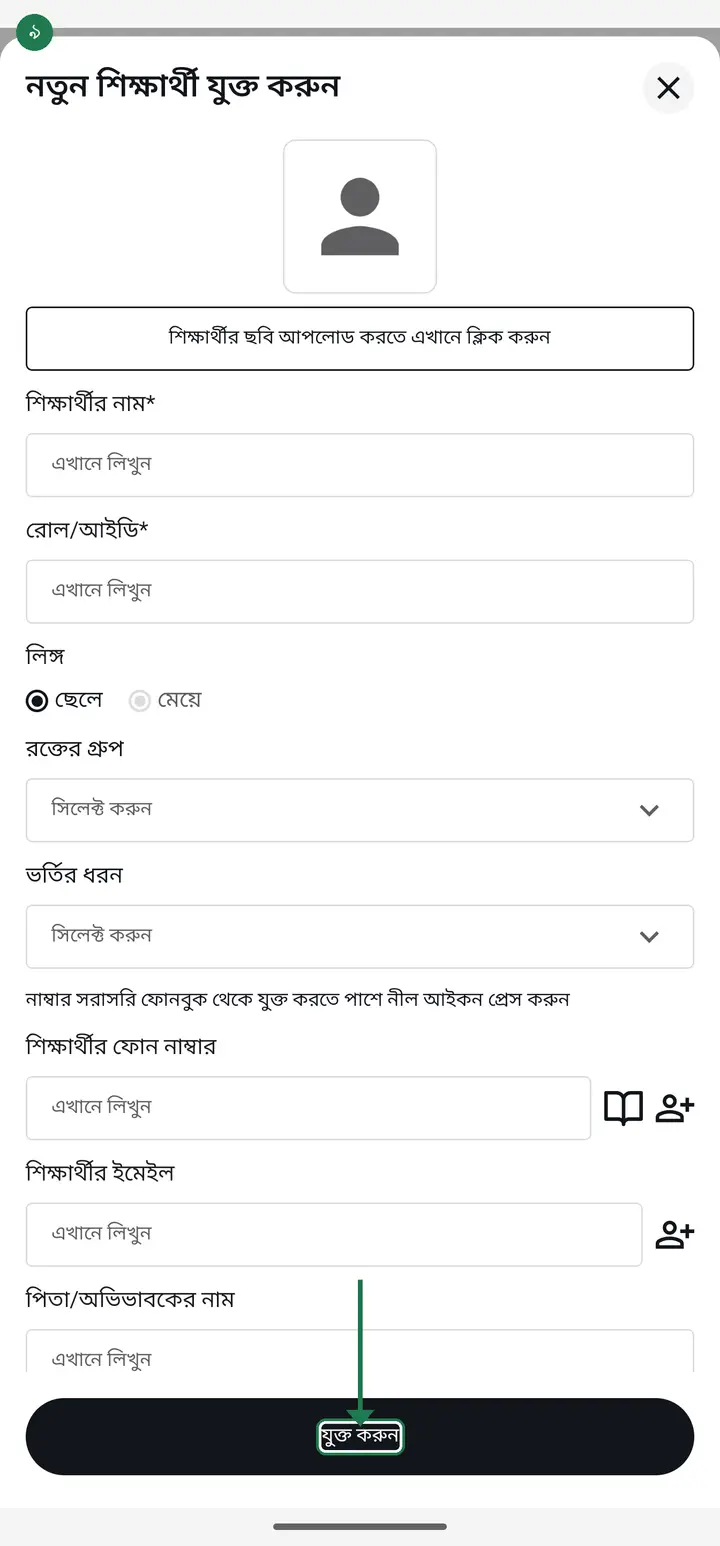
Tap "যুক্ত করুন" (Add) at the very bottom. Add the rest one by one the same way.
Common questions
Where do I type a student's registration number?
From version 3.2.273 the student form has a "রেজিস্ট্রেশন নম্বর" (Registration number) box right under "রোল/আইডি (আবশ্যক)". It is optional — leave it empty and nothing changes. Fill it in and all six admit-card designs print it ("সাধারণ" under the roll and class as "রেজি:", the others on their own line under the session). For a big class, add a column headed "রেজিস্ট্রেশন নম্বর" at the end of the Excel file and import them all at once. The ID card does not carry it.
There is now a separate "পিতার নাম" (father's name) box — do I have to open every student and type the father's name again?
No, nothing needs re-typing and nothing was lost. When "পিতার নাম" is empty, the certificate prints the name in "পিতা/অভিভাবকের নাম" (father/guardian name) as the father — exactly as before. An empty "মাতার নাম" (mother's name) uses "মাতা/২য় অভিভাবকের নাম" (mother/2nd guardian). The new box is only for students whose guardian is not the father — an uncle, say: keep the uncle as guardian and type the father in "পিতার নাম", so the certificate never prints the uncle as the father. Admit and ID cards label that slot "অভিভাবক" (guardian), so they do not change. An empty "পিতার নাম" box shows, greyed, "খালি থাকলে বসবে: <name>" — the name that will actually print.
Do I have to type all 40 names one at a time?
No. The student list page has an import option — you can bring in a whole list from an Excel/CSV file at once, and you can also copy students from a previous year's class.
The same student is in two classes (e.g. a জামাত class and the residential/আবাসিক class) — do I type the name twice?
No. Open the student list of the class you are adding them TO — right under the search box is the "অন্য ক্লাস থেকে শিক্ষার্থী কপি করুন" (Copy students from another class) button. Tap it → pick the class the student is already in → tick the student → OK. Name, roll, guardian number and the rest come across; no retyping. This used to sit inside the "add student" form; it now lives at the top of the list. Keep in mind: a copy is a separate student to the app — take attendance in each class separately, and charge fees in only ONE of them. Details: /tutorials/move-student
What if I skip the guardian's number?
Attendance, reports and fees all work fine. The number is only needed when you want to message the guardian or connect them to the diary.
What if I typed a wrong name or roll?
Tap the student to open their profile, fix it and save again. You can change it as often as you like without losing the attendance history.
How do I remove a student who has left?
Open their "এডিট" (Edit) and tap "আর্কাইভ" (Archive) — not "ডিলিট" (Delete). The name leaves the daily attendance list while their past attendance and fee records stay in your reports; deleting would erase those too. Full picture guide at /tutorials/archive-or-delete/
Ask AI about this page
Ask an AI app to explain this page in simple language.
Copied — now paste it
Get Hazira Khata free on Google Play
More tutorials
- How to sign in Signing in for the first time with your phone number. No email or password needed.
- Add a second way to sign in to one account Add Gmail to an account created with a phone number. It stays one account and nothing inside it changes.
- How to mark your own attendance As a teacher you can record your own daily attendance — it takes one tap.
- Check your salary and sign "received" When your school records your salary, the app tells you. Check the receipt and tap "বেতন বুঝে পেয়েছি" (Salary received) to leave your own digital signature — proof for both sides.
- How to create a class Before you can take attendance you create the class once. A one-time job.
- Putting your classes in your own order — press, hold and drag KG Two showing before KG One? Classes appear in the order you created them. On the "শ্রেণী কার্যক্রম" page, press and hold a card and drag it where you want — no need to rename anything.
- Make receipts and results look right — font and size Documents printing in an ugly font? Change it in one place and the receipt, result slip and certificate all change together.
- How to add a whole class at once You do not have to type 40 names one by one. Type or paste the list and add everyone at once — no computer needed.