
Is my data safe? — backup
Where your attendance and fee records live, what happens if you lose the phone, and how to keep your own copy.
The screenshots show the app in Bangla, its main language. The buttons sit in the same places in English.
-
First, the fear. Your data does not live on the phone — it lives on the server, tied to your account. Losing the phone, breaking it, or uninstalling and reinstalling the app does not lose anything. Sign in on a new phone the same way you did before — the same number, or the same Gmail — and it is all there.
One thing only — come back with the exact number (or Gmail) you worked under. Sign in with the other and the app treats you as a new person and everything looks empty. Nothing is deleted; it is a different door.
-
Beyond that you can keep your own copy — a file that is yours. Open the menu (the three lines at the top left).
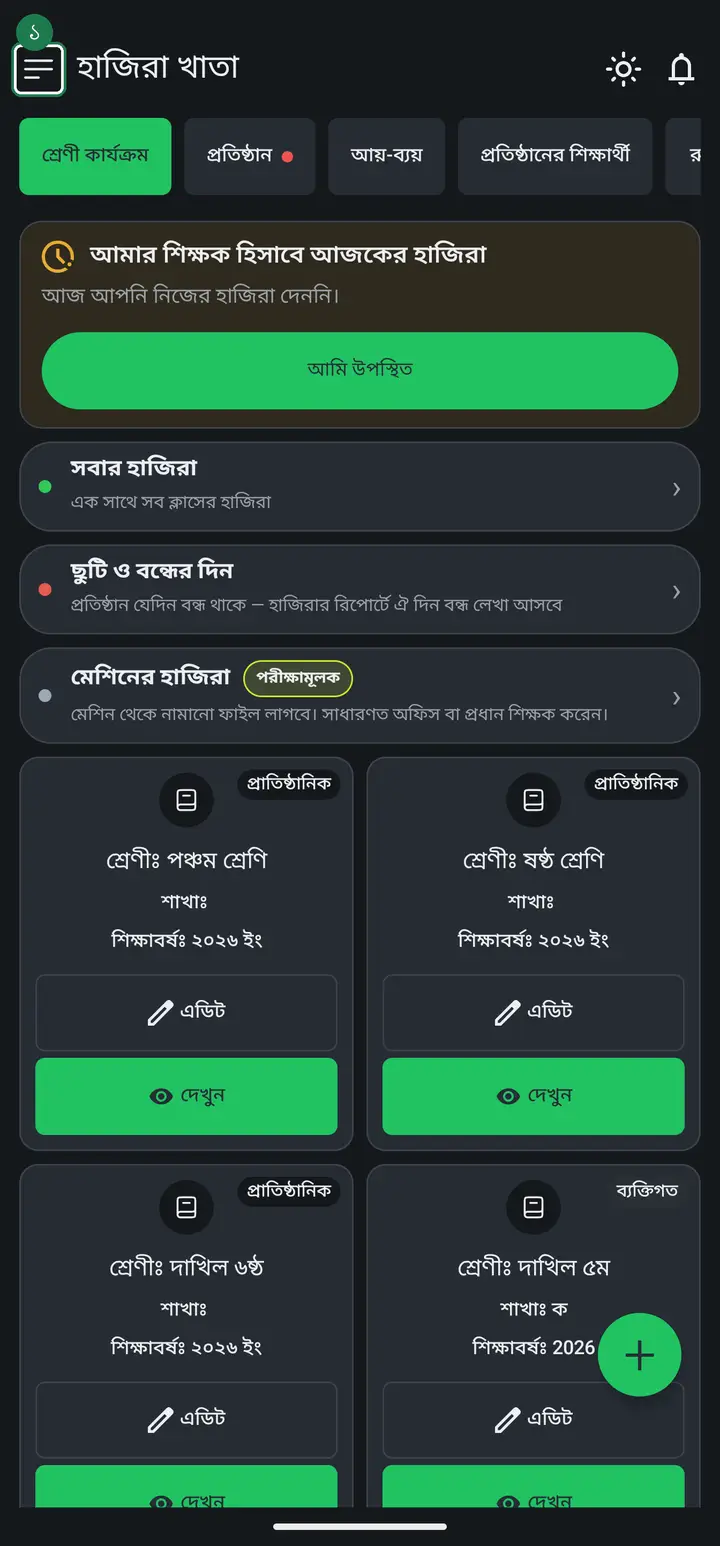
-
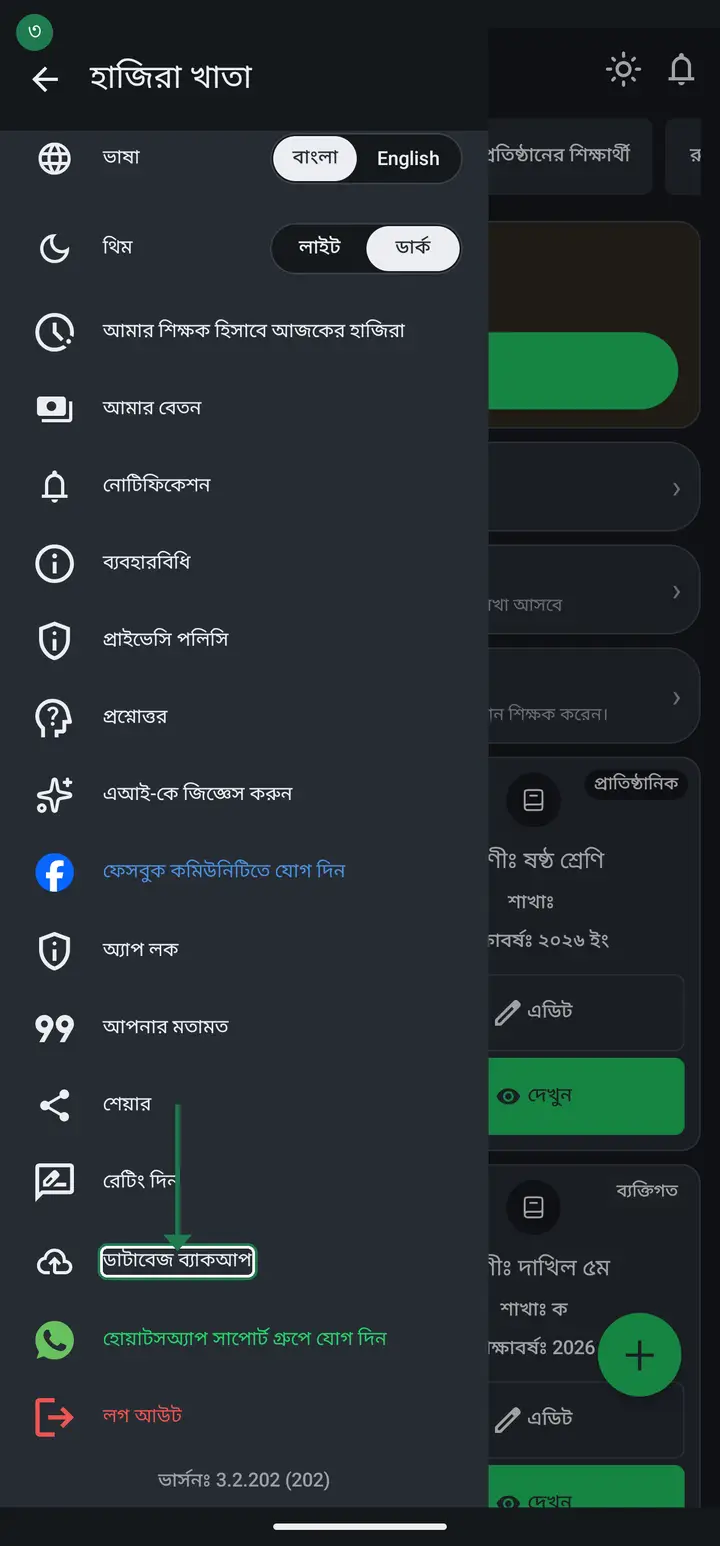
Scroll down and you will find "ডাটাবেজ ব্যাকআপ" (Database backup). Tap it.
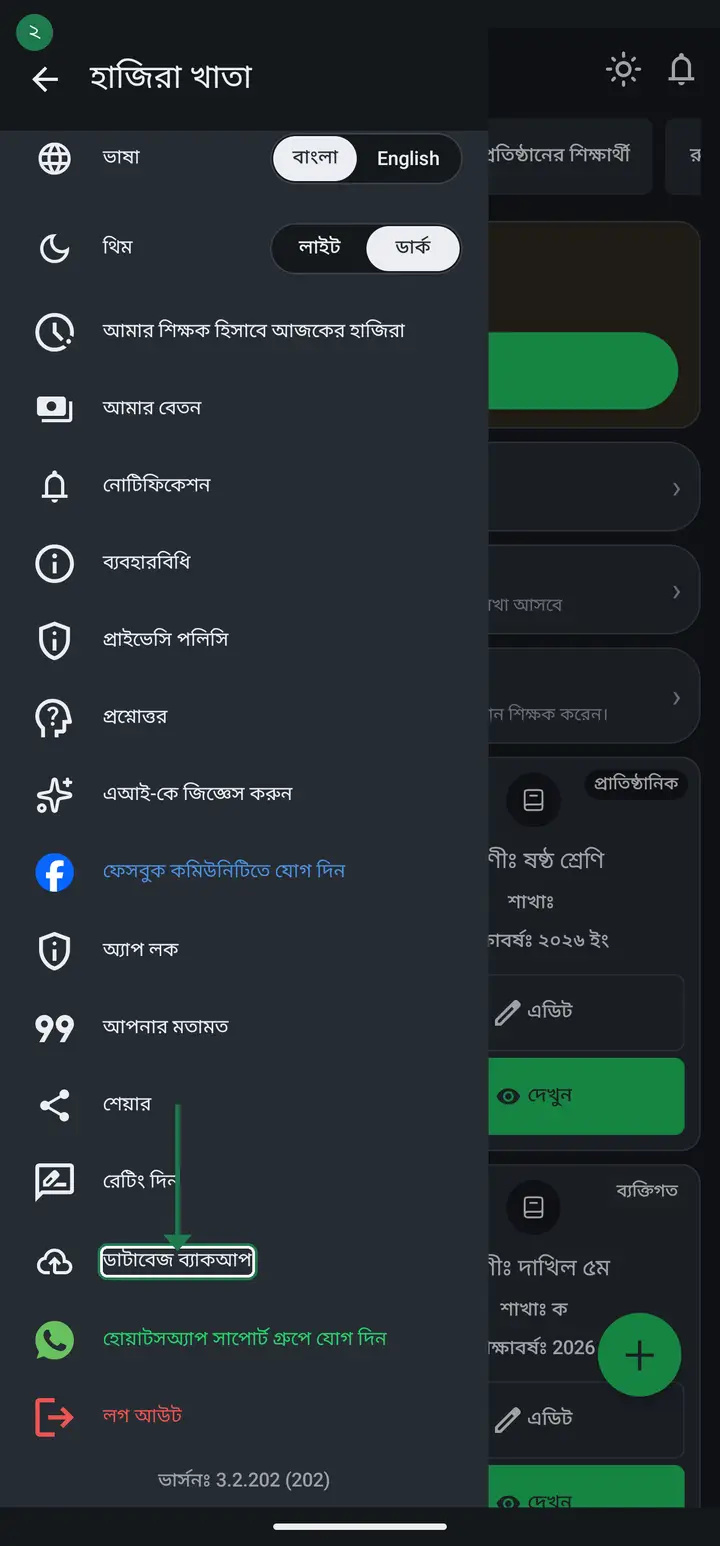
-
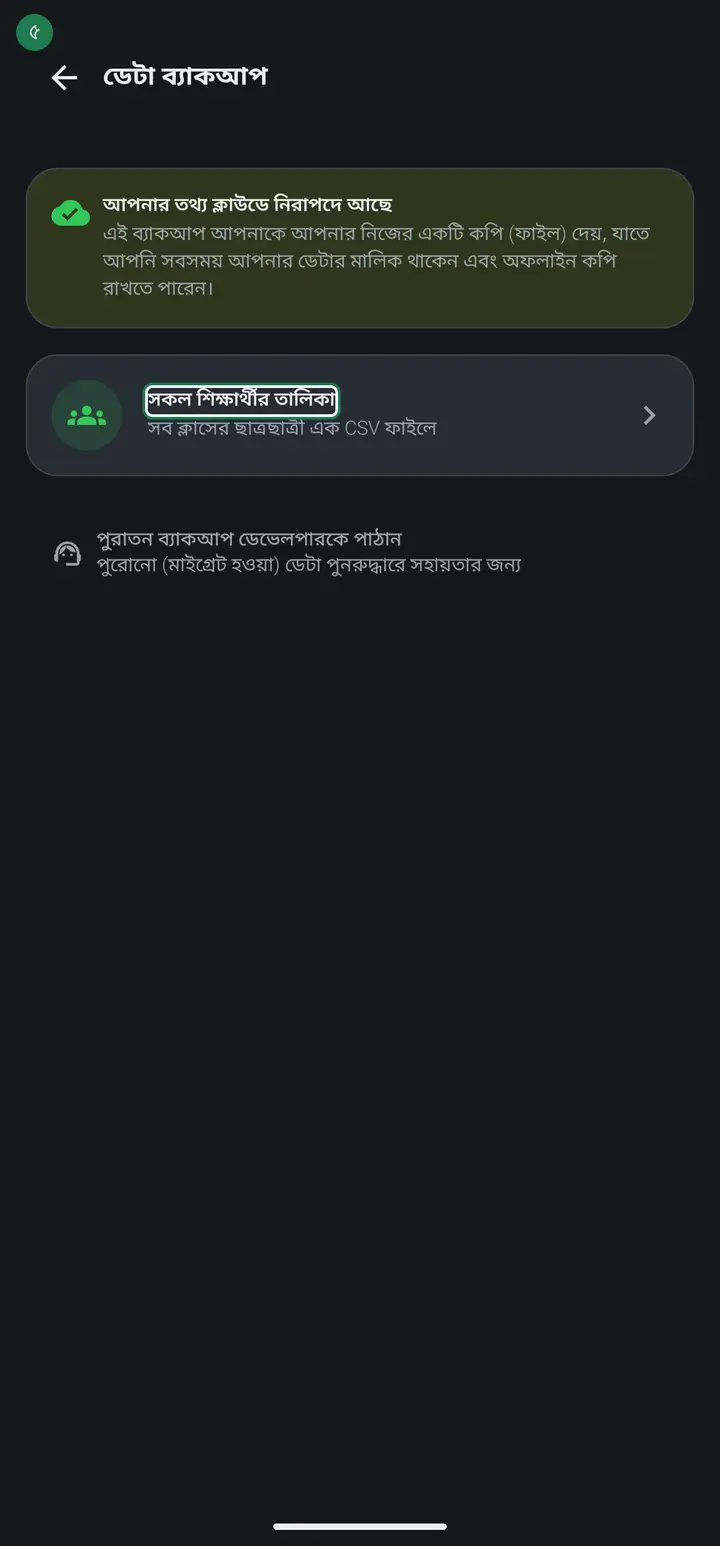
The "ডেটা ব্যাকআপ" (Data backup) page opens. At the top it says your data is already safe in the cloud — this page simply hands you a copy of your own.
-
Tap "সকল শিক্ষার্থীর তালিকা" (All students list). Every class's students come down as one CSV file. CSV is a spreadsheet file — open it with Google Sheets or Excel.
-
Send the file to yourself on WhatsApp, or keep it on a computer. Once a year is plenty.
Common questions
If I lose my phone, do I lose my records?
No. Attendance, student names and fee records all sit on the server against your account, not on the phone. Install the app on a new phone, sign in the same way as before — the same number or the same Gmail — and everything is back.
Does uninstalling the app delete my data?
No. Uninstalling removes the app from the phone, not your data. Reinstall, sign in the same way as before — the same number or the same Gmail — and it is exactly as you left it. One thing to watch — work done under your number does not show if you sign in with Gmail, and the other way round — to the app they are two different people.
Then why take a backup at all?
You mostly do not need to — it is extra reassurance. The file is yours, opens without internet, and is handy for office paperwork.
What is in the backup file?
Tapping "সকল শিক্ষার্থীর তালিকা" gives every class's student names and rolls in one file. For attendance, open a class → "উপস্থিতির রিপোর্ট" → "প্রিন্ট করুন"; for fees, use the download icon on the fee page.
What is "পুরাতন ব্যাকআপ ডেভেলপারকে পাঠান"?
Not for everyday use. It sends legacy migrated data to us so we can help if something went wrong with it. You do not need it unless we ask.
Do I need internet to take a backup?
Yes, to build the file. Once downloaded it opens without internet.
Ask AI about this page
Ask an AI app to explain this page in simple language.
Copied — now paste it
Get Hazira Khata free on Google Play
More tutorials
- How to sign in Signing in for the first time with your phone number. No email or password needed.
- Add a second way to sign in to one account Add Gmail to an account created with a phone number. It stays one account and nothing inside it changes.
- How to mark your own attendance As a teacher you can record your own daily attendance — it takes one tap.
- Check your salary and sign "received" When your school records your salary, the app tells you. Check the receipt and tap "বেতন বুঝে পেয়েছি" (Salary received) to leave your own digital signature — proof for both sides.
- How to create a class Before you can take attendance you create the class once. A one-time job.
- Putting your classes in your own order — press, hold and drag KG Two showing before KG One? Classes appear in the order you created them. On the "শ্রেণী কার্যক্রম" page, press and hold a card and drag it where you want — no need to rename anything.
- Make receipts and results look right — font and size Documents printing in an ugly font? Change it in one place and the receipt, result slip and certificate all change together.
- How to add students Enter each student's name and roll once. After that, daily attendance is just ticking boxes.