
Keeping notes for a class
Write down whatever you want to remember about a class and read it back any time.
The screenshots show the app in Bangla, its main language. The buttons sit in the same places in English.
-
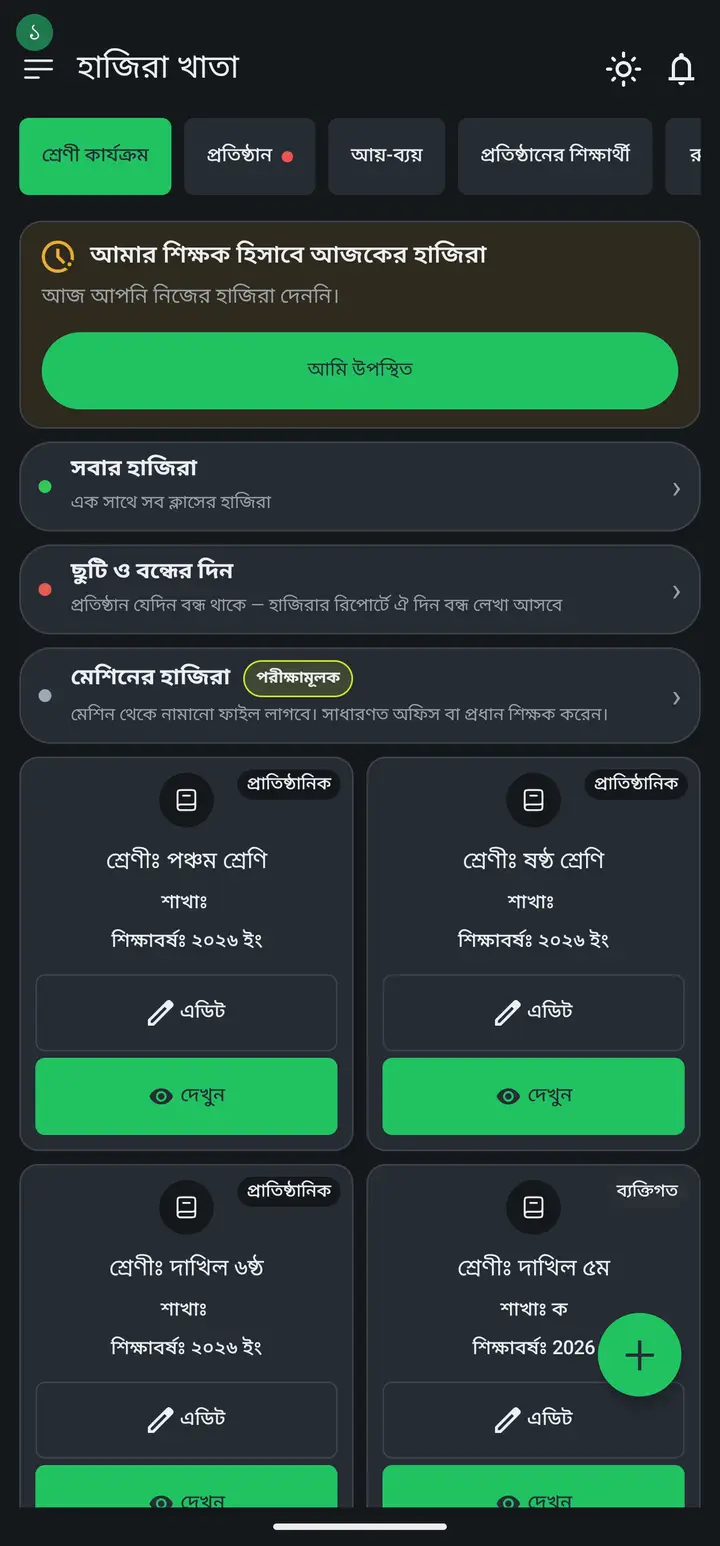
Tap "দেখুন" (View) on the class card.
-
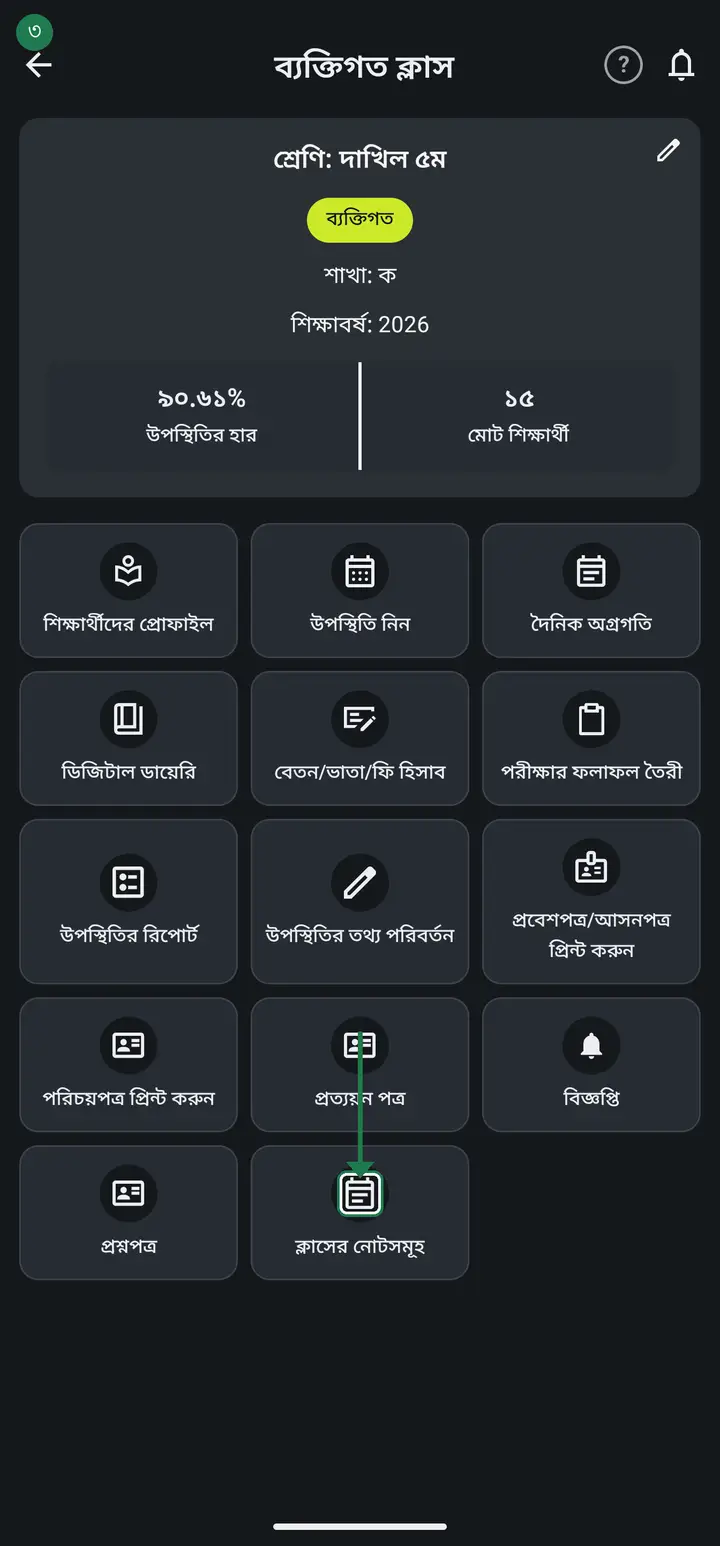
Tap "ক্লাসের নোটসমূহ" (Class notes).
-
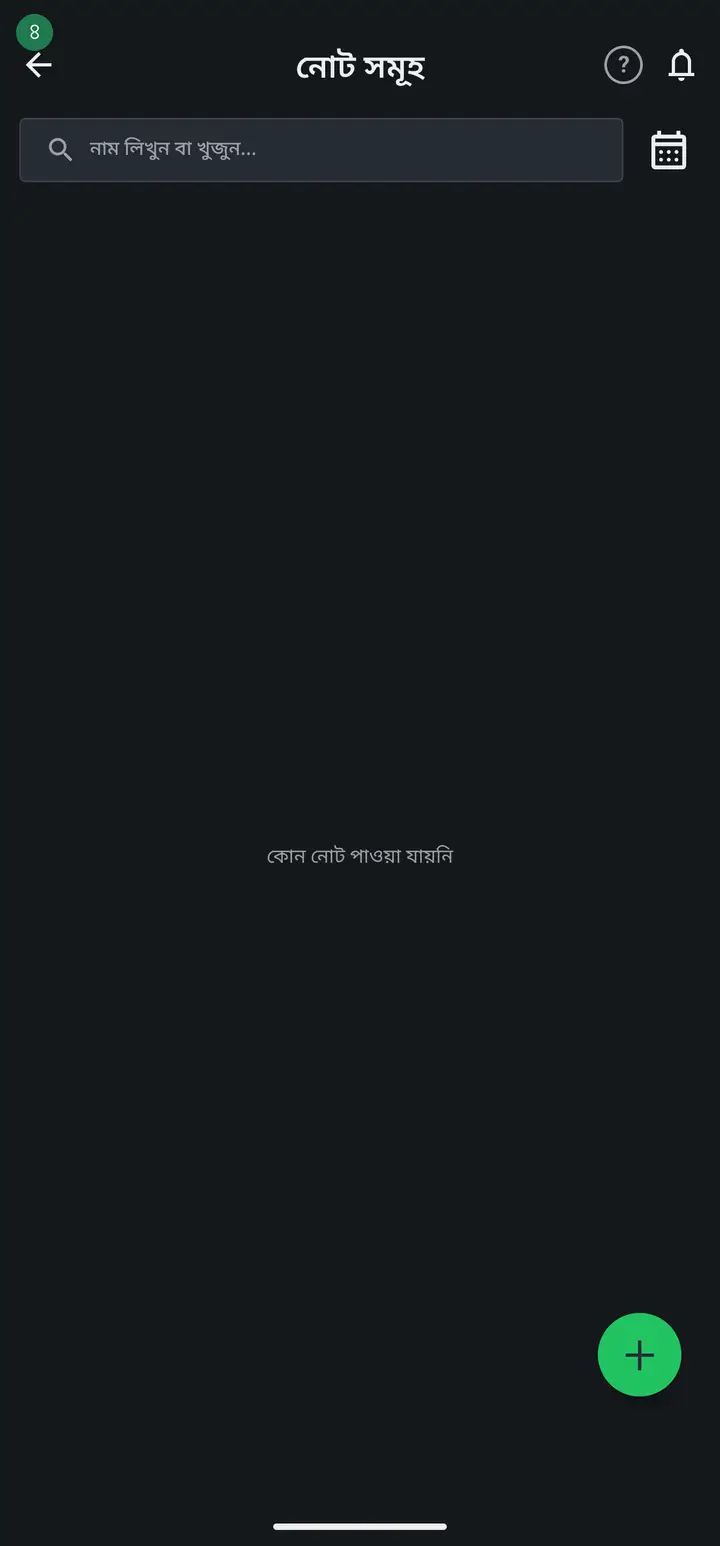
Tap plus (+) to write a new note, then save.
Common questions
What is Class notes actually for, and what should I write in it?
It is your own notebook for that one class. Write the things you would normally keep in a diary or on paper — "finish the syllabus by the 12th", "talk to Rofiq's father", "test on chapter 3 next week". The notes follow the class, so you never have to remember which note belonged to which class.
Can guardians or other teachers see these notes?
Guardians and students never see them — that part is certain. Other teachers depend on where the class lives. In an institution's class, other teachers at that institution can open the same class notes — the note belongs to the CLASS, not to you. In your own personal class (no institution), only you can see it. So do not write anything in an institution class that you would not want a colleague to read.
If I want to tell a guardian something, do I write it here?
No — use Digital Diary for that. Tap "দেখুন" on the class card, go to Digital Diary and send a message: notice, homework, fees or exam news, whichever you need.
Ask AI about this page
Ask an AI app to explain this page in simple language.
Copied — now paste it
Get Hazira Khata free on Google Play
More tutorials
- How to sign in Signing in for the first time with your phone number. No email or password needed.
- Add a second way to sign in to one account Add Gmail to an account created with a phone number. It stays one account and nothing inside it changes.
- How to mark your own attendance As a teacher you can record your own daily attendance — it takes one tap.
- Check your salary and sign "received" When your school records your salary, the app tells you. Check the receipt and tap "বেতন বুঝে পেয়েছি" (Salary received) to leave your own digital signature — proof for both sides.
- How to create a class Before you can take attendance you create the class once. A one-time job.
- Putting your classes in your own order — press, hold and drag KG Two showing before KG One? Classes appear in the order you created them. On the "শ্রেণী কার্যক্রম" page, press and hold a card and drag it where you want — no need to rename anything.
- Make receipts and results look right — font and size Documents printing in an ugly font? Change it in one place and the receipt, result slip and certificate all change together.
- How to add students Enter each student's name and roll once. After that, daily attendance is just ticking boxes.