
Making a class routine
Build your class routine in the app and print it when you need to — and see every other teacher's published routine in one place.
The screenshots show the app in Bangla, its main language. The buttons sit in the same places in English.
-
Swipe the row of tabs at the top of the home page to the left. You will find the "রুটিন" (Routine) tab. Tap it.
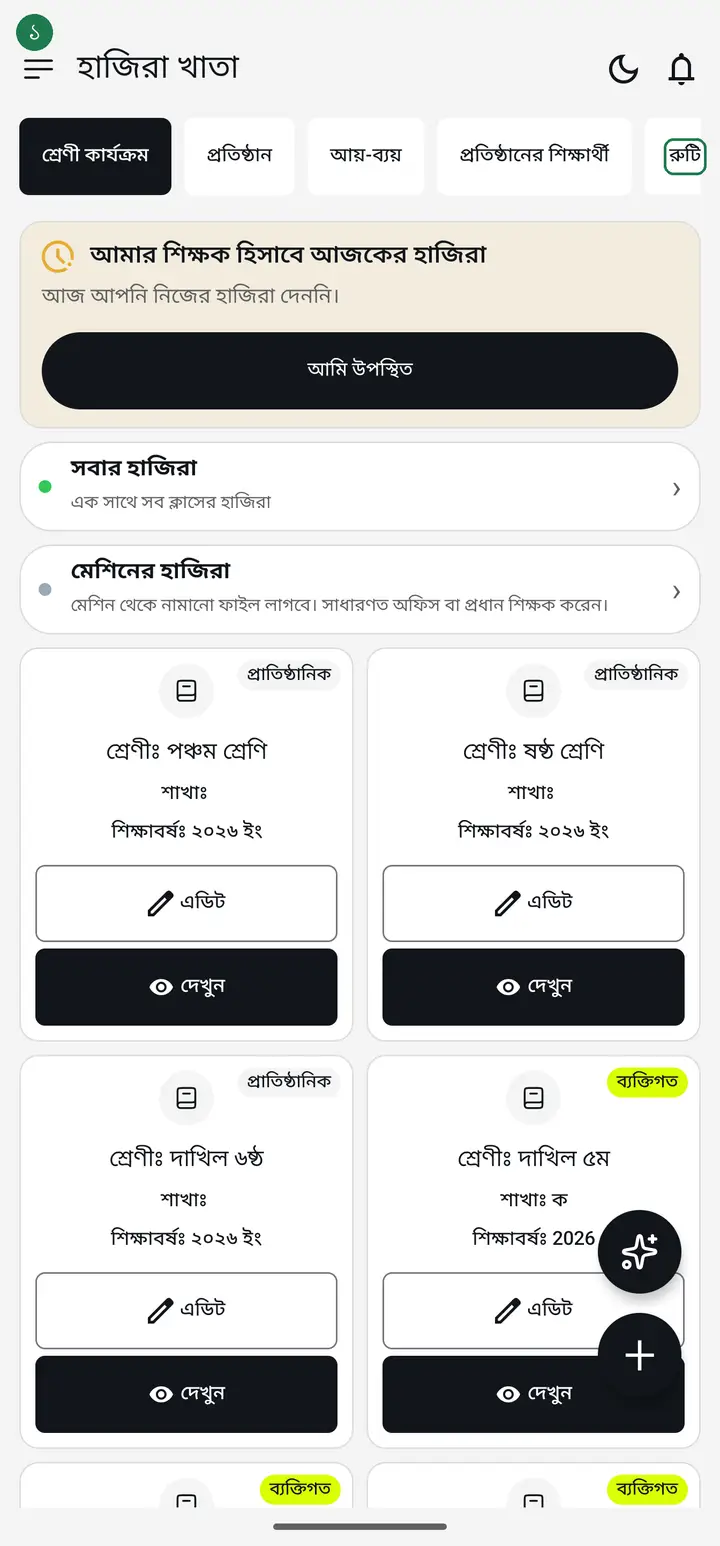
The "রুটিন" tab is not visible at first — it sits off to the right. Without swiping it looks as though the app has no routine feature at all.
-
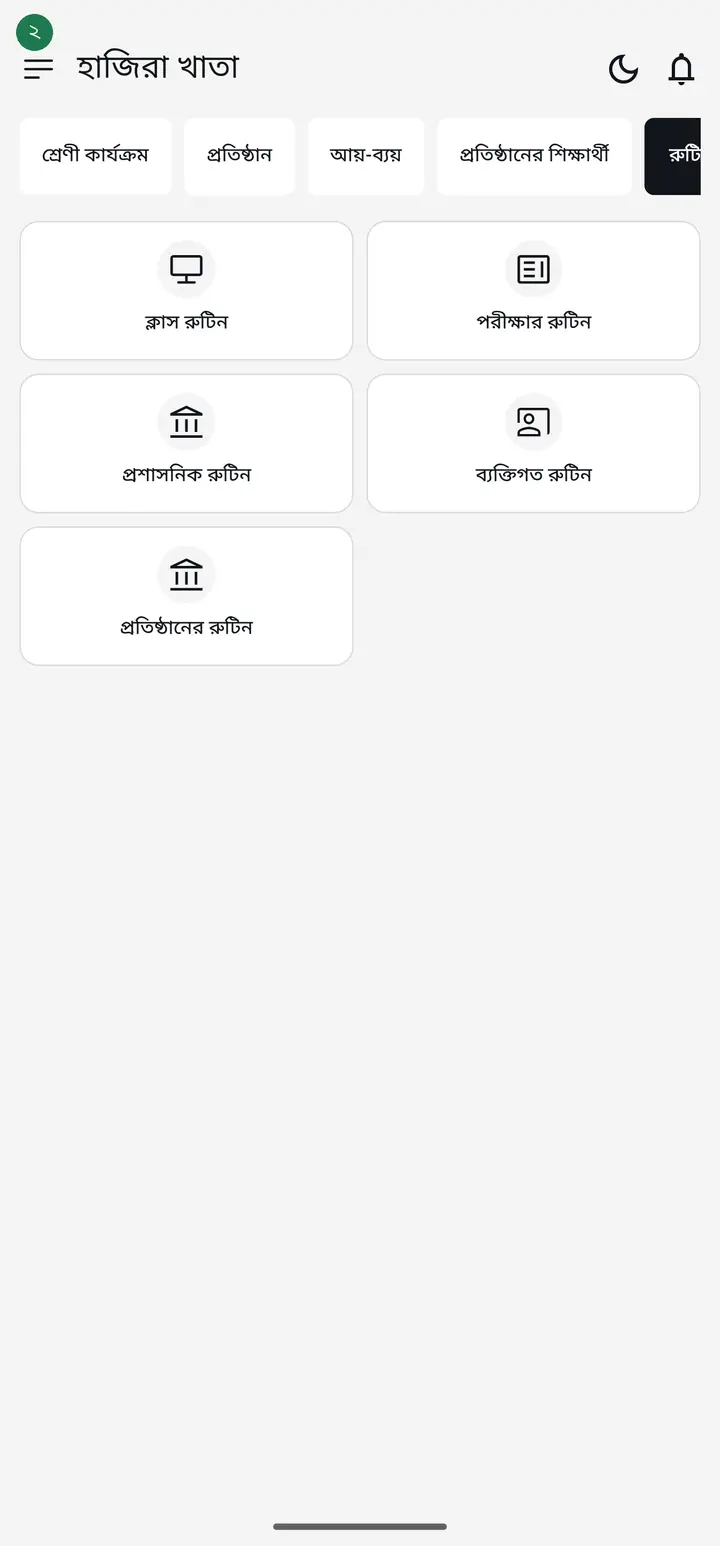
You will see five cards. The top-left one is "ক্লাস রুটিন" (Class routine). Tap it, then fill in the subjects by day and time.
-
To see what routines the other teachers in your institution have published, tap "প্রতিষ্ঠানের রুটিন" (Institution routines) — the bottom card in the Routine tab.
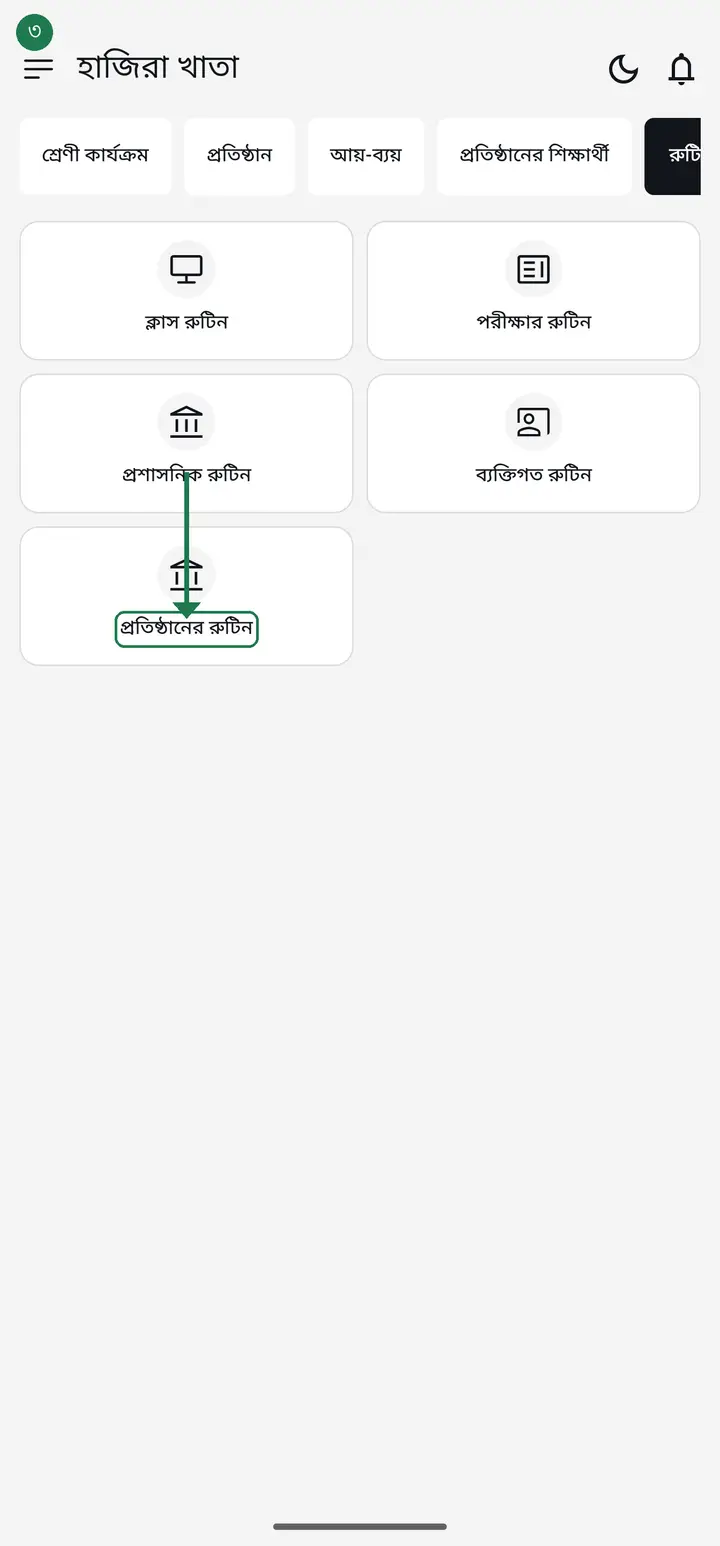
"প্রতিষ্ঠানের রুটিন" is brand new. If your Routine tab shows four cards instead of five, this one has not reached your app yet — update from the Play Store and come back. Nothing is wrong with your app.
-
People open this page looking for an "add" button — there is none, and there should not be. "প্রতিষ্ঠানের রুটিন" is a reading page. To get your own class in, build the routine in the "ক্লাস রুটিন" tile of the Routine tab and tap "অভিভাবকদের পাঠান" (Send to guardians). For exams, build it in "পরীক্ষার রুটিন", save, then tap "প্রতিষ্ঠানে প্রকাশ করুন" (Publish to institution). That single tap is what puts a routine on this page.
Being head teacher or admin does not add an extra option here. An admin's routine travels the same path — build it in the class routine and tap "অভিভাবকদের পাঠান".
-
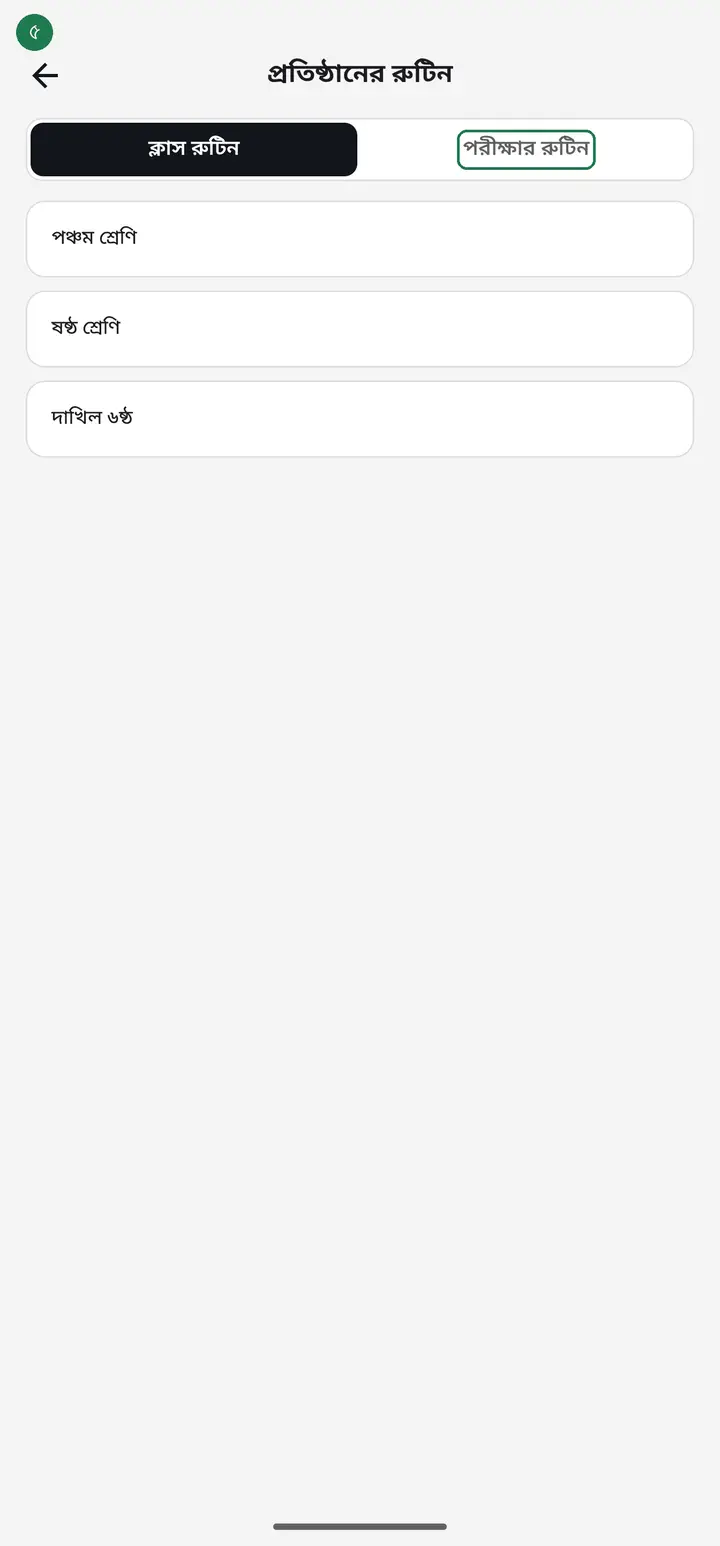
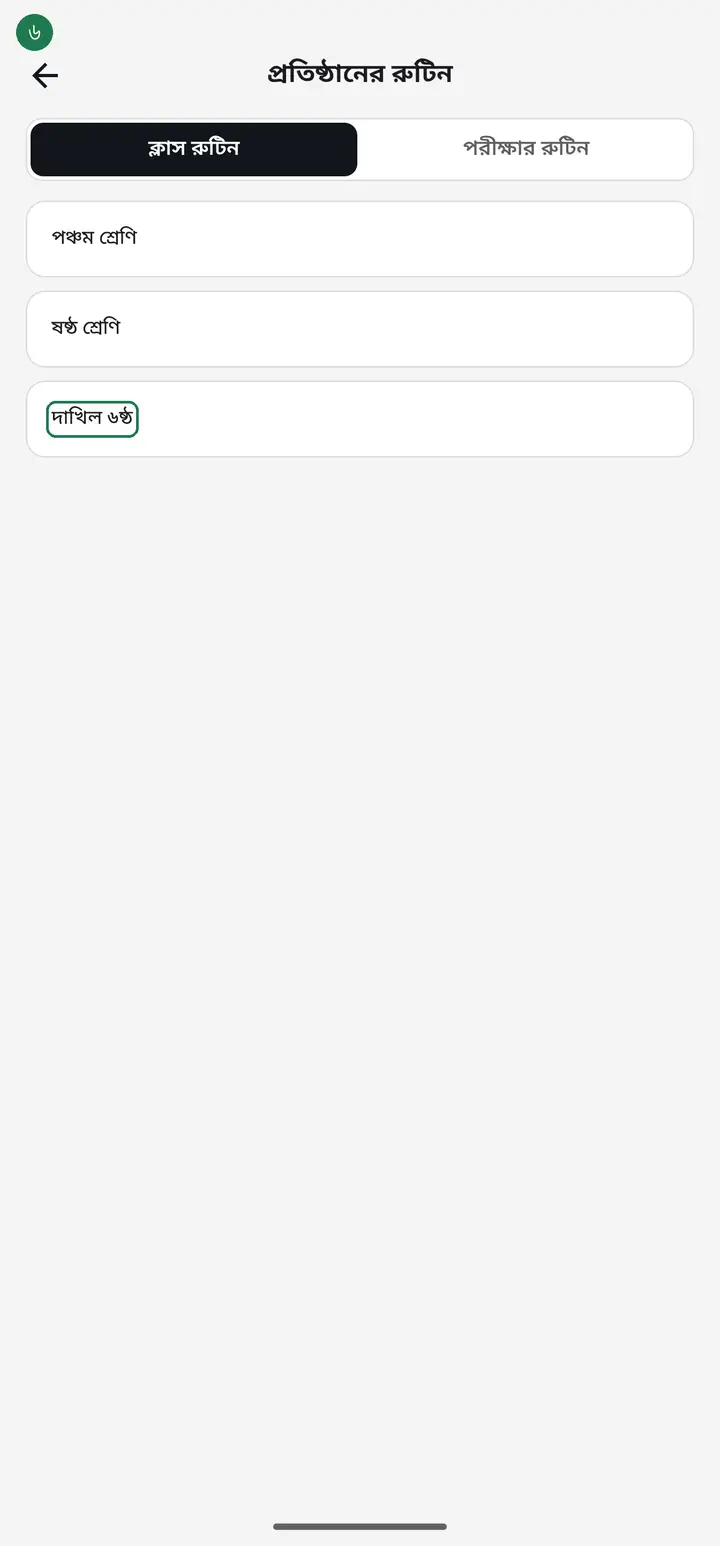
At the top are two halves — "ক্লাস রুটিন" and "পরীক্ষার রুটিন" (Exam routine). Tap whichever you want. Below it, every class in the institution is listed.
-
Under that is another row — "তালিকা" (List) and "গ্রিড" (Grid). "তালিকা" shows one class at a time. "গ্রিড" shows the whole institution as one table — every class, every period, on one page.
The grid fetches each class's routine separately, so with many classes or a slow connection it shows "লোড হচ্ছে..." for a few seconds. Wait — the app has not frozen.
-
Above the grid is the weekday — শনিবার, রবিবার. Tap it to pick another day. The app opens on today by default, and if nobody teaches today it opens on the next day somebody does.
-
The "পরীক্ষার রুটিন" half has the same "গ্রিড". There the columns are dates, and if more than one exam is running you tap the exam name at the top to choose. The share icon beside it prints the whole table or sends it as an image.
-
Tap the name of the class whose routine you want — "দাখিল ৬ষ্ঠ" in the picture. That class's published routine opens.
-
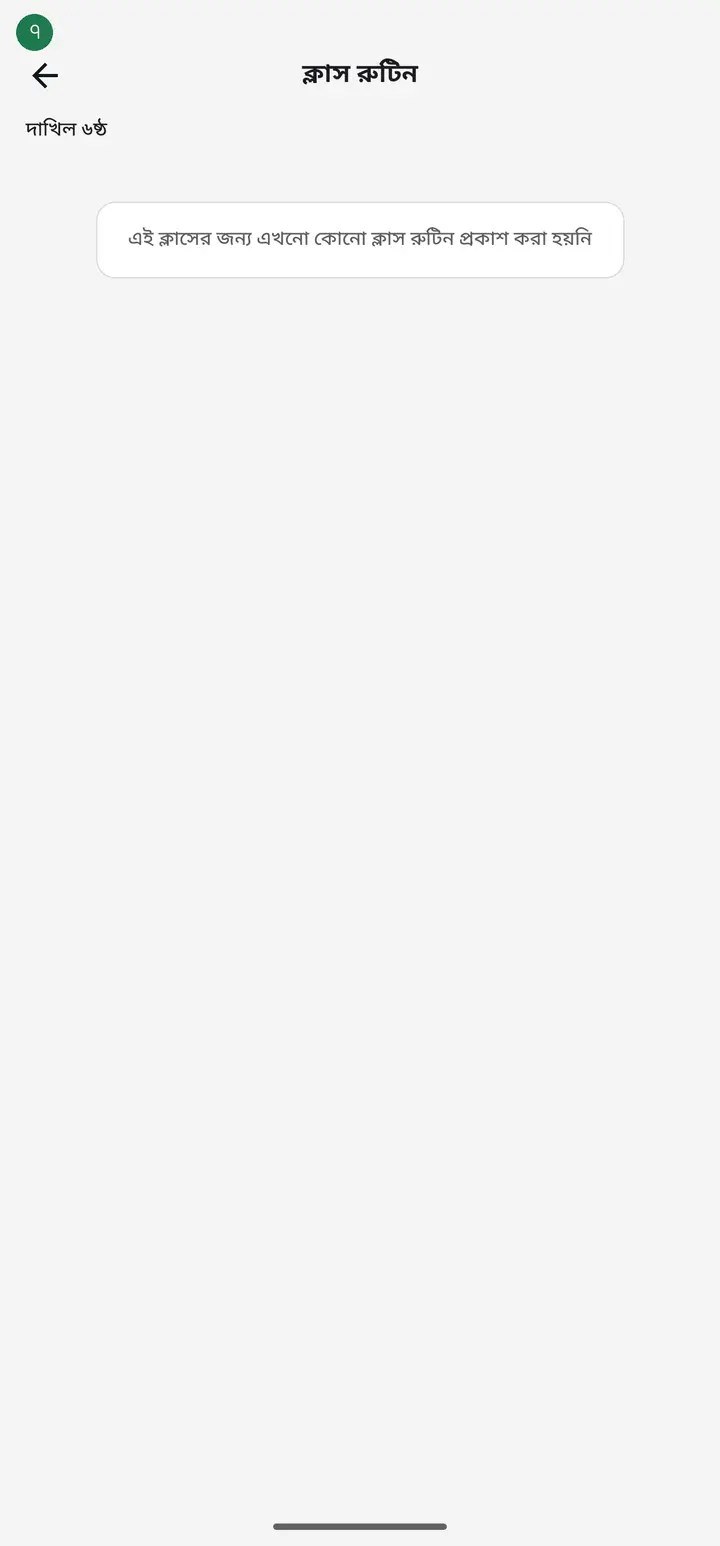
If it says "এই ক্লাসের জন্য এখনো কোনো ক্লাস রুটিন প্রকাশ করা হয়নি" (No class routine has been published for this class yet), nobody has sent that class's routine. If the class is another teacher's, ask them once. If the class is your own, it is your job — build it in the "ক্লাস রুটিন" tile and tap "অভিভাবকদের পাঠান".
Common questions
I built one routine for the whole school — every class, every teacher. What goes out when I pick one class in "অভিভাবকদের পাঠান"?
From version 3.2.292: if a row's "রুম নং বা স্থান" (Room no. or place) names the picked class (e.g. "প্রথম শ্রেণী"), only those rows stay ticked and the rest are unticked — a line under the list says so. Tick anything else you also want to send. If no row names a class, everything stays ticked as before. Up to 300 rows go out together; past that the sheet says how many will not. And several teachers at the same time now all go out (from 3.2.290).
Where is the option to add an institution routine?
There is no add option on the "প্রতিষ্ঠানের রুটিন" page — it is a reading page that collects everything people published. Routines are built elsewhere: make the weekly one in the "ক্লাস রুটিন" tile and tap "অভিভাবকদের পাঠান" (Send to guardians); for exams, build it in "পরীক্ষার রুটিন", save, then tap "প্রতিষ্ঠানে প্রকাশ করুন" (Publish to institution). After that tap it appears under institution routines, on your phone and every teacher's.
I made a routine but my class does not show it under "প্রতিষ্ঠানের রুটিন". Why?
Making or saving a routine keeps it to yourself. It reaches the institution only when you tap "অভিভাবকদের পাঠান" (Send to guardians) on the routine page — that one tap sends it to guardians and to the other teachers at the same time.
Some of my classes are missing from the institution list.
Only institutional classes appear here — your personal classes do not. A very old class can also be left out; open that class once and save it, and it will appear.
A class shows in the list but not in the grid.
The grid only holds classes whose routine has been published, and only those that teach on the weekday you are viewing. A name in the list means the class exists, not that its routine was published. Try another day; if it is still missing, ask that teacher to share the routine once.
Can I edit another teacher's routine?
No. "প্রতিষ্ঠানের রুটিন" is read-only. Only the teacher who made a routine can change it.
Two of my classes fall at the same time, but the app says the times overlap. What do I do?
The app used to block this; from 3.2.283 it does not. When another routine is already at that time it asks — title "একই সময়ে আরেকটা রুটিন আছে" (another routine at this time), then "এই সময়ে আগে থেকেই একটা ক্লাস আছে। আলাদা শ্রেণি বা আলাদা শিক্ষকের ক্লাস হলে রাখতে পারেন। তবুও রাখবেন?" (a class is already at this time; keep it if it is a different class or teacher) — if it is a different class or teacher, tap "তবুও রাখুন" (Keep anyway) and it saves. If you picked the time by mistake, tap "সময় বদলাব" (Change the time) to go back. A missing time, or an end time before the start, still will not save. If your phone still shows only "বিদ্যমান ক্লাসের সাথে সময় ওভারল্যাপ হয়েছে" (overlaps an existing class) and refuses without asking, the app is an older version — update হাজিরা খাতা from the Play Store and try again.
Ask AI about this page
Ask an AI app to explain this page in simple language.
Copied — now paste it
Get Hazira Khata free on Google Play
More tutorials
- How to sign in Signing in for the first time with your phone number. No email or password needed.
- Add a second way to sign in to one account Add Gmail to an account created with a phone number. It stays one account and nothing inside it changes.
- How to mark your own attendance As a teacher you can record your own daily attendance — it takes one tap.
- Check your salary and sign "received" When your school records your salary, the app tells you. Check the receipt and tap "বেতন বুঝে পেয়েছি" (Salary received) to leave your own digital signature — proof for both sides.
- How to create a class Before you can take attendance you create the class once. A one-time job.
- Putting your classes in your own order — press, hold and drag KG Two showing before KG One? Classes appear in the order you created them. On the "শ্রেণী কার্যক্রম" page, press and hold a card and drag it where you want — no need to rename anything.
- Make receipts and results look right — font and size Documents printing in an ugly font? Change it in one place and the receipt, result slip and certificate all change together.
- How to add students Enter each student's name and roll once. After that, daily attendance is just ticking boxes.