
How to fix a wrong attendance entry
If a previous day's attendance is wrong, correct it from here.
The screenshots show the app in Bangla, its main language. The buttons sit in the same places in English.
-
Tap "দেখুন" (View) on the class card.
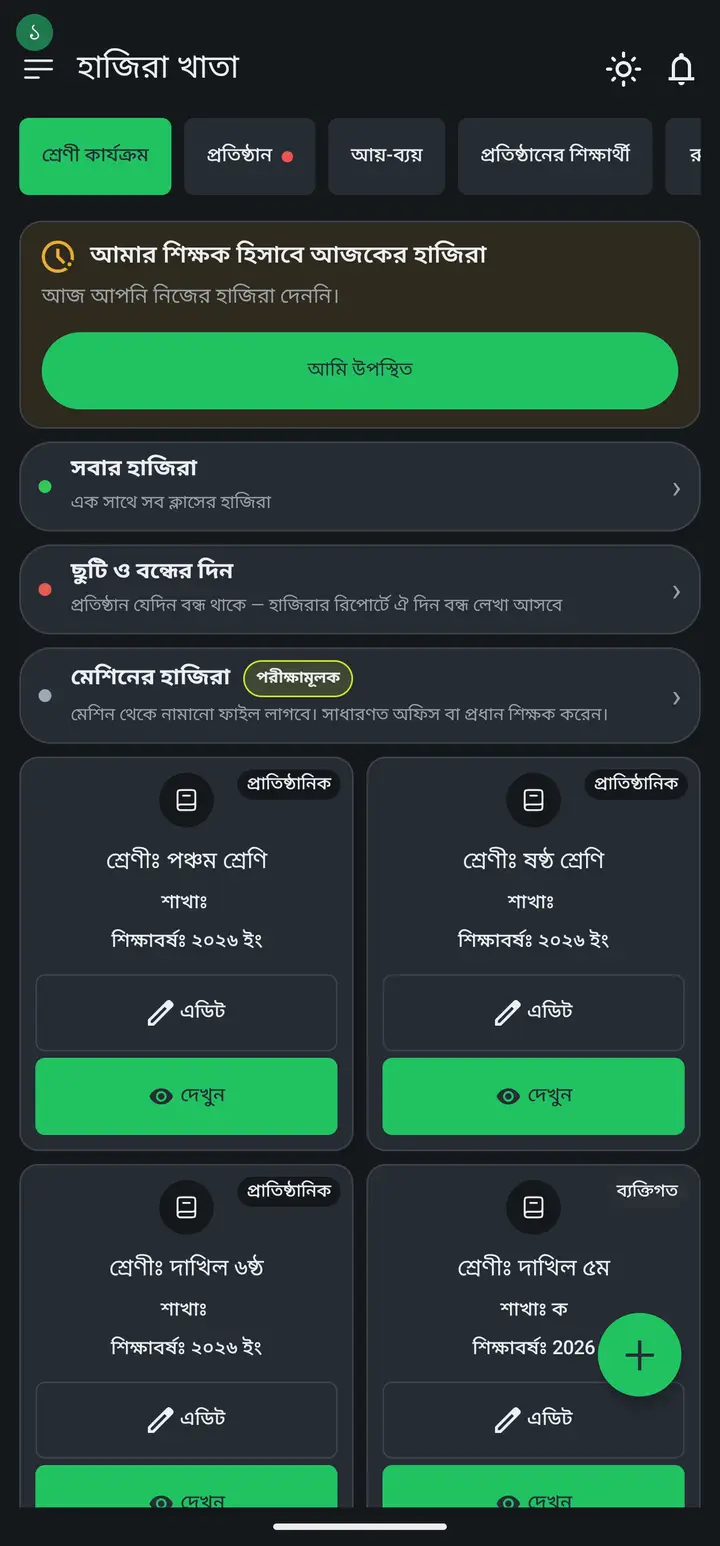
-
Tap "উপস্থিতির তথ্য পরিবর্তন" (Change attendance info).
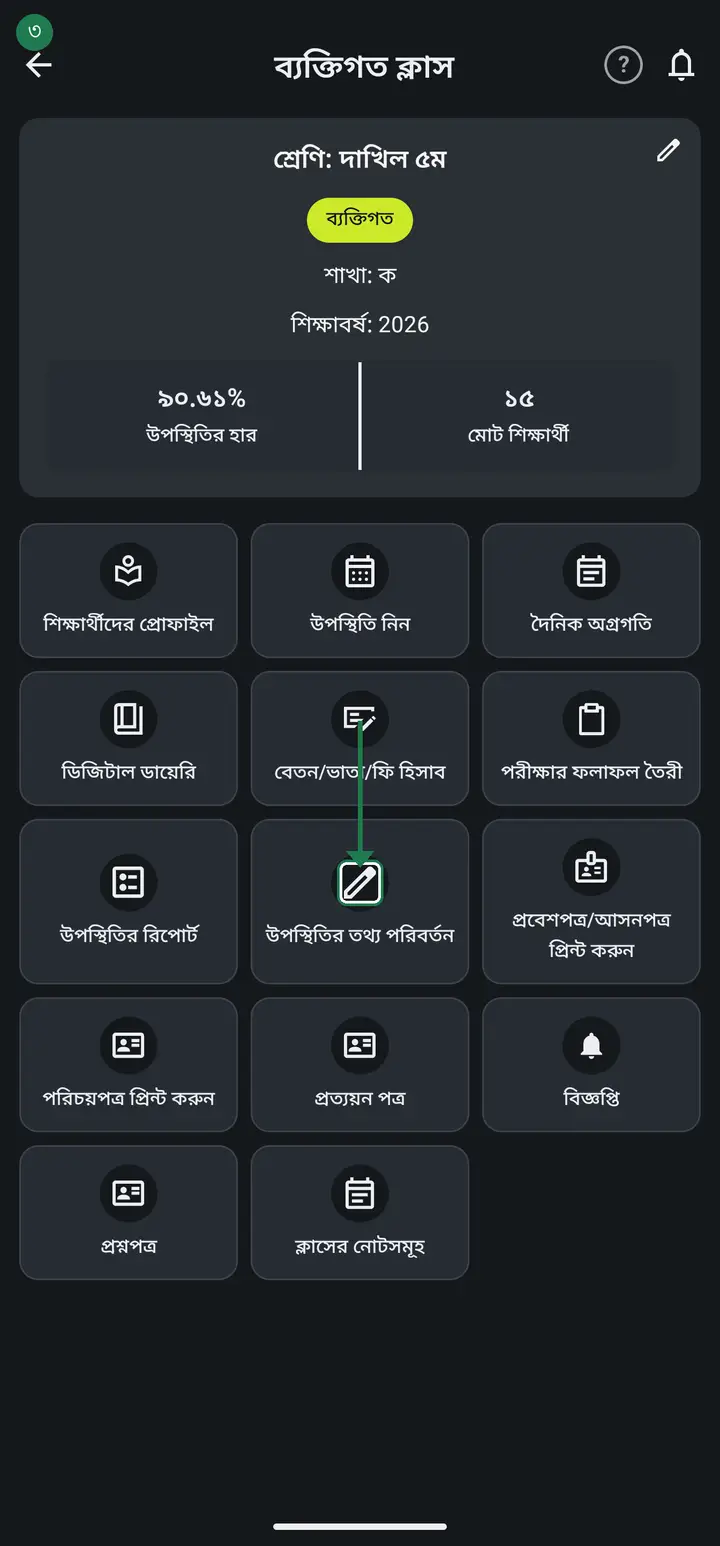
-
Pick the day that is wrong, correct the student's tick and save.
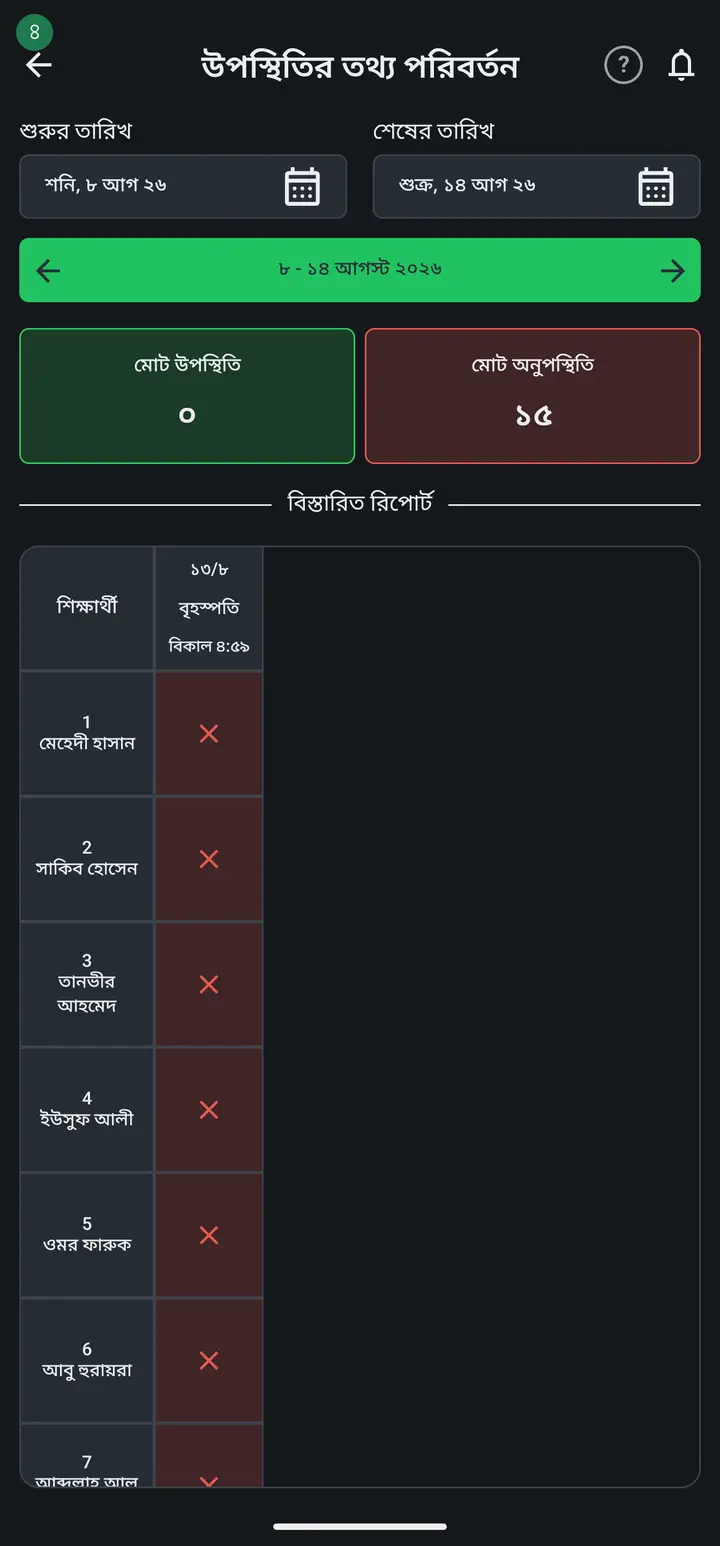
For an institutional class only the institution admin can do this. In your own personal classes you always can.
-
To remove one student's entry altogether, tap that student's cell and then the red "মুছে ফেলুন" (Delete) at the bottom. A warning box appears carrying the student's name and the date — check them and tap "মুছে ফেলুন" again. The cell goes blank (--) and the total at the top drops.
A cell that holds no entry yet shows no "মুছে ফেলুন" at all — there is nothing to erase. There you can only set present or absent.
-
If a whole register went onto the wrong date, do not delete it student by student. Tap the DATE cell at the very top of the table (for example "৬/৮ বৃহস্পতি দুপুর ১২:৫৫") — a warning offers to erase that entire day at once. Tap "মুছে ফেলুন" and the day clears, then take the attendance again on the right date.
This has been there since 3.2.195 and has reached everyone. If tapping the date cell does nothing, your app is an old build — update from the Play Store; until you do, the per-student route is the only way.
Common questions
I took the register on the wrong date and cannot find a delete option.
There are two, and they do different jobs. For one student, tap that student's cell — the red "মুছে ফেলুন" is at the bottom. For a whole day on the wrong date, tap the date cell at the very top of the table and it erases that entire day at once. Note that taking attendance twice in one day makes two separate columns (different times) — only the one you tap is erased.
Can a deleted entry be brought back?
No, a deleted entry does not come back. But there is nothing to fear — you simply take the attendance again. Before it deletes, the warning box carries the student's name and the date, so read it once. If you tapped by mistake, "বাদ" (Cancel) backs out.
Can I not just change the date instead of deleting and retaking?
There is no way to move an entry to another date. Each entry is bound to the day it was taken — reports, attendance percentages and what reaches guardians are all calculated from that date. So erasing the wrong day and taking it again on the right one is the only safe route, and the date cell does it in one tap.
A student profile also has "উপস্থিতি ঠিক করা" — why is there no "মুছে ফেলুন" there?
That is a different page and it has no delete, on purpose. The one inside a student profile only switches present/absent: tap a cell, a box opens below and you tap "পরিবর্তন" (Change). To erase anything, take the route in the steps above — "দেখুন" on the class card, then "উপস্থিতির তথ্য পরিবর্তন". That single screen is where both the one-student delete and the whole-day delete live.
Ask AI about this page
Ask an AI app to explain this page in simple language.
Copied — now paste it
Get Hazira Khata free on Google Play
More tutorials
- How to sign in Signing in for the first time with your phone number. No email or password needed.
- Add a second way to sign in to one account Add Gmail to an account created with a phone number. It stays one account and nothing inside it changes.
- How to mark your own attendance As a teacher you can record your own daily attendance — it takes one tap.
- Check your salary and sign "received" When your school records your salary, the app tells you. Check the receipt and tap "বেতন বুঝে পেয়েছি" (Salary received) to leave your own digital signature — proof for both sides.
- How to create a class Before you can take attendance you create the class once. A one-time job.
- Putting your classes in your own order — press, hold and drag KG Two showing before KG One? Classes appear in the order you created them. On the "শ্রেণী কার্যক্রম" page, press and hold a card and drag it where you want — no need to rename anything.
- Make receipts and results look right — font and size Documents printing in an ugly font? Change it in one place and the receipt, result slip and certificate all change together.
- How to add students Enter each student's name and roll once. After that, daily attendance is just ticking boxes.