
Build a monthly progress report and send it to the guardian
Everything you recorded through the month collects onto one page — totals, daily average, best day — and goes to the guardian as an image on WhatsApp.
The screenshots show the app in Bangla, its main language. The buttons sit in the same places in English.
-
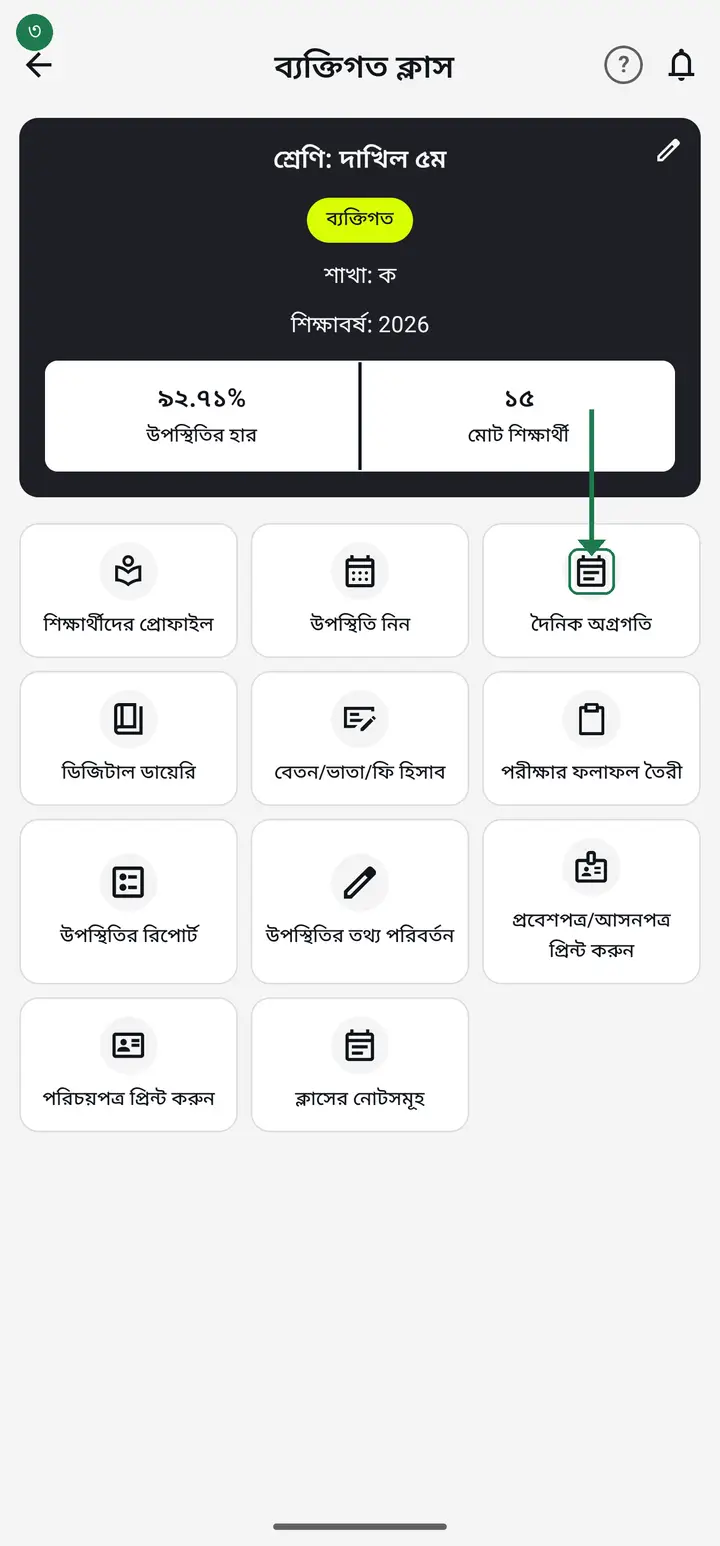
A report needs entries first — whatever you recorded in "দৈনিক অগ্রগতি" (Daily progress) through the month is what it can show.
-
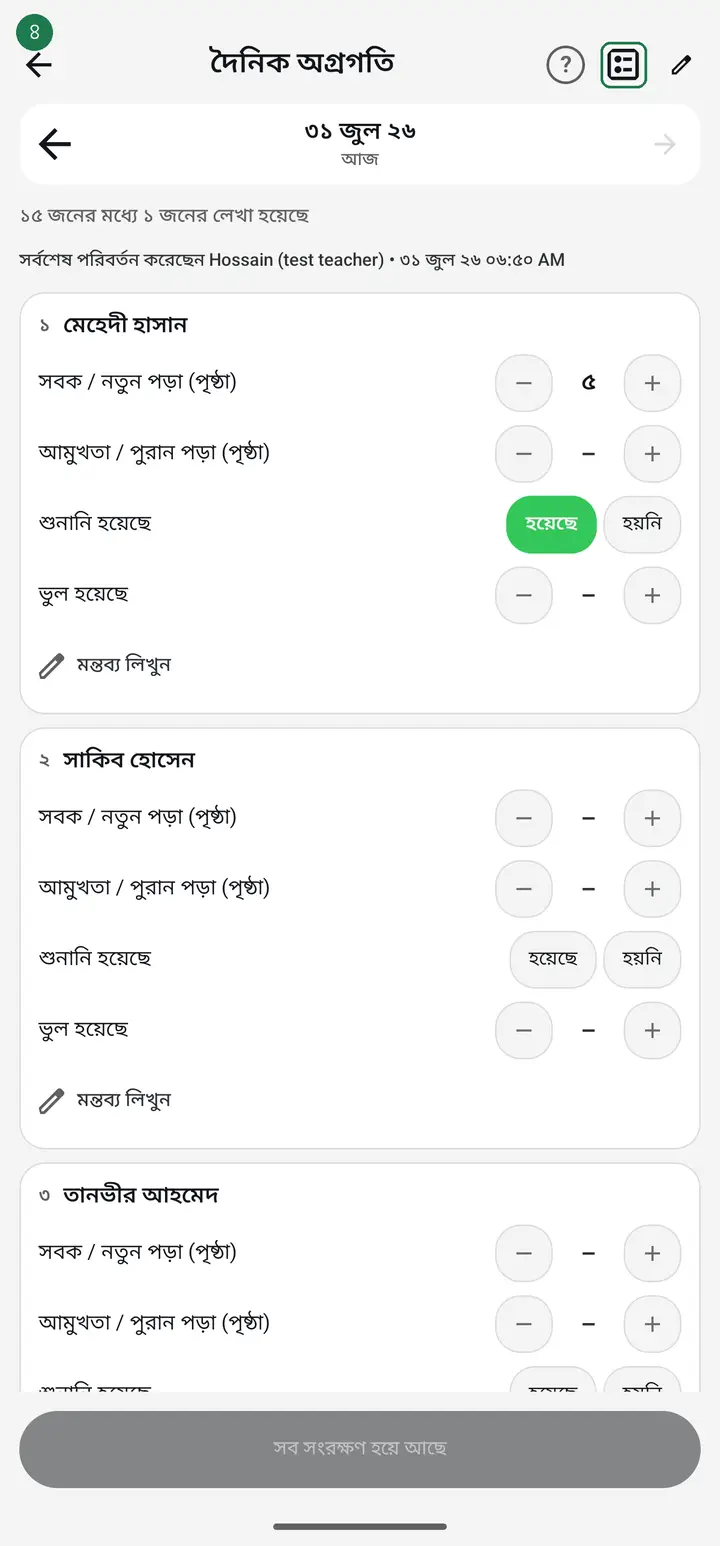
Open "দৈনিক অগ্রগতি" for the class and tap the report icon at the top right ("মাসের রিপোর্ট" — Monthly report). From app version 3.2.286 the icon is named "অগ্রগতির রিপোর্ট (মাসিক / সাপ্তাহিক)" (Progress report — monthly / weekly) and the screen it opens is headed "অগ্রগতির রিপোর্ট".
-
You are asked "কার অগ্রগতি দেখতে চান?" (Whose progress do you want to see?) and shown every student. Tap the one you need.
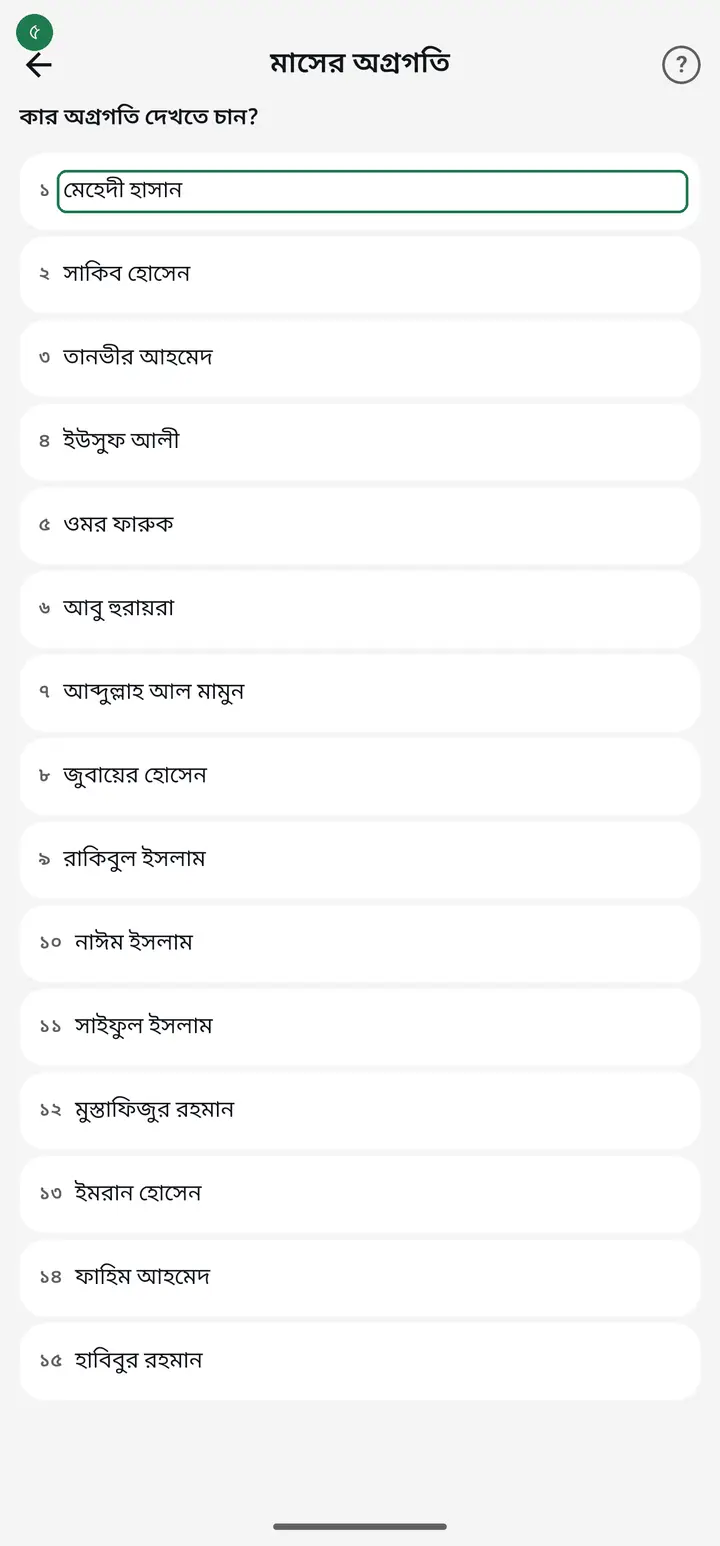
Archived students are listed here on purpose — so you can still produce a departed child's last month when the family asks for it.
-
That student's month opens. The month name is at the top with arrows beside it — tap the left arrow for an earlier month.
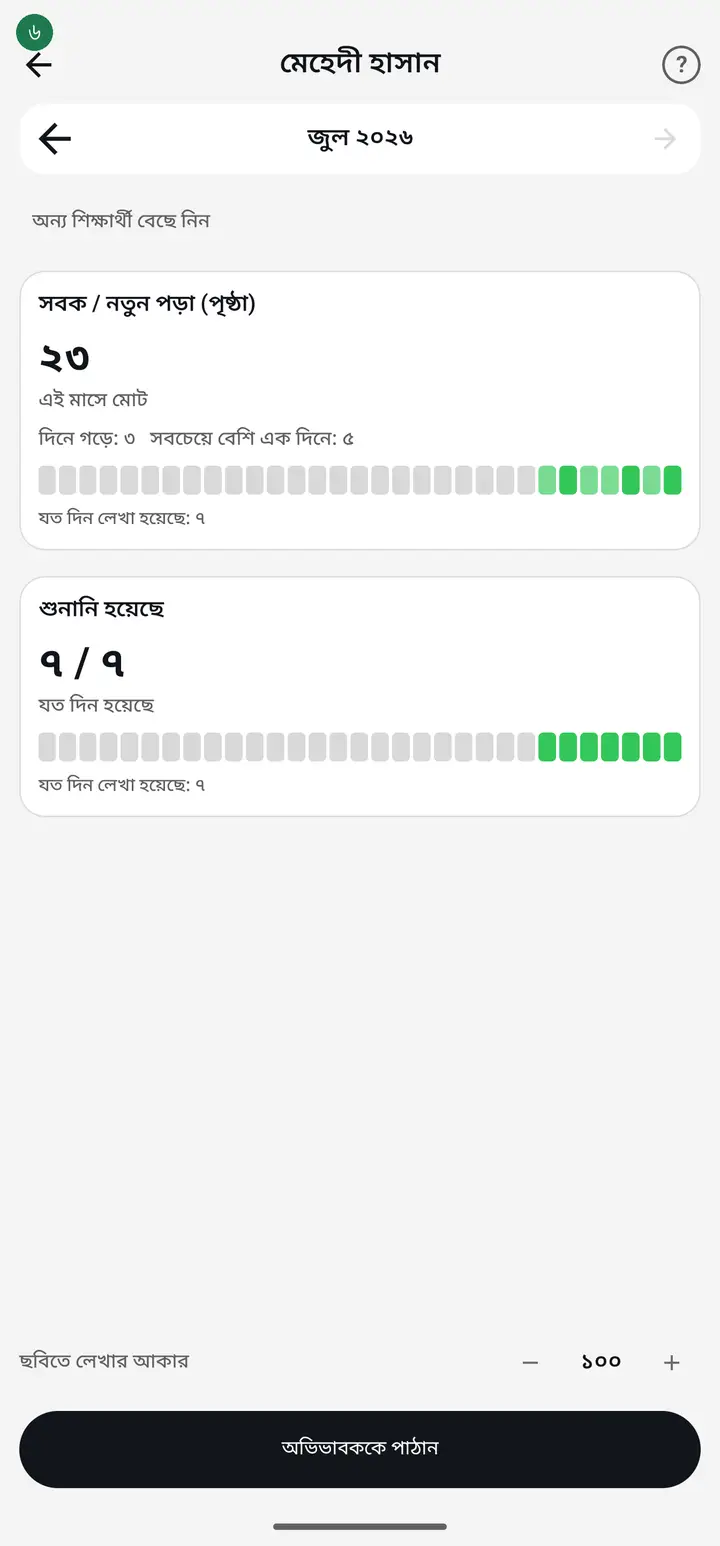
The forward arrow will not move past the current month. That is not a fault — a month that has not happened has nothing to show.
-
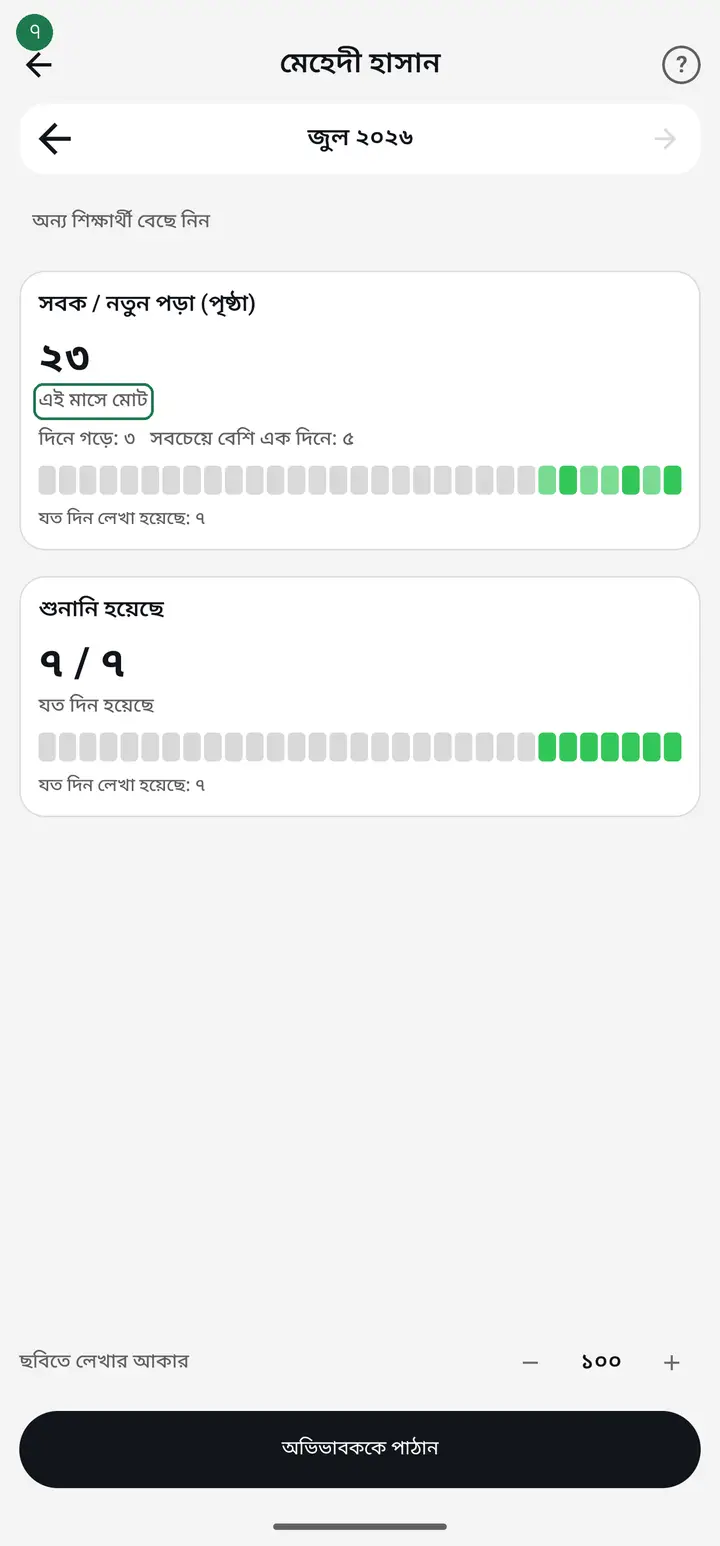
Each column gets its own figures — "এই মাসে মোট" (total this month), "দিনে গড়ে" (daily average) and "সবচেয়ে বেশি এক দিনে" (best single day). Numbers add themselves up; you never total them by hand.
-
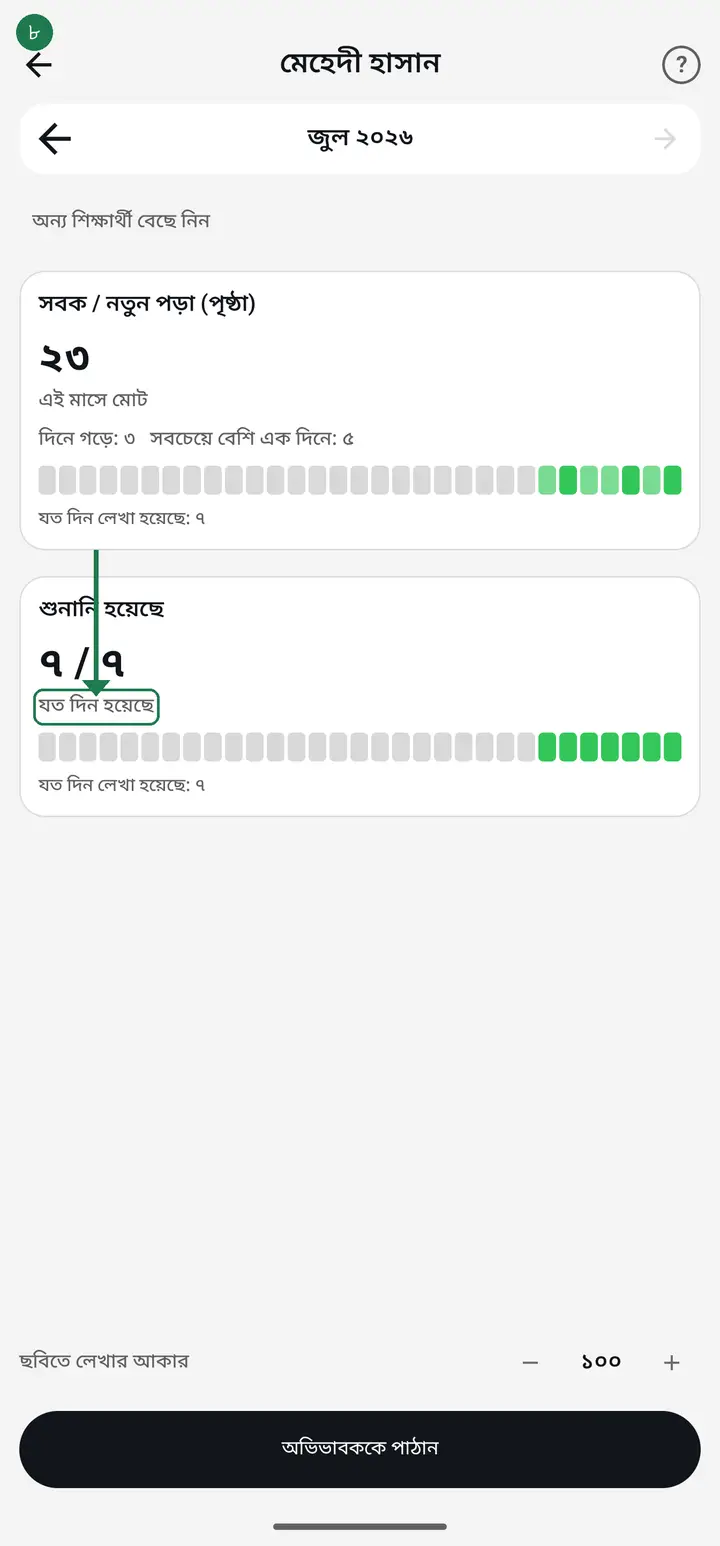
A yes/no column shows days done out of days recorded — "২২ / ২৬", with "যত দিন হয়েছে" printed just under it. It means 22 of the 26 days you actually recorded. Days you did not record are not counted, so holidays never drag the figure down.
-
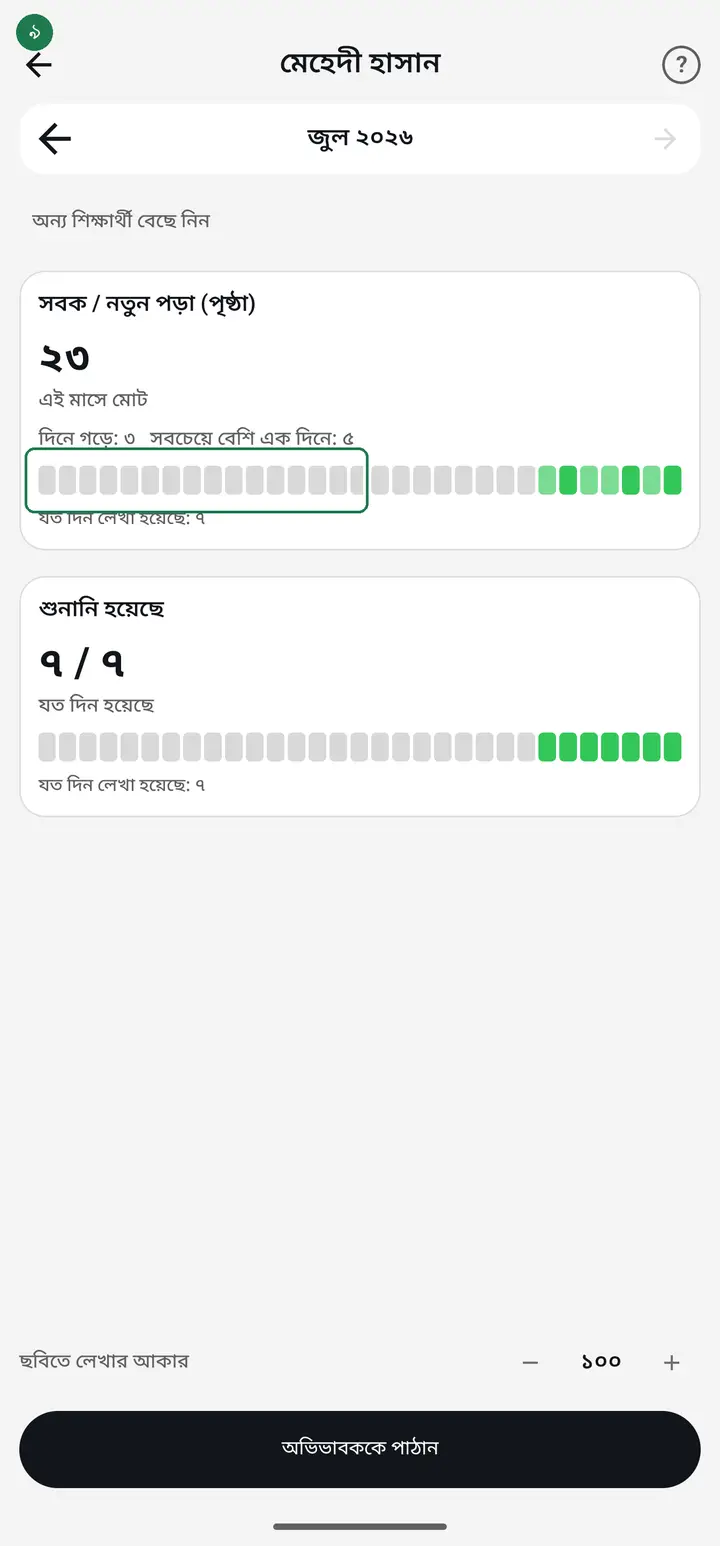
Below that is a row of small boxes, one per day of the month — darker where more was done, lighter where less, blank where nothing was recorded. One glance shows which week slipped.
-
All the teacher's comments for the month are collected at the bottom with their dates.
-
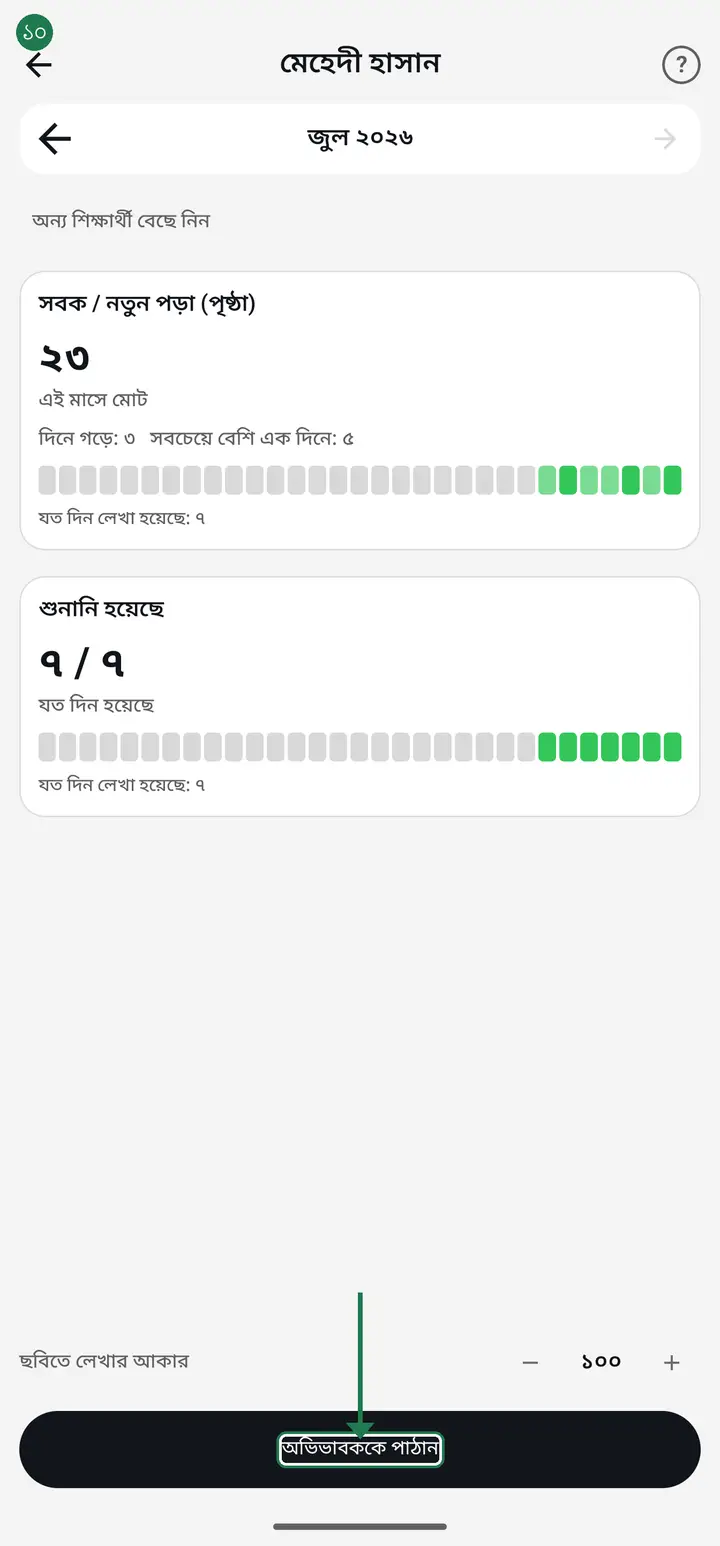
To send it, tap "অভিভাবককে পাঠান" (Send to guardian). The app builds an image of the whole report with your institution's name and address at the top, then lets you pick WhatsApp, imo, Messenger or anything else.
-
If the text in the image is too small or too large, adjust "ছবিতে লেখার আকার" (Text size in the image). Your setting is remembered for next time.
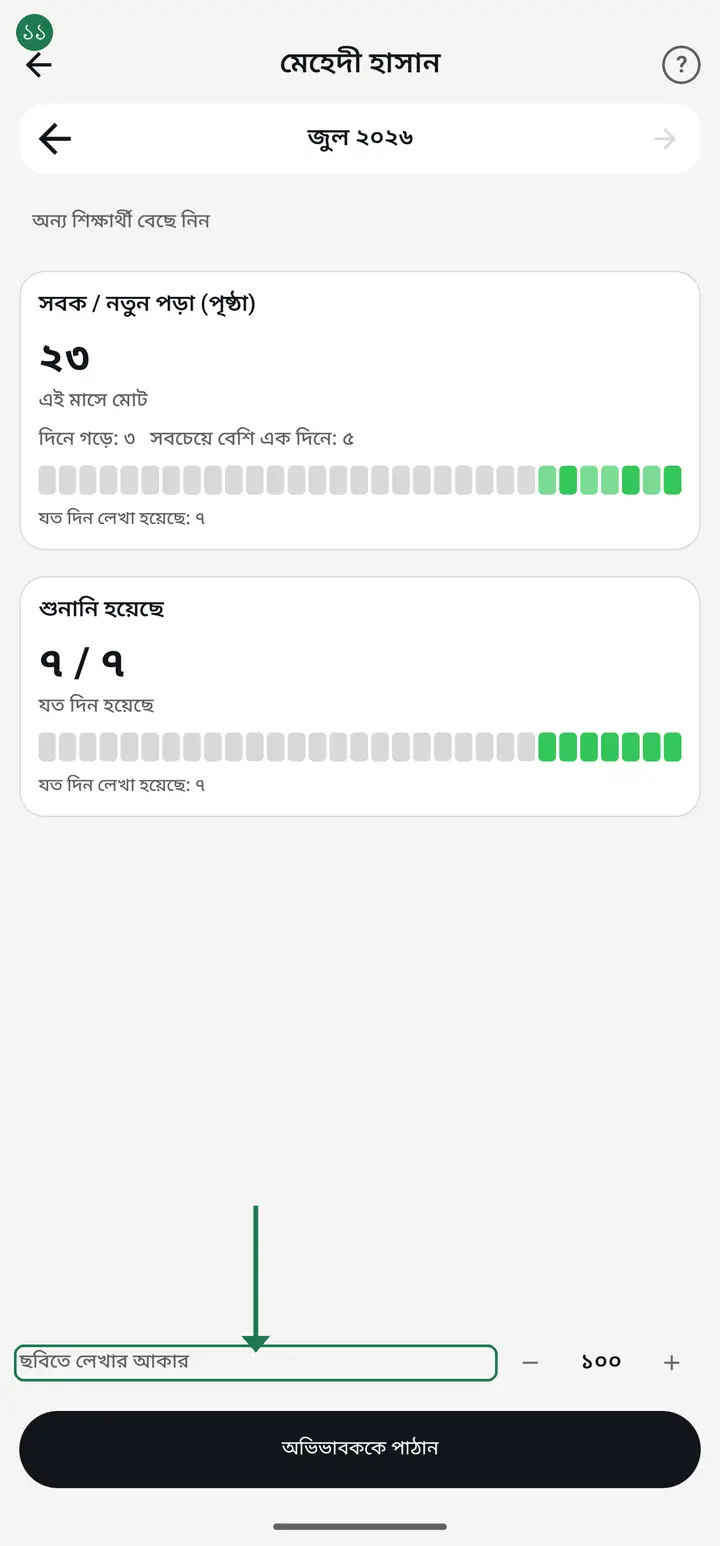
An image is the easiest thing to send — anyone with a smartphone can open it, no app is needed, and it goes through on a weak connection.
-
Weekly register (from app version 3.2.286): after picking the student you will see "মাসিক" (Monthly) and "সাপ্তাহিক" (Weekly) at the top. Tap "সাপ্তাহিক" for a table like the paper register — Saturday to Friday, one row per day, one column for every ঘর your class keeps. Use the arrows to go back a week.
-
A day with nothing recorded stays blank — never ০ — so a blank cell always means nothing was written that day. The last column, "উস্তাদের স্বাক্ষর" (Ustad's signature; "শিক্ষকের স্বাক্ষর" for non-madrasa classes), is left empty to sign by hand after printing. Underneath are "সপ্তাহের মোট" (week total) and how many days were recorded. "অভিভাবককে পাঠান" sends it as an image, just like the monthly report.
If it says "নেট নেই — এই সপ্তাহের সব তথ্য না-ও আসতে পারে" (No internet — this week may be incomplete), the send button is hidden on purpose. Offline, only the days written on this phone are visible and a colleague's days may be missing. Turn the internet on, reopen it, then sign or send.
Common questions
Why does it say nothing was recorded for this student?
Because no entry exists for that student in that month. Check the month arrows first. If you have only just started, the first month is naturally thin — the figures build up after a few days of recording.
Why is my institution's name missing from the report?
The report pulls the name and address from your institution settings. Fix it once in the institution profile and it corrects itself everywhere — ID cards, receipts and reports alike.
Can I send the whole class at once?
Not yet — one student at a time. Each report carries that child's own figures and the teacher's comments about them, which should not land in another family's chat.
Can I see the image before it goes?
Yes. After "অভিভাবককে পাঠান" you see the image before it reaches WhatsApp. If it does not look right, go back, change "ছবিতে লেখার আকার" and try again.
Do guardians see the teacher's comments too?
Yes, every comment for the month goes in with its date. Write them assuming the guardian will read them.
Can I get a report like the hifz department's weekly register? (sobok, sat sobok, amukhta — para, page, mistakes)
Yes, from app version 3.2.286 — open the report, pick the student and tap "সাপ্তাহিক". Each column comes from one of your class's ঘর, so for para, page and mistakes as separate columns, create your own ঘর in the "দৈনিক অগ্রগতি" settings — for example "সবক পারা", "সবক পৃষ্ঠা", "সবক ভুল" (type: number). Write in them daily and the weekly register fills itself.
Ask AI about this page
Ask an AI app to explain this page in simple language.
Copied — now paste it
Get Hazira Khata free on Google Play
More tutorials
- How to sign in Signing in for the first time with your phone number. No email or password needed.
- Add a second way to sign in to one account Add Gmail to an account created with a phone number. It stays one account and nothing inside it changes.
- How to mark your own attendance As a teacher you can record your own daily attendance — it takes one tap.
- Check your salary and sign "received" When your school records your salary, the app tells you. Check the receipt and tap "বেতন বুঝে পেয়েছি" (Salary received) to leave your own digital signature — proof for both sides.
- How to create a class Before you can take attendance you create the class once. A one-time job.
- Putting your classes in your own order — press, hold and drag KG Two showing before KG One? Classes appear in the order you created them. On the "শ্রেণী কার্যক্রম" page, press and hold a card and drag it where you want — no need to rename anything.
- Make receipts and results look right — font and size Documents printing in an ugly font? Change it in one place and the receipt, result slip and certificate all change together.
- How to add students Enter each student's name and roll once. After that, daily attendance is just ticking boxes.