
The office schedule — telling the whole staff about a meeting
Publish the meetings and gatherings from your administrative routine to every teacher in the institution in one tap.
The screenshots show the app in Bangla, its main language. The buttons sit in the same places in English.
-
First, why this exists. Whatever you wrote in the "প্রশাসনিক রুটিন" (Administrative routine) tile — meetings, guardian gatherings, office hours — used to live on your phone alone. Nobody else could see it and nothing told you so. Now one tap shares it with every teacher in the institution.
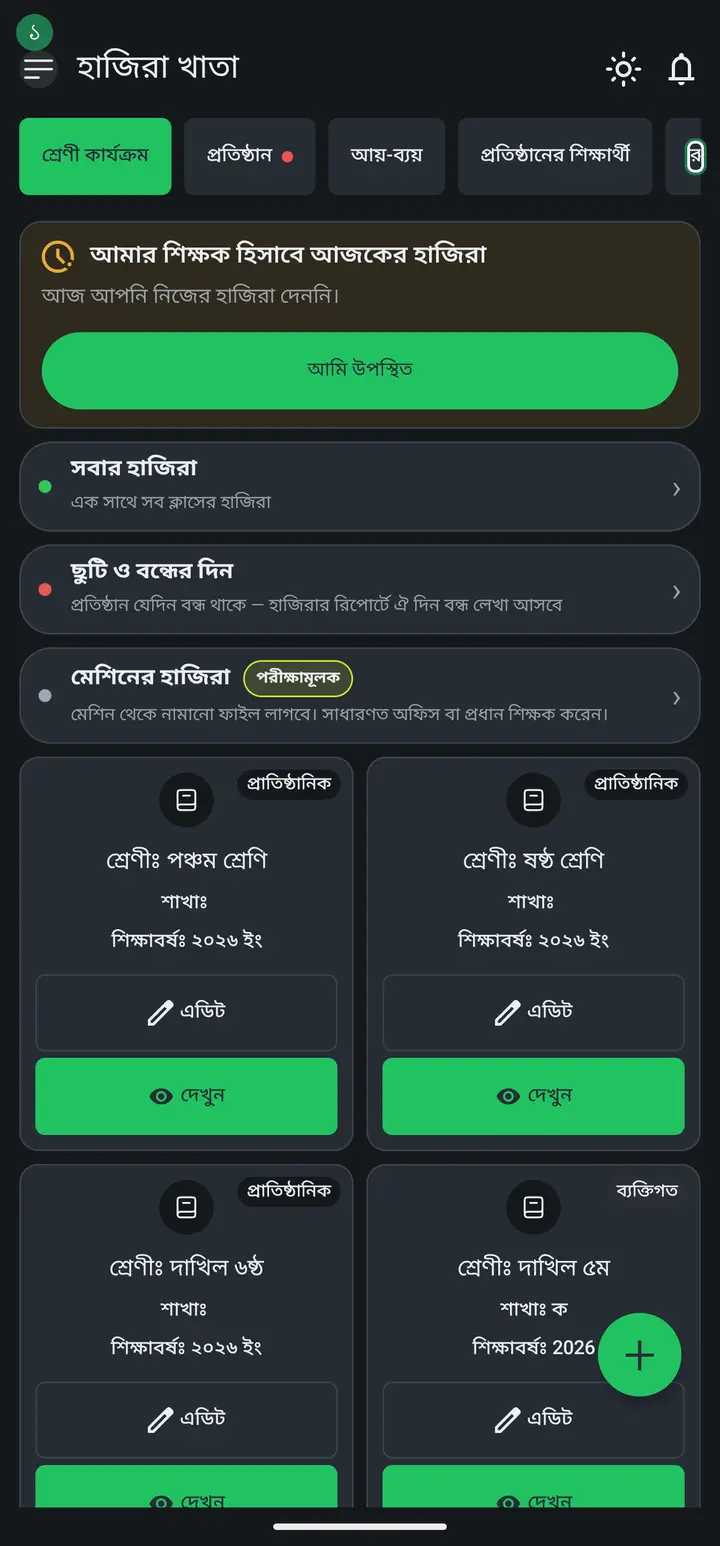
Only the head teacher or an admin can do this. An ordinary teacher does not even see the publish button — they can only read what was published.
-
Open the Routine tab and tap "প্রশাসনিক রুটিন". Its caption reads "অফিসের কাজ — শুধু আমার" (office work — mine only), so do not confuse it with "প্রতিষ্ঠানের রুটিন" — the two names sound alike in Bangla and do different jobs.
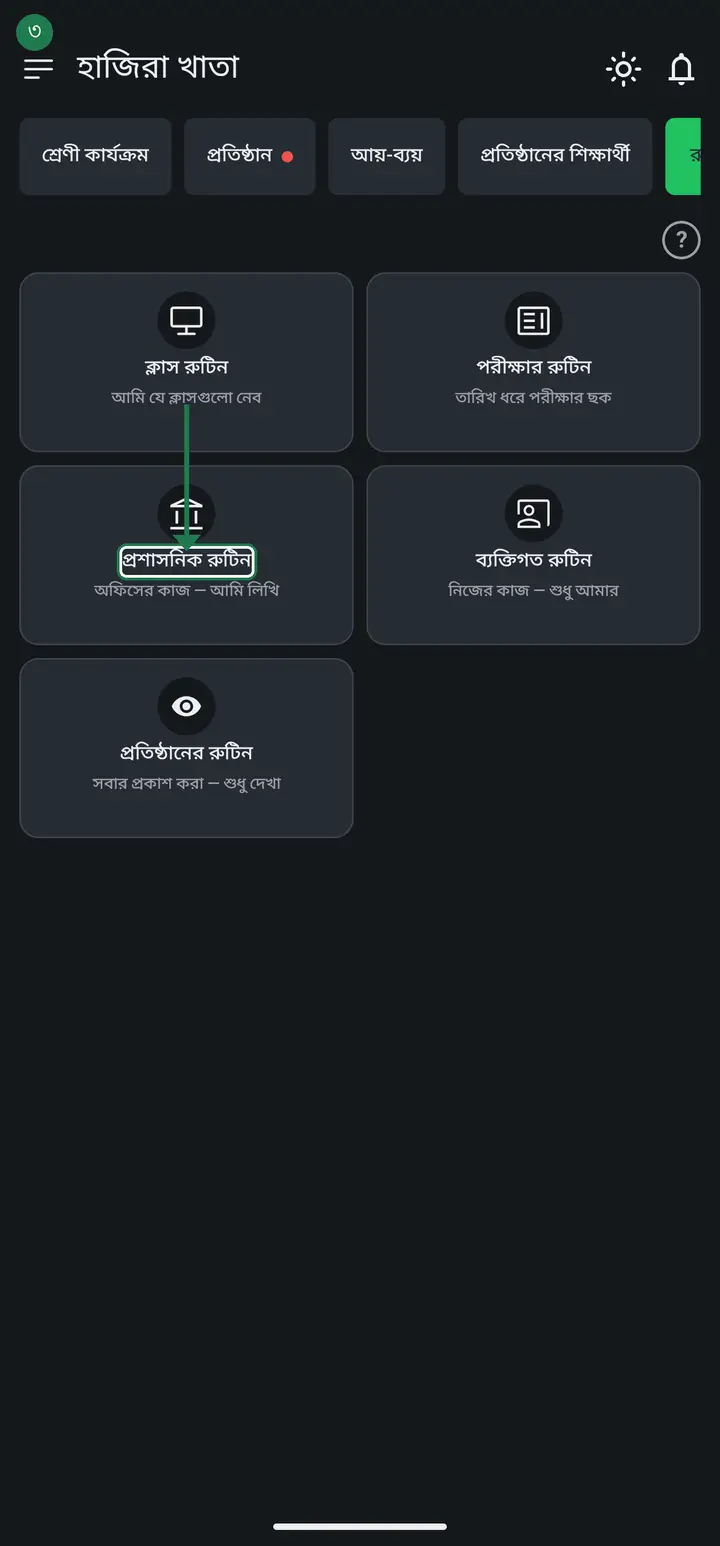
-
Tap the + button and add the entries — "শিক্ষক মিটিং" for example: pick the day, set the time, write the place ("অফিস কক্ষ"). Add as many as you need.
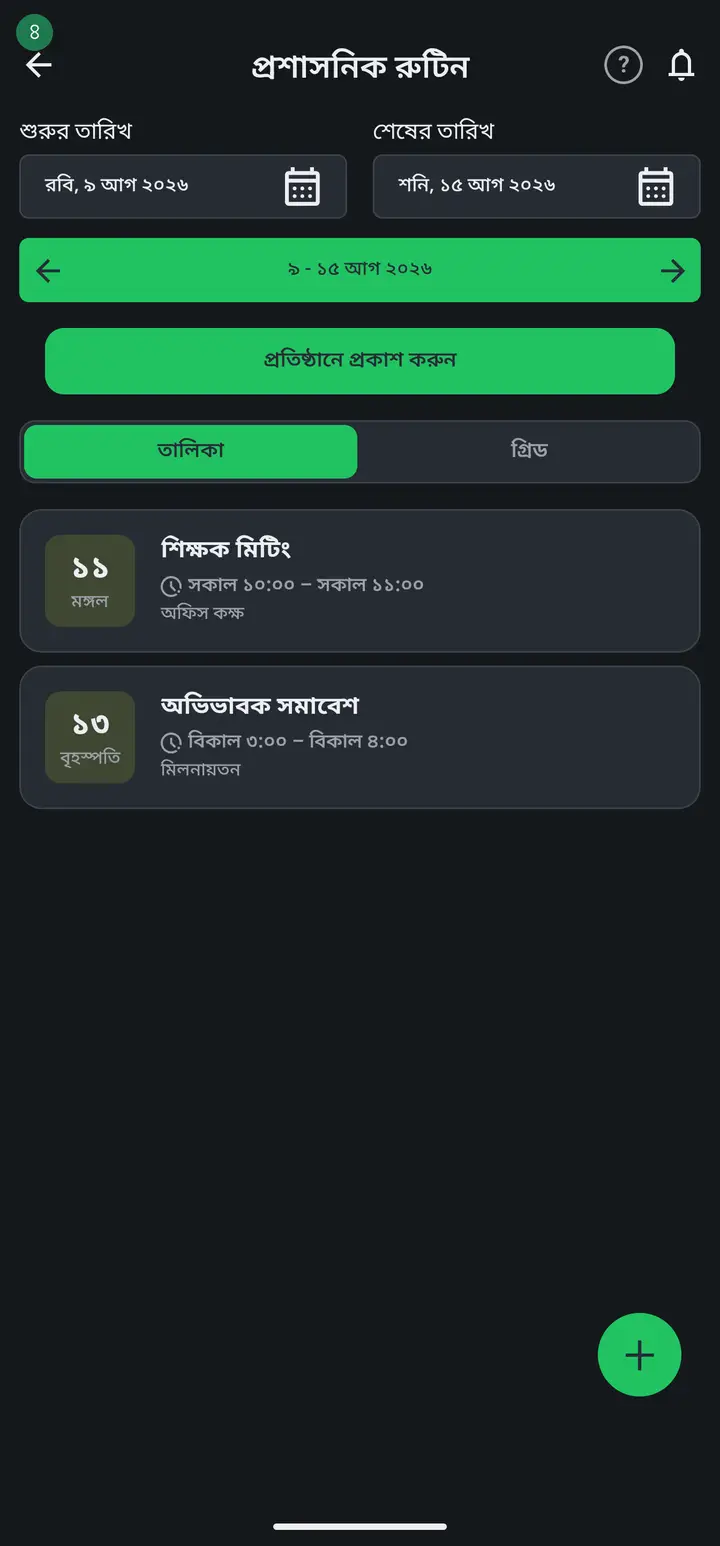
-
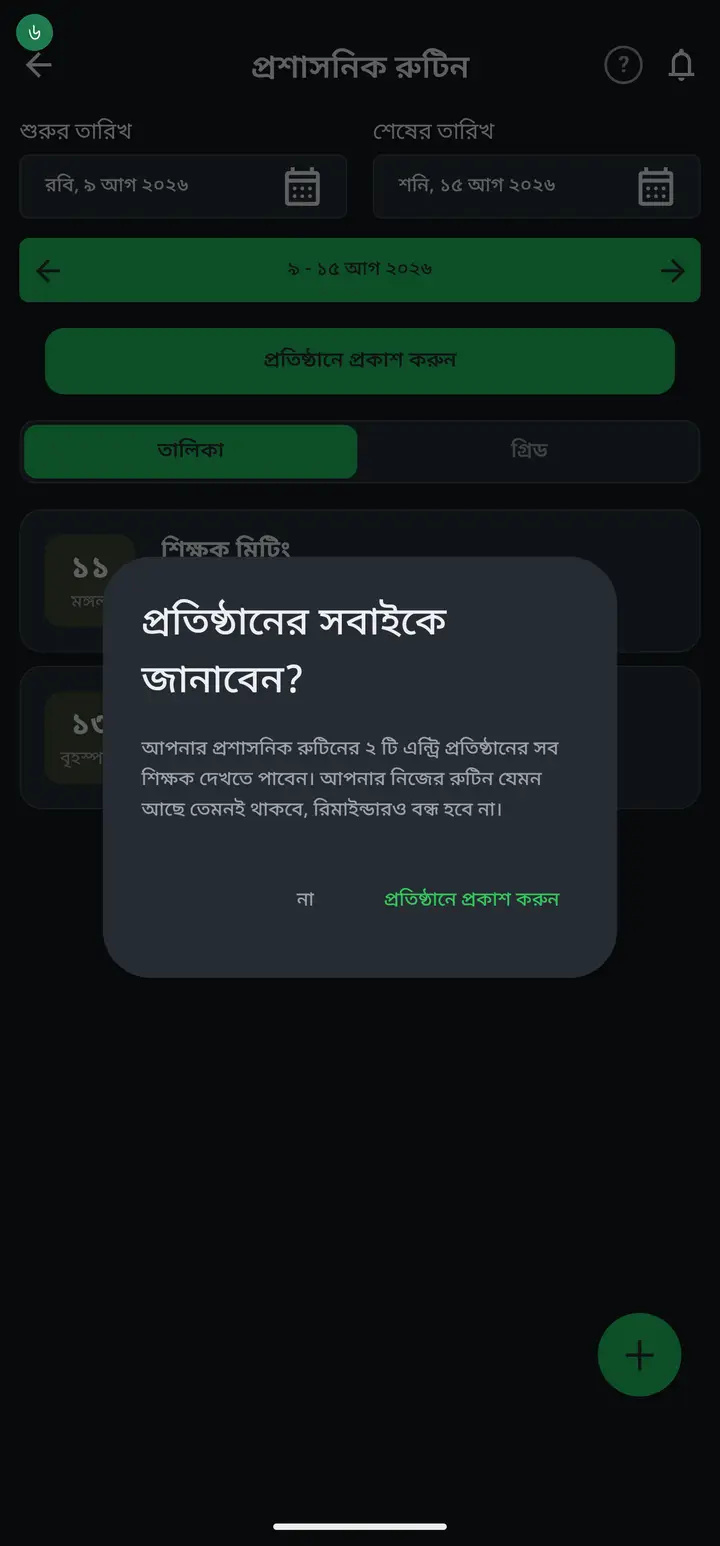
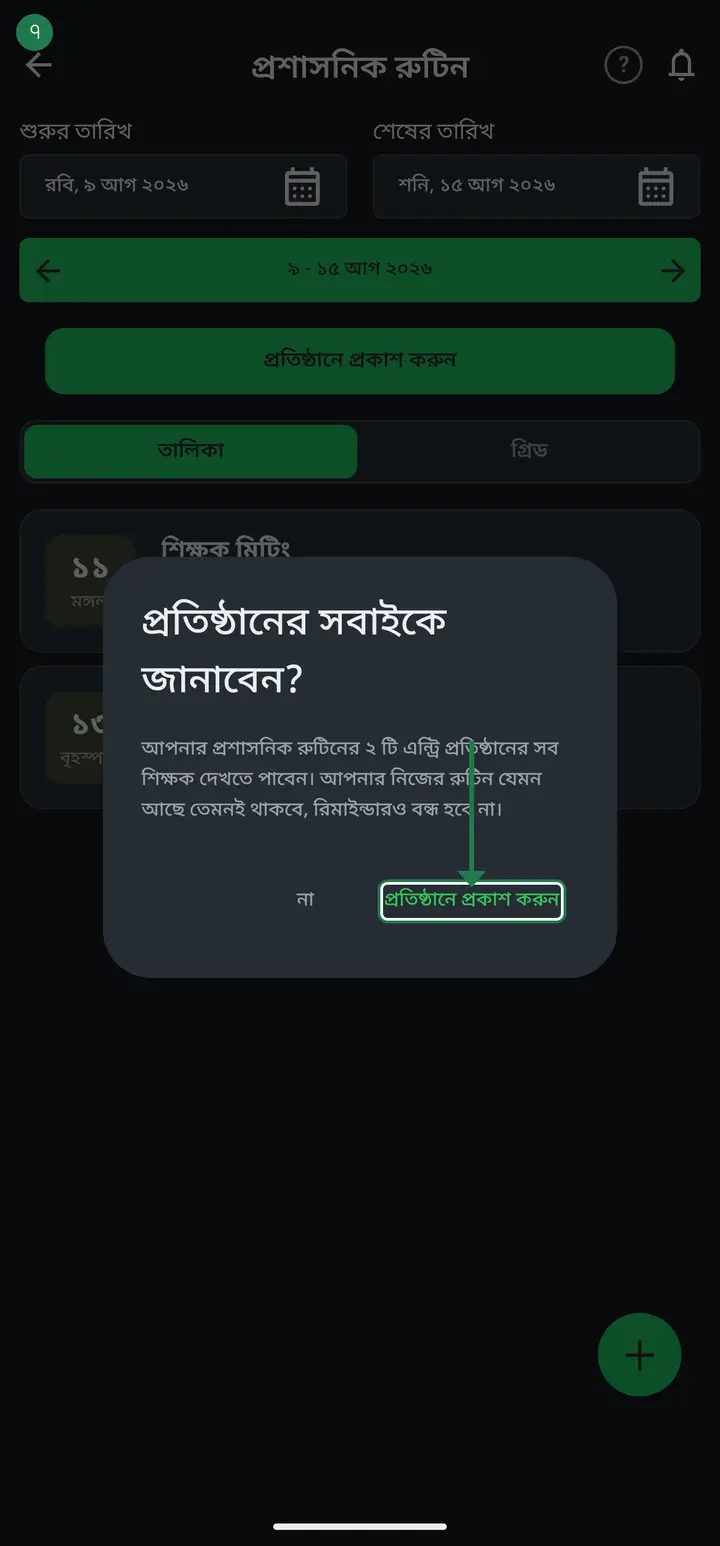
Now tap "প্রতিষ্ঠানে প্রকাশ করুন" (Publish to institution). A dialog tells you how many entries will be shared. Tap it again to confirm.
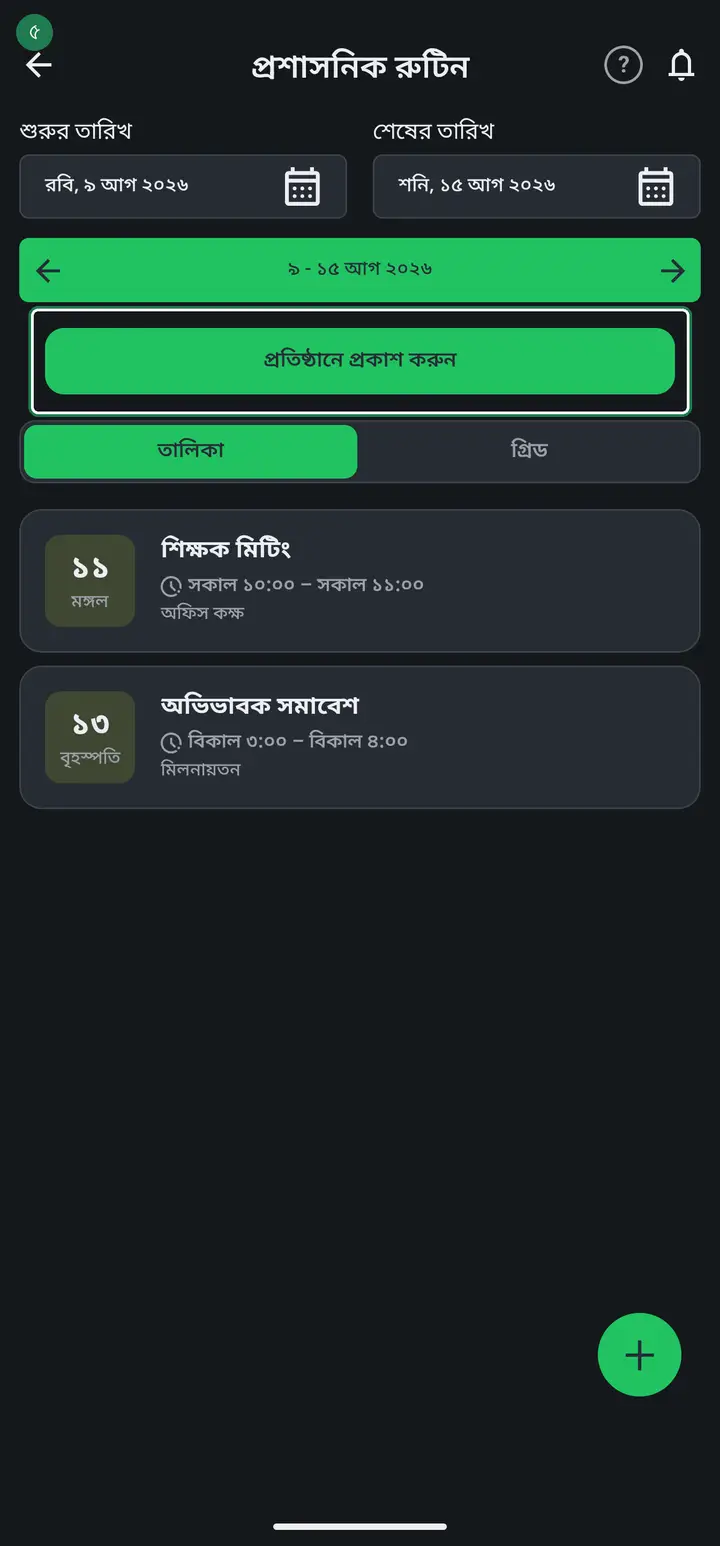
Your own administrative routine is not removed and your reminders keep working. Publishing copies it, it does not move it.
-
Where do teachers read it? Routine tab → "প্রতিষ্ঠানের রুটিন" → "প্রতিষ্ঠানের অফিস রুটিন দেখুন" at the top. It is grouped by weekday and names whoever published it.
-
To change something later — a meeting time, a new gathering — edit your administrative routine and tap "প্রতিষ্ঠানে প্রকাশ করুন" again. The new one replaces the old one.
Common questions
Can guardians see this schedule?
No. The office schedule is visible only to the teachers and admins of that institution. Guardians and outsiders never see it. Class routines and exam routines reach guardians; the office schedule does not.
I am an ordinary teacher and I do not see the publish button.
That is correct, nothing is wrong. Only the head teacher or an admin can publish the office schedule, because it goes to every teacher in the institution. You can read what was published but not change it.
I published, but another admin published too. Whose stays?
Whoever published last — there is only one office schedule per institution. Before you publish, the app tells you whose is live, so nobody's work disappears unseen. The reader page names the publisher.
Does publishing remove my own administrative routine?
No. Publishing copies it, it does not move it. Your own routine stays as it was and your reminders keep firing.
What if a meeting is cancelled?
Delete that entry from your own administrative routine and tap "প্রতিষ্ঠানে প্রকাশ করুন" again. If you remove everything and publish, the shared schedule is withdrawn entirely, so no teacher keeps reading a cancelled meeting.
Ask AI about this page
Ask an AI app to explain this page in simple language.
Copied — now paste it
Get Hazira Khata free on Google Play
More tutorials
- How to sign in Signing in for the first time with your phone number. No email or password needed.
- Add a second way to sign in to one account Add Gmail to an account created with a phone number. It stays one account and nothing inside it changes.
- How to mark your own attendance As a teacher you can record your own daily attendance — it takes one tap.
- Check your salary and sign "received" When your school records your salary, the app tells you. Check the receipt and tap "বেতন বুঝে পেয়েছি" (Salary received) to leave your own digital signature — proof for both sides.
- How to create a class Before you can take attendance you create the class once. A one-time job.
- Make receipts and results look right — font and size Documents printing in an ugly font? Change it in one place and the receipt, result slip and certificate all change together.
- How to add students Enter each student's name and roll once. After that, daily attendance is just ticking boxes.
- How to add a whole class at once You do not have to type 40 names one by one. Type or paste the list and add everyone at once — no computer needed.