
How to make student ID cards
Make and print student ID cards yourself — with your logo and their photos.
The screenshots show the app in Bangla, its main language. The buttons sit in the same places in English.
-
Tap "দেখুন" (View) on the class card.
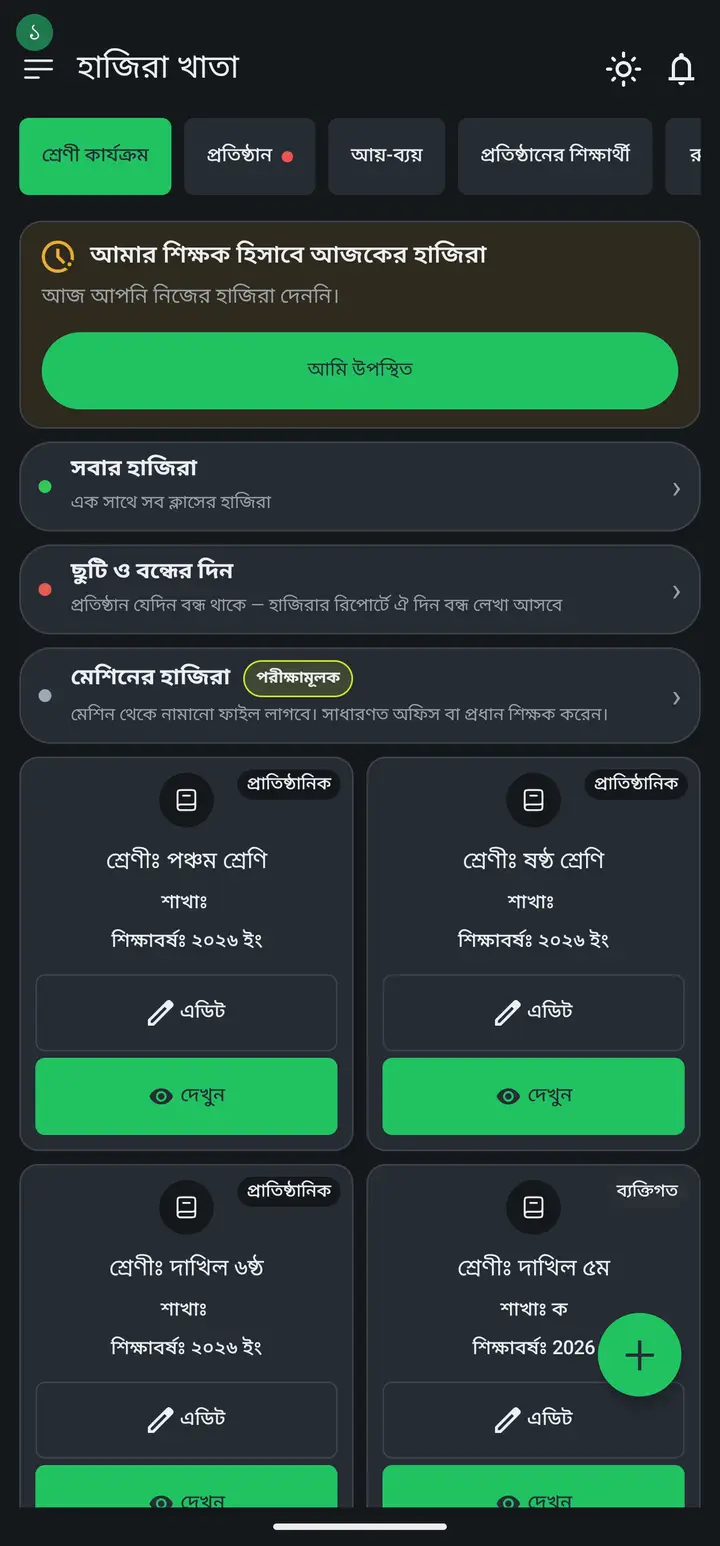
-
Tap "পরিচয়পত্র প্রিন্ট করুন" (Print ID cards).
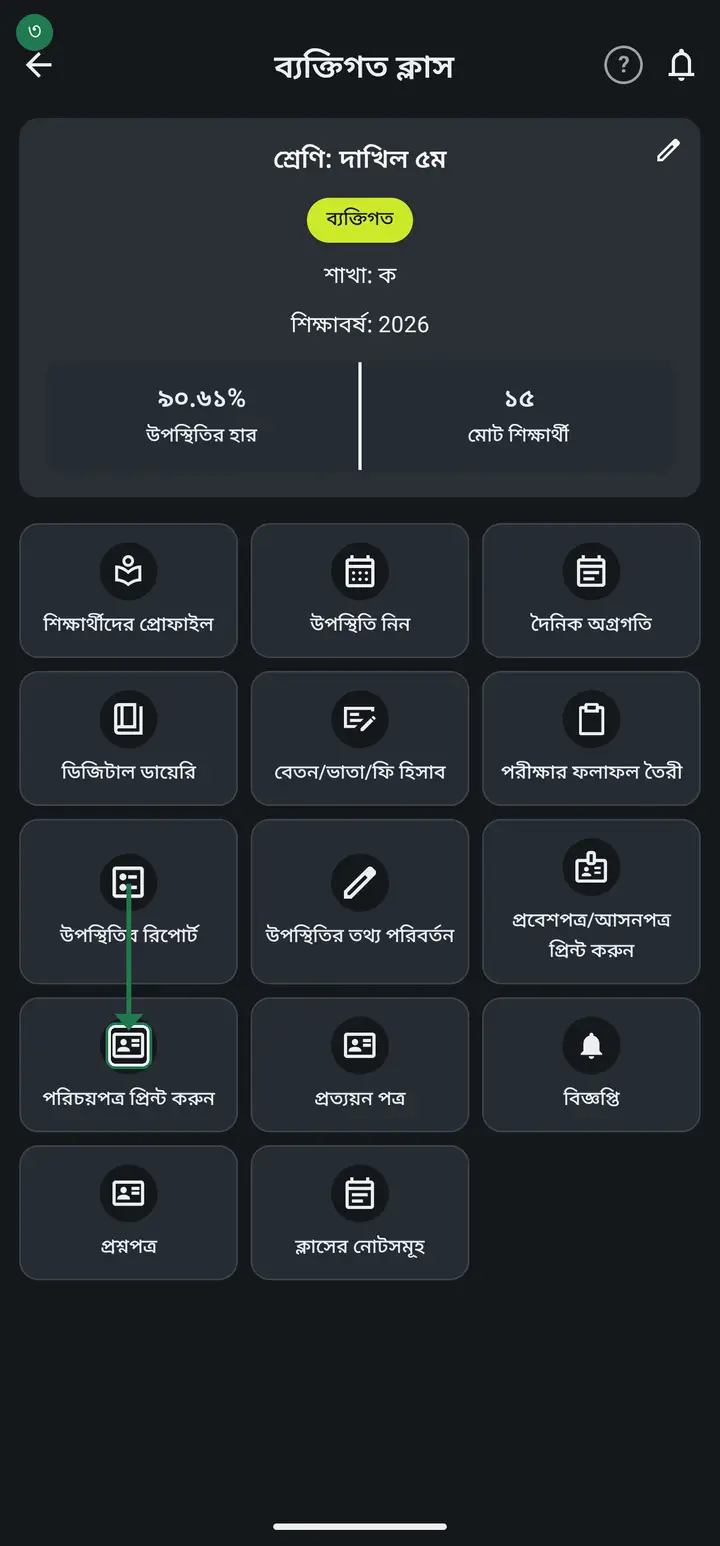
-
Fill in the school name, address and logo. Then tap "দেখুন" (View) to preview and "প্রিন্ট করুন" (Print).
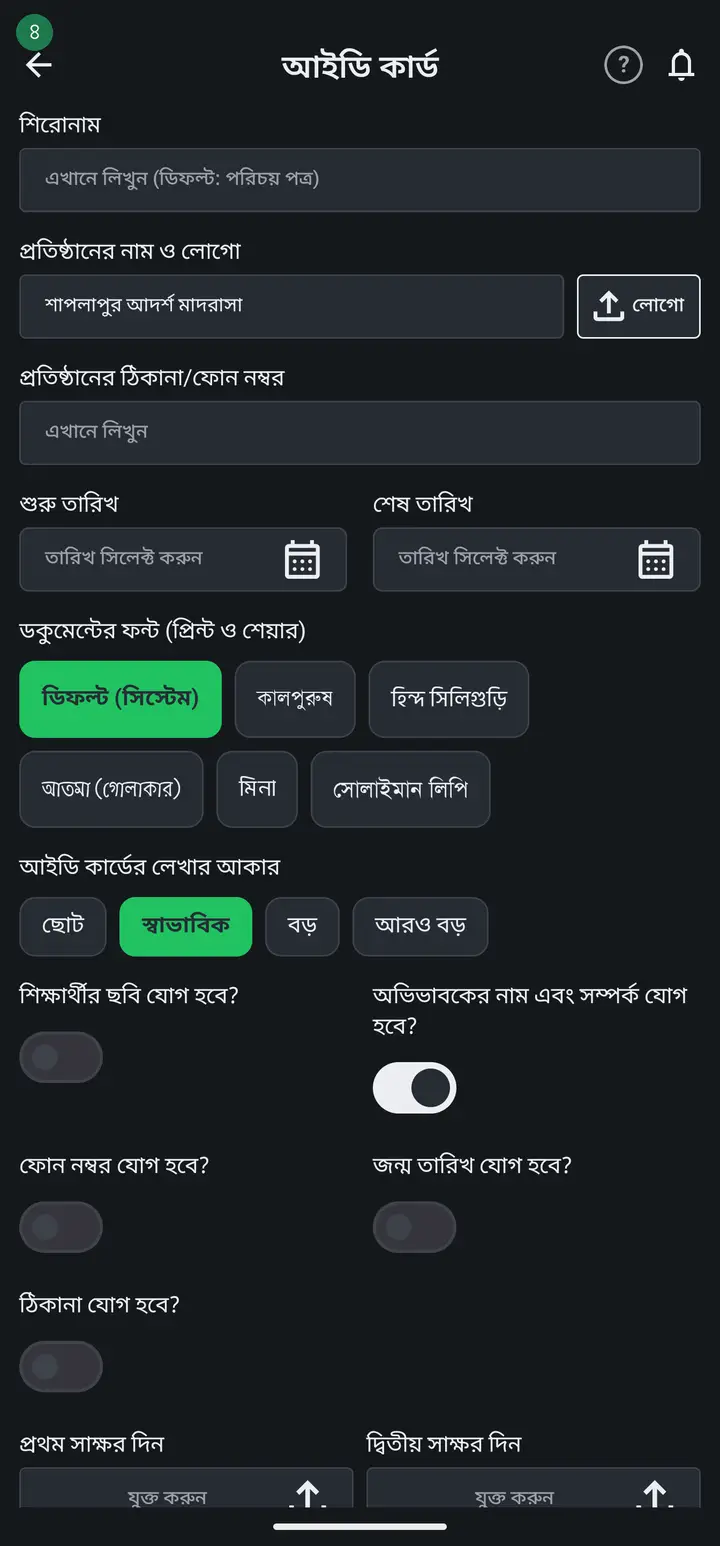
For student photos, add them to the profiles first — otherwise the photo box prints blank.
Common questions
Can the back be coloured like the front?
From 3.2.219 it happens on its own. The back takes the colour of whichever front design you picked — the top bar, the border and the institution name all follow it. Change the design and the back changes with it.
I want the institution's mobile number, e-mail and address on the back.
From 3.2.219 you can. With "কার্ডের পিছনের পাতা" switched on, there is a second box under the wording called "নিচে প্রতিষ্ঠানের যোগাযোগ". Type whatever you want there — mobile, e-mail, address — and it prints in a tinted panel near the bottom of every back. Leave it empty and no panel is printed at all.
I want to print the back of the card as well.
From 3.2.217 you can. Tap "দেখুন" (View) and look under the preview for the "কার্ডের পিছনের পাতা" switch. Turn it on and a text box appears — it starts with the "please return this card to the institution" wording, which you can change. One text for the whole school.
Can the back carry each person's own details?
Yes. Use {নাম} {ঠিকানা} {জন্ম তারিখ} {মোবাইল} inside the text. Student cards also have {রোল} {শ্রেণি} {শাখা} {শিক্ষাবর্ষ}; staff cards have {আইডি} {পদবী} {বিভাগ} {যোগদান}. One exception: on STUDENT cards {ঠিকানা} comes out blank in the current release — see the address question above, it is the same bug and the same fix. On staff cards {ঠিকানা} works.
Does turning the back on use more paper?
Twice as much. Each sheet is followed immediately by its own back, so printing on the reverse of the same sheet lines the cards up. One exception in the current release — see the next question — when the last row is not full. With the switch off, only fronts print, exactly as before.
After printing, the cards do not fit a card holder, or the front and back do not line up.
The app builds every card at true CR80 size — 53.98 x 85.6 mm — on an A4 page. If the print is scaled at all, two things break: the card no longer fits a holder, and the two sides stop lining up. Tell whoever prints it two things. First, keep the size at "100%" or "Actual size" and turn OFF "Fit to page" / "Shrink to fit", which quietly shrinks the whole sheet. Second, for two-sided printing choose "Flip on long edge" — with "Short edge" the back sheet is turned the wrong way and can never line up. Neither setting lives in the app; both belong to the printer or the shop. Cut one card and try it in a holder before you cut the rest of the sheet.
The fronts and the backs do not line up — the backs on the last sheet are shifted by one.
Three cards fit across a sheet. When the last row holds fewer than three — that is, when the number of cards on that sheet is not a multiple of three — older versions printed that row's backs shifted by one column, so a back landed on the wrong child. This is fixed — update the app from the Play Store and the last row prints in the right place. Turning the last sheet over to check it against the fronts before you cut is still a good habit.
The student address is filled in the profile, but it does not appear on the ID card.
On the form you fill in before tapping "দেখুন" (View) there is a switch labelled "ঠিকানা যোগ হবে?" (Add address?) — turn it on and each student's card prints their own address. In older versions the switch showed the address only on the sample card and never on the printed card — that was a bug in the app, and it is fixed. If the address still does not print with the switch on, update the app from the Play Store. || One thing to know: the sample card at the top always shows the FIRST student in the list, and a student with no address saved simply gets no address line — no empty box is printed. || Staff ID cards are not affected: there the "ঠিকানা যুক্ত করুন" switch works correctly.
Ask AI about this page
Ask an AI app to explain this page in simple language.
Copied — now paste it
Get Hazira Khata free on Google Play
More tutorials
- How to collect fees Create the month's fee once, then record what each student pays. The app works out who still owes what.
- When students pay different amounts One student pays 1000, another 2000, another nothing — each can have their own amount. Old dues are recorded the same way.
- Previous dues — recording old arrears and carrying them forward Enter the dues students carried in from before you started using the app, and let each month's unpaid balance carry into the next month by itself.
- How to make a marksheet Create a subject's mark form, enter the marks, then print the whole class's marksheet.
- Getting every student's result in one go The whole class's results in one PDF in one tap — one page per student, so you never export them one at a time. Print it, or keep it in your own Google Drive and find any student by name years later.
- How to make admit cards and seat cards Make and print exam admit cards and seat cards yourself — with the logo, signatures and dates. Both live on one screen, as two tabs at the top.
- How to make staff ID cards Print ID cards for teachers, office staff, guards and support staff — all on one sheet.
- Importing attendance from a machine Take the file off your fingerprint machine and load it into the app — the attendance fills itself in.