
Using My Child as a parent
Keep track of your child with no account at all — vaccine dates, memories, and your own attendance record.
The screenshots show the app in Bangla, its main language. The buttons sit in the same places in English.
-
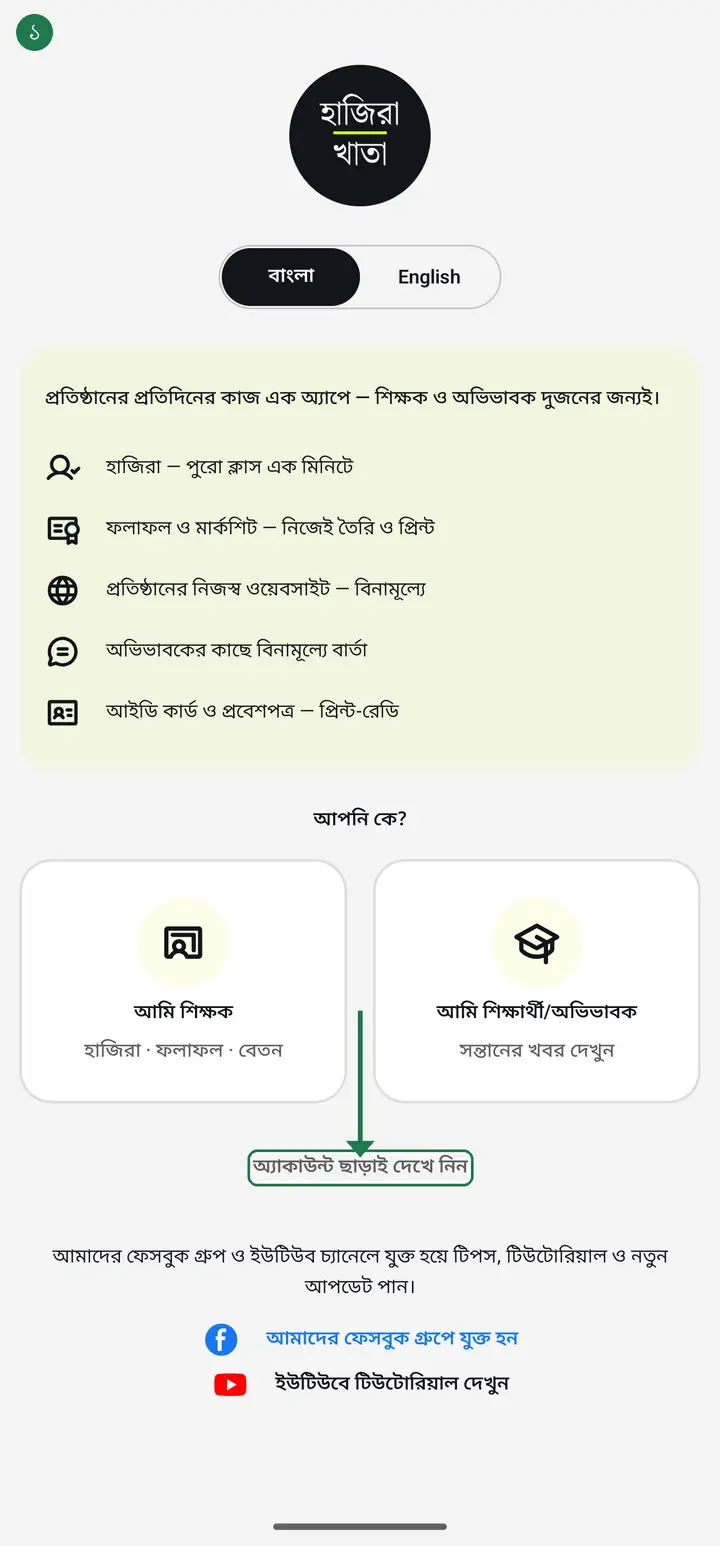
Open the app. When "আপনি কে?" (Who are you?) appears, tap "অ্যাকাউন্ট ছাড়াই দেখে নিন" (Look around without an account) — no sign-in needed.
-
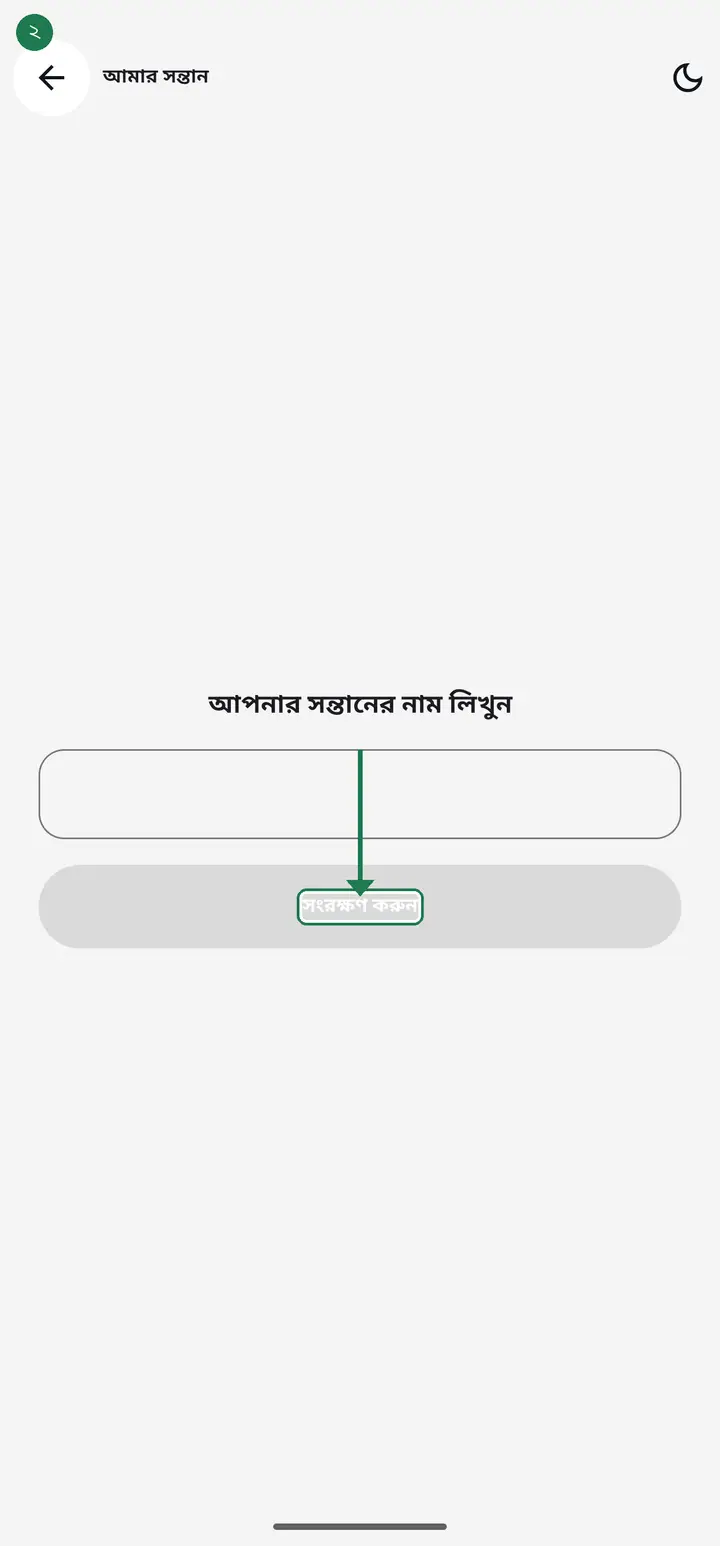
Type your child's name in "সন্তানের নাম" (Child's name), then tap "সংরক্ষণ" (Save).
-
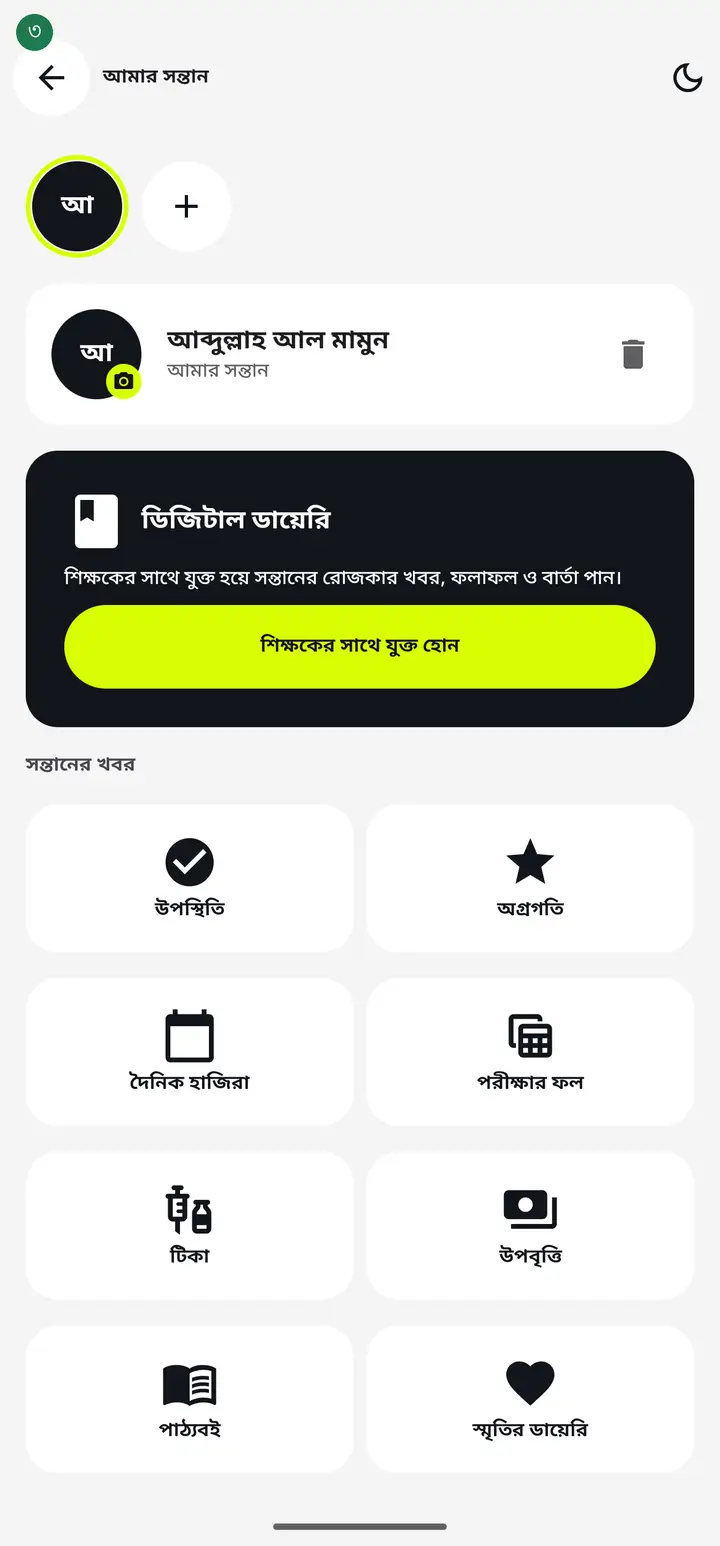
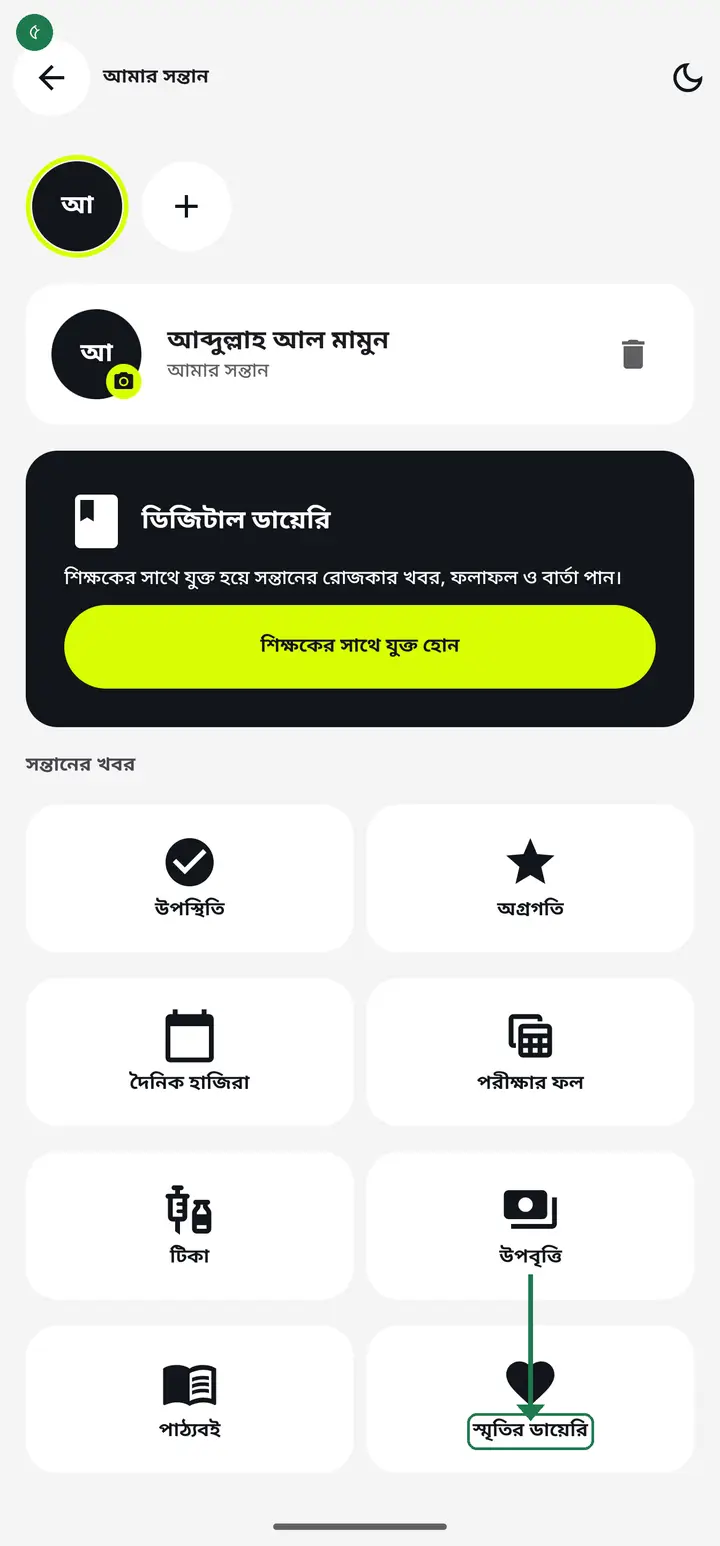
A page opens under your child's name, with a set of tiles below "সন্তানের খবর" (Child news). Each tile does one job — the useful ones are covered one by one below.
-
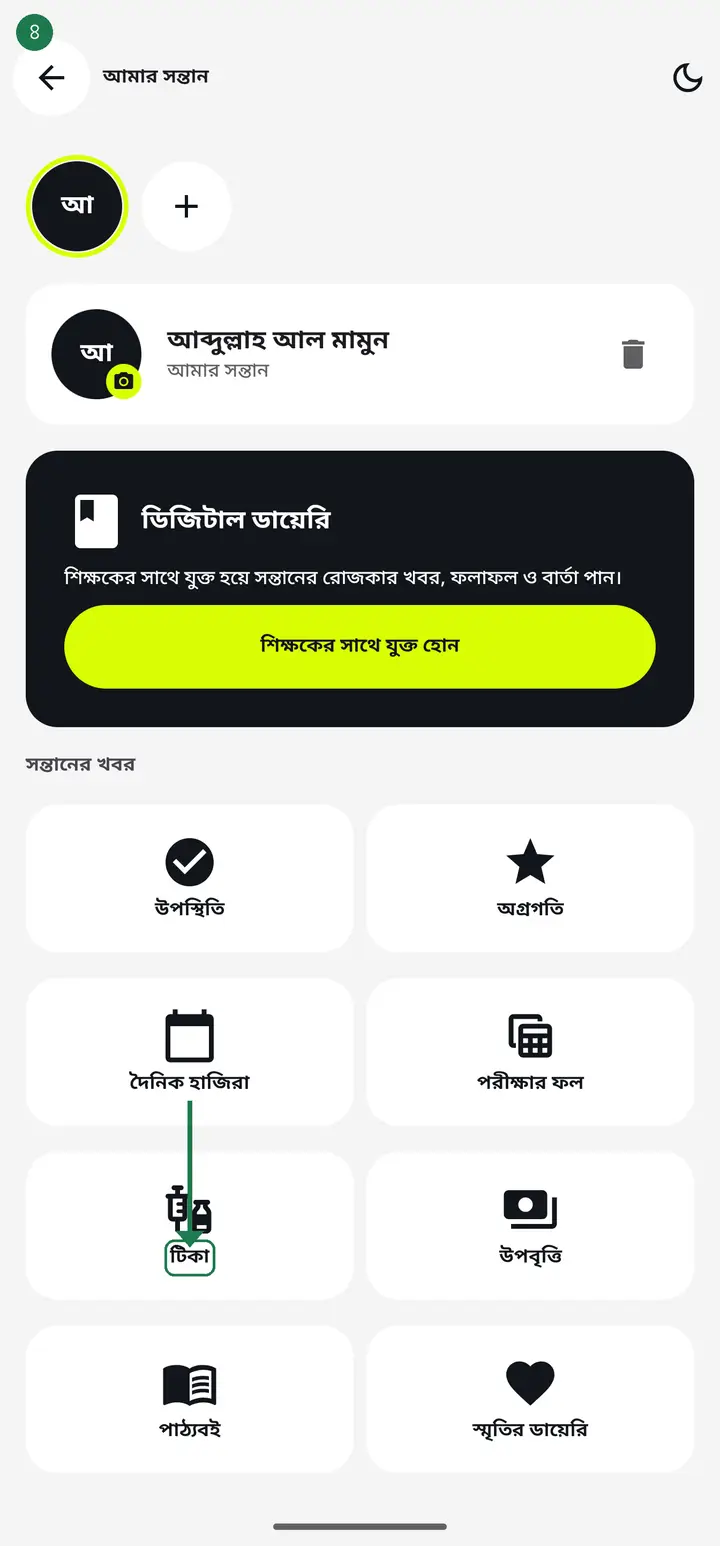
Tap "টিকা" (Vaccines) to see which vaccine is due when, based on the birth date. This works with no internet.
-
Tap "স্মৃতির ডায়েরি" (Memory diary) to write down little moments — the first day at school, a good result, whatever you want to keep.
-
Tap "উপস্থিতি" (Attendance) or "দৈনিক হাজিরা" (Daily attendance) to keep your own record of whether your child went in.
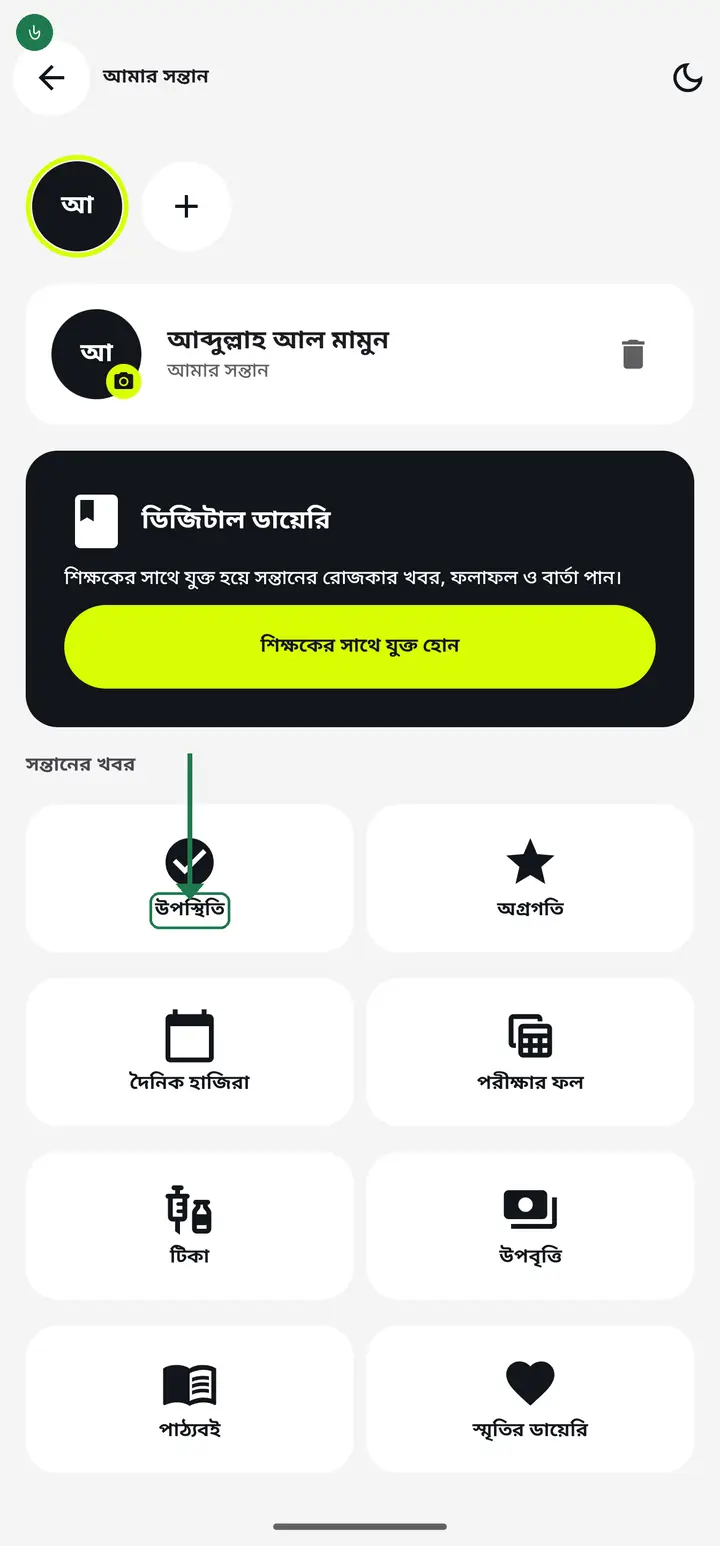
What you write here is your own record — not the school's register. To see the school's real attendance you must connect to a teacher's diary.
Common questions
Do I need an account?
No. Entering through "অ্যাকাউন্ট ছাড়াই দেখে নিন" keeps everything on your phone and needs no internet. If you sign in later with your number, everything you wrote moves into your account.
How many children can I add?
Up to 10. Each gets their own vaccine schedule and memory diary.
Why does "পরীক্ষার ফল" not show board results directly?
That tile stores your child's roll and registration number and opens the board's own website. The result comes from the board site, so it may ask you to type a captcha there.
The teacher says a request was sent, but nothing about my child shows in my app.
First check you signed in with exactly the number the school has on record — the request goes to that number, and signing in with another shows nothing. If you tapped "আমি শিক্ষক" by mistake on the "আপনি কে?" screen, that is fine on newer builds: the app moves you to the parent side by itself when a request is waiting. If it still does not appear, ask the teacher to check the number saved on the student.
Tapping the link says "this link was made for another student's guardian".
That link is bound to a different number. Every link is now tied to the guardian number saved on the student record, so it does not work on anyone else's phone. Ask the teacher to send a link for your own child, and to make sure your number is saved on that student.
Will my notes survive if I change phones?
Without an account the notes live only on that phone. Sign in with your number before changing phones and they are kept safe.
Ask AI about this page
Ask an AI app to explain this page in simple language.
Copied — now paste it
Get Hazira Khata free on Google Play
More tutorials
- When a guardian asks to join, on their own A guardian opens the school's website, writes their child's name and sends a request. It lands in the institution tab. All you do is point at which student that is — the guardian confirms the rest themselves.
- Connecting every guardian at once Sending one link at a time takes all day for a class of forty. Send the join request to every guardian in one tap, and connect the parent standing in front of you with a QR code on the spot.
- Connecting a guardian to the diary The teacher shares a link or QR; the guardian taps it and is connected — class messages then reach their phone.
- Sending a message to guardians Notices, homework, fees or exam news — straight to the guardian's phone, free. Photos and PDFs too. Before you send, the app tells you who will actually receive it and who will not.
- Seeing who is connected, and removing someone After sending the requests, the only question that matters is whether it worked. The list at the bottom of the diary answers it — who is marked connected, who to call, and exactly what the red ✕ does.
- Sending the exam routine to guardians You already typed the routine into the app once. One tap sends that same routine to the guardians' phones — no retyping, no photographing a sheet of paper.
- How a parent contacts the teacher Under any diary message there is a button to reach the teacher. There is no reply box in the diary — this explains why, and what to do instead.
- You never buy SMS from Hazira Khata — who actually pays for a message Hazira Khata sells no SMS package and cannot send a single SMS by itself. There are two roads to a guardian's phone — the Digital Diary is completely free, while SMS is charged by your own operator from your own SIM. Here is the difference for one class in one month, with the arithmetic.