
You never buy SMS from Hazira Khata — who actually pays for a message
Most schools and madrasas in Bangladesh used to buy a bulk-SMS service to reach guardians — so much per message, recharge when the balance runs out. So when a teacher sees "বার্তা পাঠান" in Hazira Khata, the first question is usually "do I have to buy messages separately?" The answer needs more than one line, because there are two different roads to the guardian and they cost differently.
Hazira Khata sells no SMS package and cannot send a single SMS by itself. There are two roads to a guardian's phone — the Digital Diary is completely free, while SMS is charged by your own operator from your own SIM. Here is the difference for one class in one month, with the arithmetic.
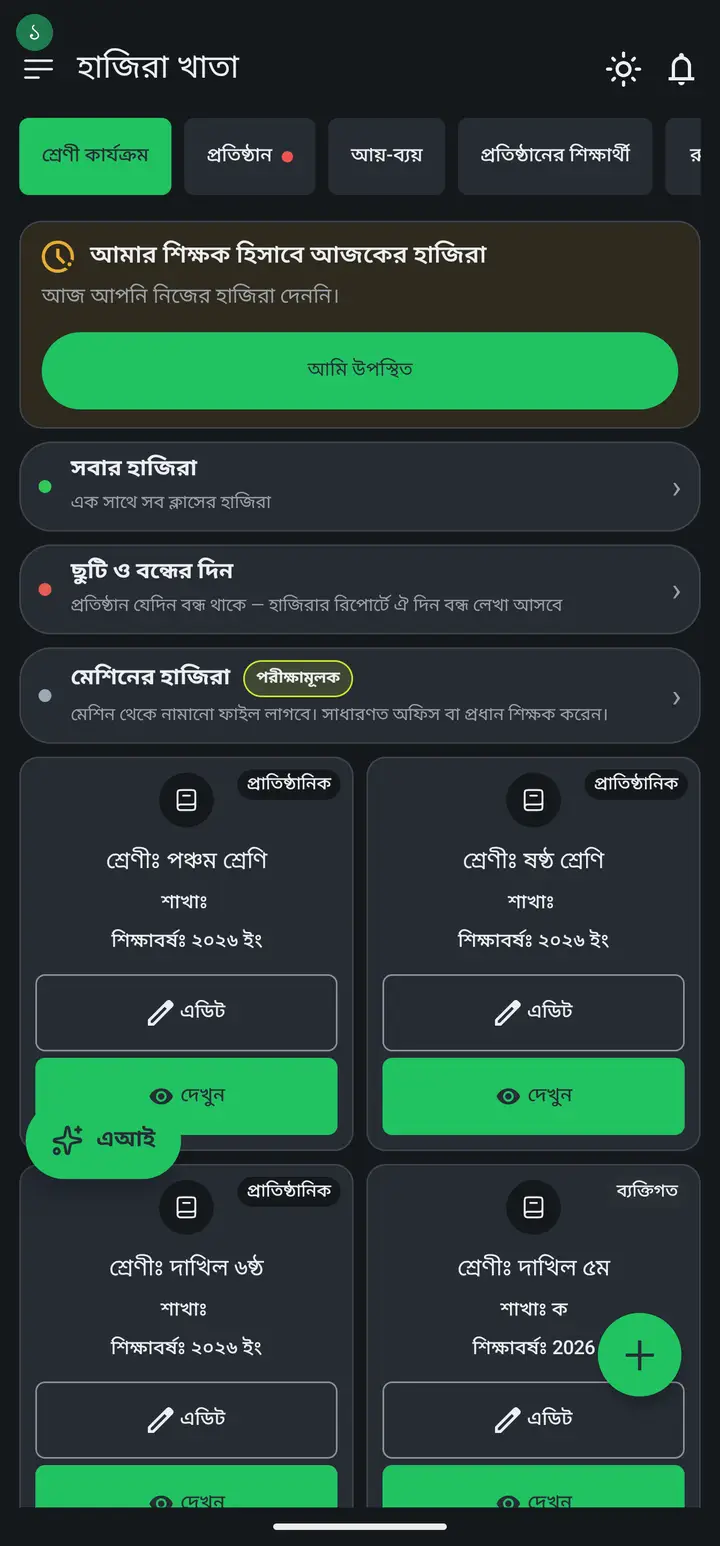
The screenshots show the app in Bangla, its main language. The buttons sit in the same places in English.
-
First, plainly: Hazira Khata does not sell SMS or messages. There is no place in the app to buy messages, no package, no balance, no recharge. If anyone asks you for money for a "Hazira Khata message package", that is not Hazira Khata.
-
There are two roads to a guardian. One — the Digital Diary, which travels over the internet inside the app. Two — your own phone's Messages app, which sends an ordinary SMS from your own SIM. They are separate things, and they cost differently.
-
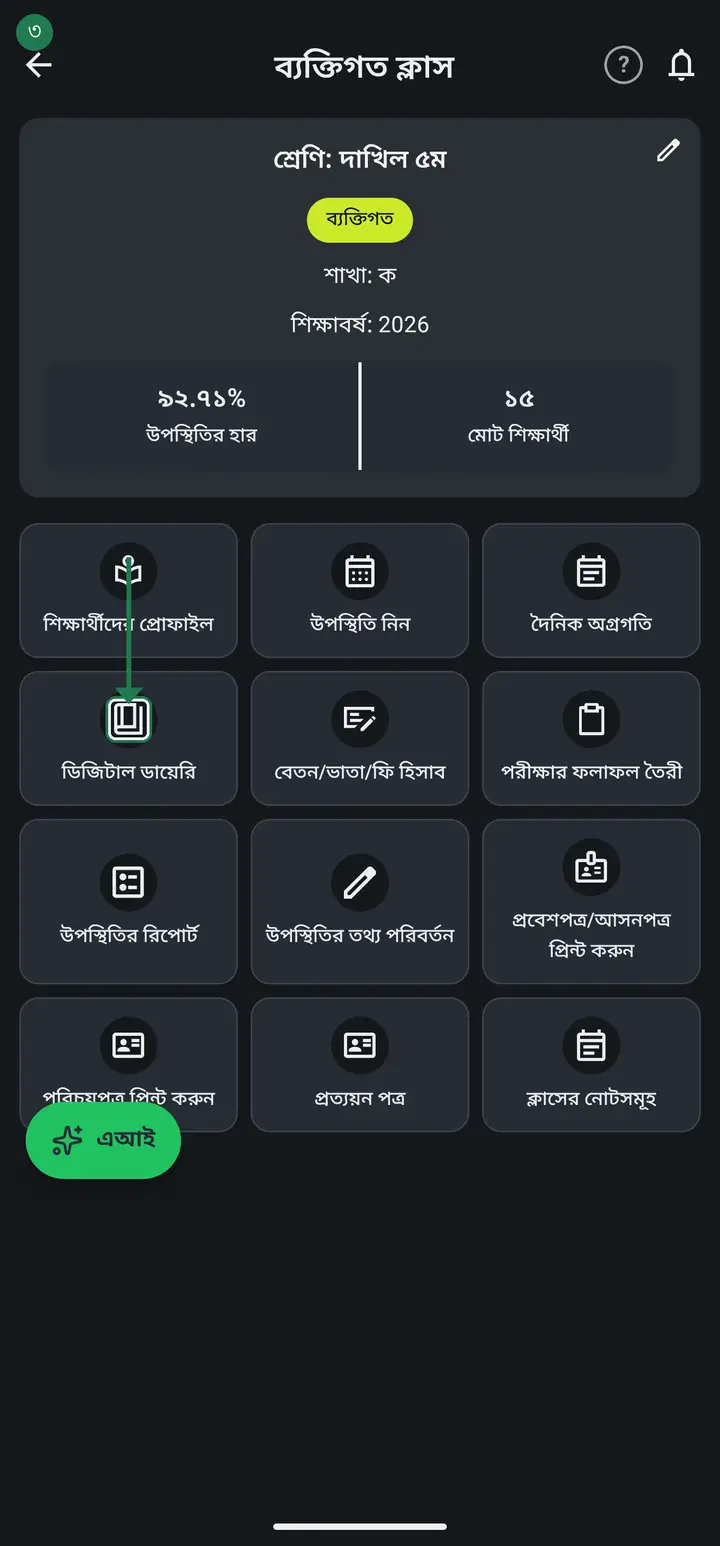
Road 1 — the Digital Diary, and it costs nothing. Open the class, tap "ডিজিটাল ডায়েরি" (Digital Diary), then "বার্তা পাঠান" (Send message). Write what you want, attach a photo or PDF if you like, choose who receives it, then tap "বার্তা পাঠান" at the bottom. Not one poisha is charged — ten messages today or a thousand, the cost is the same: zero.
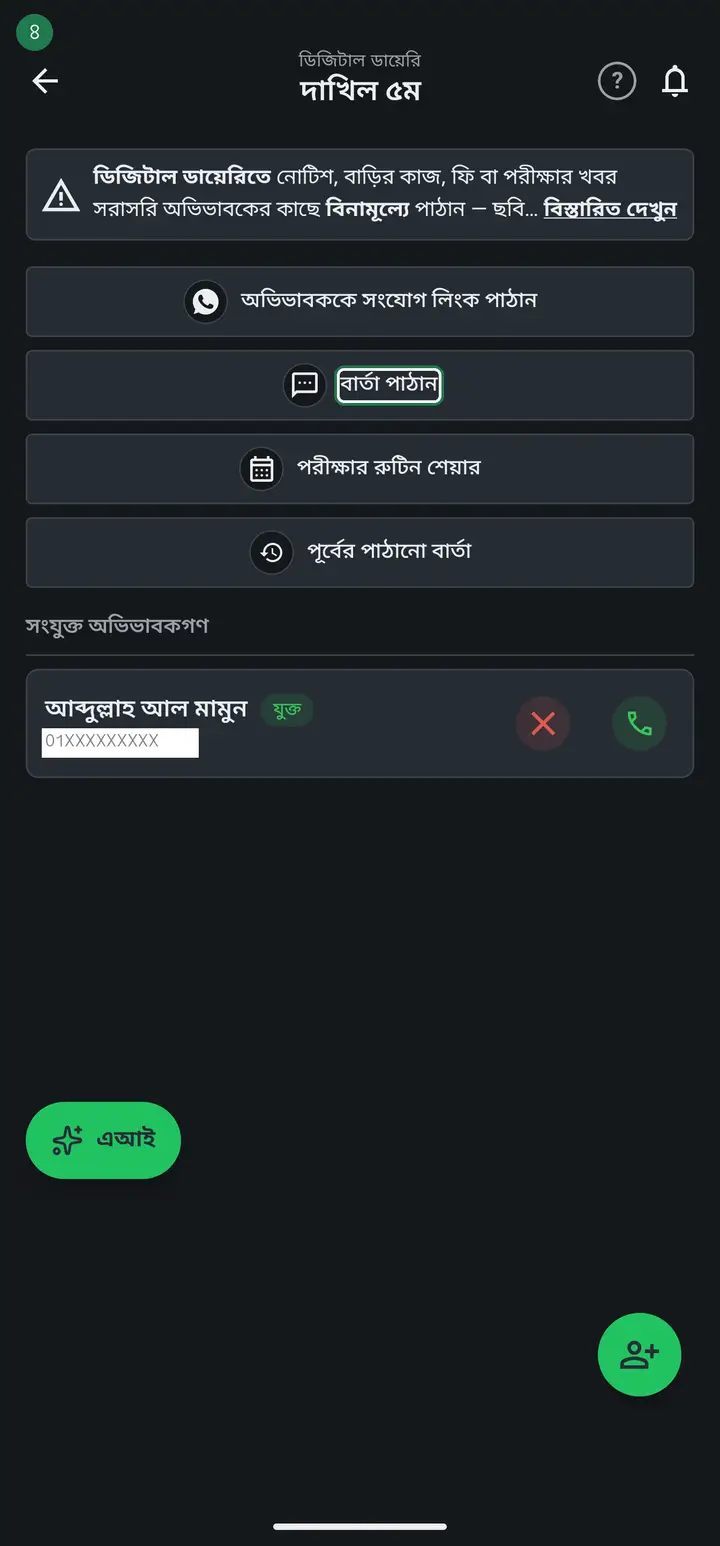
A diary message never turns into an SMS. It lands inside the guardian's Hazira Khata app. So it has two conditions — the guardian must already be connected to the diary, and their phone needs internet. The number in the green box above the message field (how many guardians will receive this) is the truth. If it says 0, the message reaches nobody.
-
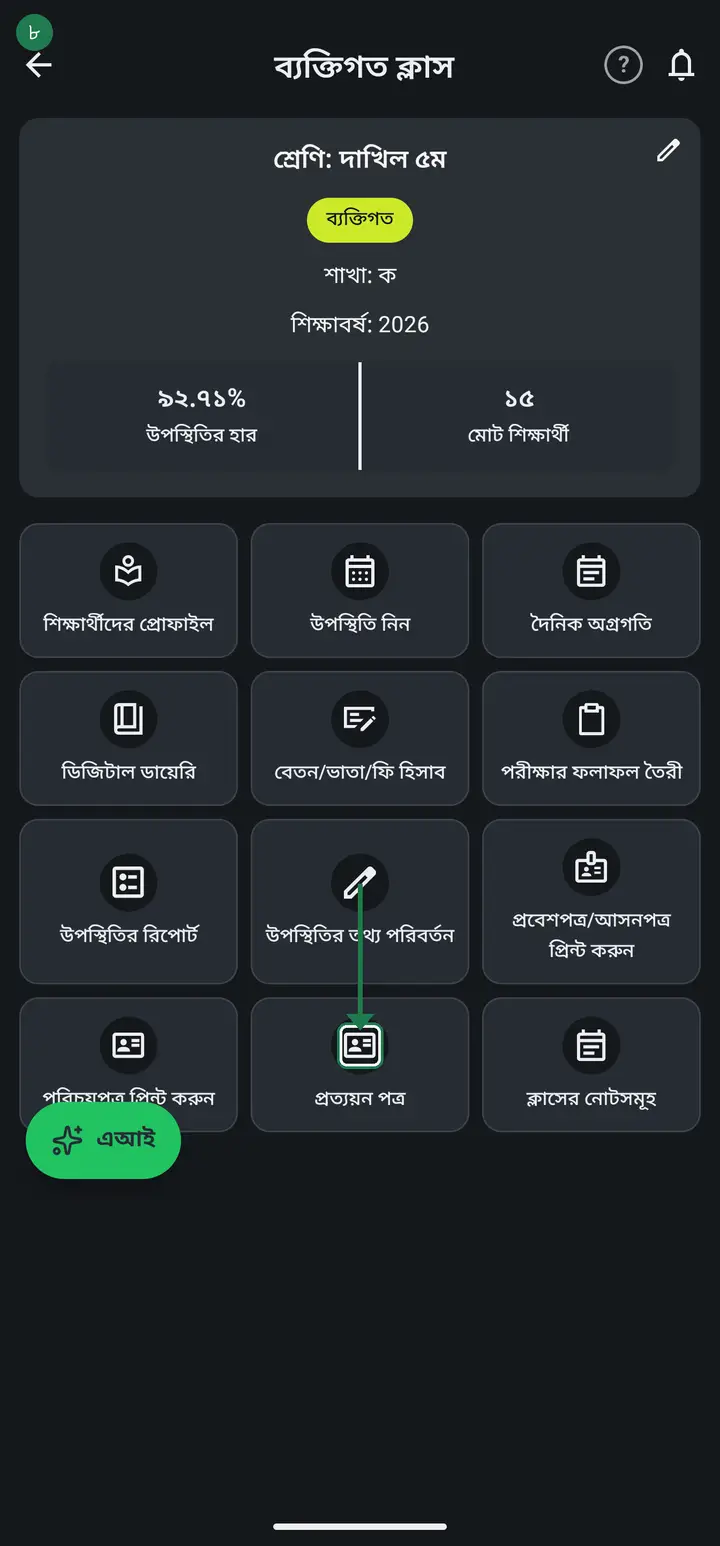
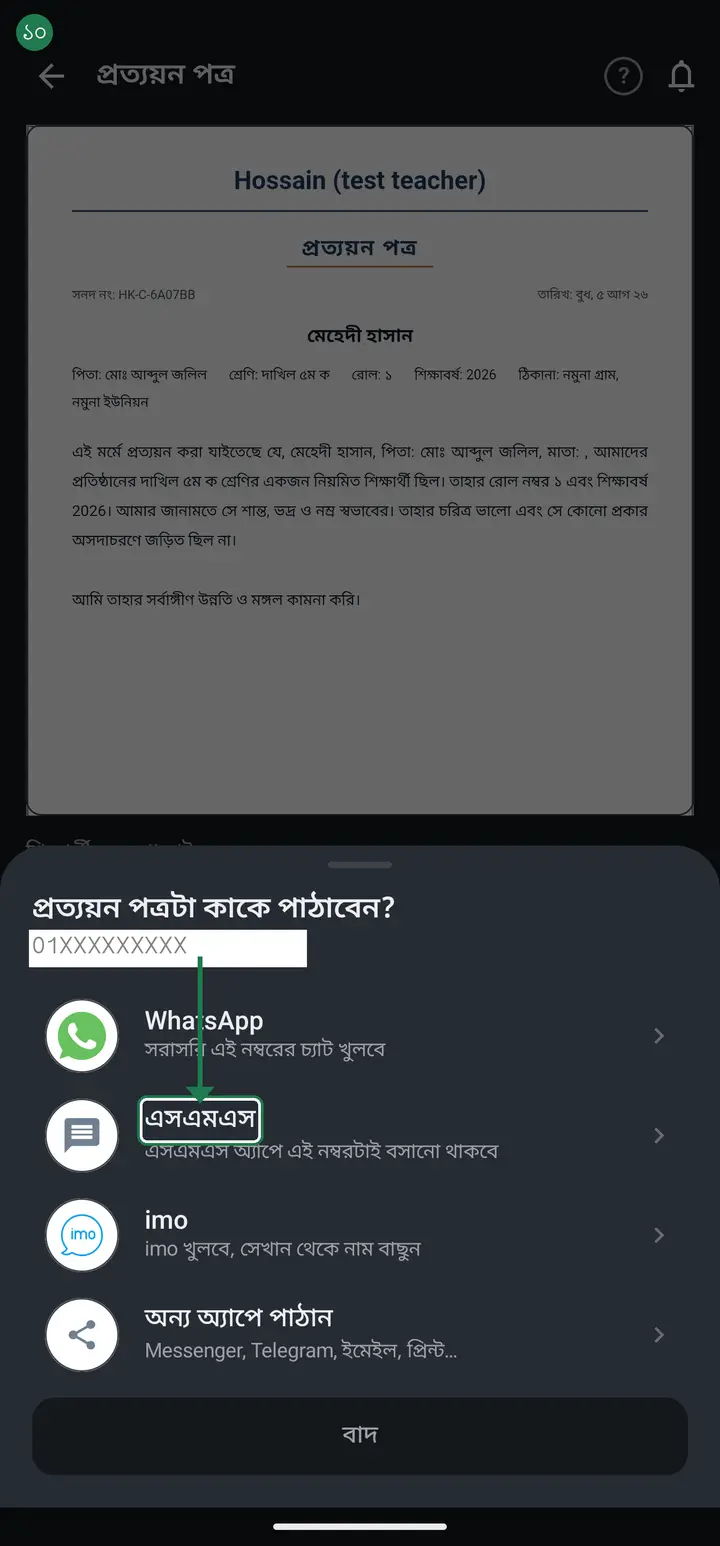
Road 2 — an ordinary SMS, charged to your own SIM. When you send a receipt, a result, a certificate or a monthly report, a list appears — WhatsApp, এসএমএস (SMS), imo, অন্য অ্যাপে পাঠান (Send via another app). Tapping the "এসএমএস" row opens your phone's own Messages app with that student's guardian number already filled in.
-
Here is the point — you press Send yourself, inside your own Messages app. Hazira Khata only opens that app and fills in the number; it does nothing more. So the charge comes off your own SIM balance at your operator's normal SMS rate (GP, Robi, Banglalink, Teletalk) — exactly as if you had typed the message yourself. Hazira Khata takes nothing from it.
The app cannot send an SMS on your behalf — it is not able to. Hazira Khata does not even ask for the phone's send-SMS permission. So there is no way for your balance to be spent without you knowing. Everything that goes out, goes out in front of you, by your own tap.
-
Sending a photo or PDF by SMS makes it an MMS, not a plain text — a different operator rate, and carriers often reject it (PDFs more often than images). For documents and pictures, WhatsApp or imo is easier, and free when you have internet.
-
You can also SMS a whole class at once — it has been in every build since 3.2.200. Write your message in the Digital Diary, tap "বার্তা পাঠান" (Send message), and a box appears — "SMS-ও পাঠাবেন?" (Send SMS as well?). If nobody in the class is connected to the diary it reads "SMS দিয়ে পাঠান" (Send by SMS). You then choose the scope — only the guardians the diary message could not reach, or everyone whose number is saved.
This still goes from your own SIM through your phone's Messages app — the app never sends an SMS itself. With many numbers it splits into batches of 30 and you press send once per batch. The screen shows the total number of SMS before you send anything — in Bangla that number is much higher, see the arithmetic below.
-
Do the arithmetic once and it settles the question. One class of 40, one notice a day, is 40 × 26 = 1040 messages a month. Here is the part that surprises everyone: **one message is not one SMS**. English fits 160 characters per SMS; Bangla fits only 70, and a single Bangla character puts the whole message on the Bangla rate. "আপনার সন্তান আজ অনুপস্থিত ছিল" plus the school name plus the link is normally 2 SMS, and 3 if it runs a little long. So those 1040 messages are really 2000–3000 SMS — at roughly 50 poisha each, ৳1000–1500 a month for one class. The same messages through the Digital Diary cost ৳0. This is why the count on screen before you send is worth reading: it is not a guess, it is counted from the exact text you typed, and it drops as you shorten it.
So the real way to cut cost is not to hunt for SMS — it is to get guardians connected to the diary. Once connected, that guardian receives attendance, results, fees and notices free, forever. How to connect a whole class at once — hazirakhata.xyz/tutorials/connect-all-parents/
-
A simple rule for choosing — guardian connected to the diary? Use the diary (free, whole class at once, kept in the app). Not connected, or no smartphone? SMS (your SIM's money, one at a time). Sending a document or picture? WhatsApp or imo (free, needs internet). Keep SMS for the guardians who genuinely have no smartphone, and move everyone else onto the diary.
-
Check it yourself. After tapping "এসএমএস", look at the To field in your Messages app — the guardian's number should already be there. If it is, you are set; now you send it. To confirm a diary message went out, open "পূর্বের পাঠানো বার্তা" (Messages sent earlier) on the diary page — everything you sent is kept there.
Common questions
In an older version I could SMS every absentee in one click — where has that gone?
It is still there; it just lives somewhere else. It is no longer a separate button — it comes to you right after you save attendance. Take attendance, tap "আপডেট", and the "হাজিরা সেভ হয়েছে" box opens already set to "শুধু অনুপস্থিতদের" whenever the class has absentees. Then "বার্তা লিখুন" → "বার্তা পাঠান", and the "SMS-ও পাঠাবেন?" box appears with the number of guardians and the total SMS count. "SMS অ্যাপ খুলুন" opens your own Messages app with every number already filled in; you press send. The guardian does not need the app — only a saved number on the student. || One difference from the old days remains and cannot come back: the app does not send the SMS itself, you press the last button. Since 2023 Google grants the send-SMS permission only to messaging apps. That is also why it is billed to your own SIM and the app charges nothing. From version 3.2.292 you can get the box back: open that day's attendance again and tap "অভিভাবকদের এসএমএস / বার্তা পাঠান" (SMS / message guardians) at the top — the same box opens again.
Do I have to buy messages separately to SMS guardians from Hazira Khata?
No. Hazira Khata does not sell SMS and has no way to buy messages inside the app. Digital Diary messages are completely free. The "এসএমএস" button opens your own phone's Messages app — that SMS is billed to your SIM by your mobile operator, not by Hazira Khata.
So does a Digital Diary message arrive as an SMS on the guardian's phone?
No. It goes inside the guardian's Hazira Khata app and raises a notification. A guardian without the app, or one who has not connected to the diary, does not get it — and it does not fall back to SMS. Connecting them first is the real job — hazirakhata.xyz/tutorials/connect-all-parents/
A guardian has a button phone, not a smartphone. How do I reach them?
For them SMS is the only road — tap the number on the student's profile, pick "এসএমএস", and send it from your Messages app. It costs you from your SIM. Keep that list short by connecting everyone else to the diary, and the cost stays small.
How do I SMS every absentee's guardian in one go without connecting them to the app?
You can. The guardian does not need the app — the number only has to be saved on the student's profile. Take attendance and save it. In the "হাজিরা সেভ হয়েছে" box choose "শুধু অনুপস্থিতদের" (absentees only), then "বার্তা লিখুন". The text is already filled in — "আপনার সন্তান আজ ক্লাসে অনুপস্থিত ছিল।" — and you can edit it. Tap "বার্তা পাঠান" and the "SMS-ও পাঠাবেন?" box appears, showing how many guardians will get it and how many SMS that costs. "SMS অ্যাপ খুলুন" then opens your own phone's Messages app with every number already filled in; you just press send. It is billed to your SIM, and the app takes nothing. Above 30 numbers it splits into batches and you press send once per batch. This has been in the app since 3.2.200 and has reached every phone, so there is no update to hunt for. If the "SMS-ও পাঠাবেন?" box does not appear, it means either every guardian in that class is already on the diary (so there is nobody to SMS), or no guardian number is saved on those students — add the number and the box appears.
After I take attendance, does an SMS go automatically to the absentees?
No. Older versions had something like that; it was removed long ago. Now the box that appears after you save attendance has "বার্তা লিখুন" (Write a message), which builds a Digital Diary message — to everyone, or only the absentees, your choice. It is free, and nothing goes out unless you tap.
Does an SMS I send show up in the app afterwards?
No. An SMS sent from your Messages app stays on your phone; the app has no record of it. Only Digital Diary messages are kept, under "পূর্বের পাঠানো বার্তা" — with the date and the message type. If you want a record, use the diary.
Does the fee-due SMS carry each family's own amount, and why can't they all go in one tap?
It does. বেতন → টাকা কালেকশন → "এদের বার্তা পাঠান" gives every guardian a message with their own child's name, roll and their own outstanding figure — 3000 for one, 7500 for another — and you do not have to type anything; the app composes it. That is exactly why they cannot all go in one tap: one SMS can carry only one text, and here every text is different. So they go one at a time — seven families owing means pressing send seven times, and the screen shows "৭ জনের মধ্যে ২ নম্বর জন" (guardian 2 of 7) so you know where you are. If you want one tap for everyone, connect the guardians to the Digital Diary — there it goes to all of them at once, each with their own figure, and free. Per-family amounts over SMS were fixed in 3.2.201 and have reached every phone. Builds older than that sent one shared text and dropped the figure.
Can I SMS every guardian in one go?
Yes, since 3.2.200, and it has reached every phone. Write the message in the diary, tap "বার্তা পাঠান", and the "SMS-ও পাঠাবেন?" box appears where you can pick the whole class. Two things to remember — the messages go from your own SIM through your phone's Messages app, and with many numbers they are split into batches of 30. The app never sends an SMS by itself, so your balance can never be spent without you.
Will Hazira Khata send the SMS itself, like a bulk-SMS package?
No, and it will not work that way. A bulk-SMS service charges the institution per message, so adding one would mean charging you for it. Instead the app fills the numbers into your phone's Messages app and you press send — the cost stays at your SIM's ordinary rate and the app takes nothing. Older versions (before 2023) did send directly, but Google now grants that permission only to apps that are themselves messaging apps, so it cannot come back in that form.
A link appears at the end of my message by itself — what is it, and does it cost me more?
Yes it does, and it is not hidden, so here it is plainly. Every SMS gets the app's address (hazirakhata.xyz) appended, plus your institution's own website if it has one published. The reason is simple: the guardian receiving an SMS is precisely the one who never joined the diary, so the way in has to travel with the message — otherwise they stay on SMS forever and you keep paying. On cost: the two links come to roughly 25–30 characters, about half an SMS in a Bangla message. It is not charged behind your back — the "how many SMS" figure on screen before you send is counted from the full text including the links. What you see is what goes.
Does sending on WhatsApp cost anything?
No — WhatsApp and imo cost no per-message fee, only the internet you are already using. Unlike SMS there is no charge per message, so for photos, receipts or results WhatsApp is the cheapest road.
Ask AI about this page
Ask an AI app to explain this page in simple language.
Copied — now paste it
Get Hazira Khata free on Google Play
More tutorials
- Using My Child as a parent Keep track of your child with no account at all — vaccine dates, memories, and your own attendance record.
- When a guardian asks to join, on their own A guardian opens the school's website, writes their child's name and sends a request. It lands in the institution tab. All you do is point at which student that is — the guardian confirms the rest themselves.
- Connecting every guardian at once Sending one link at a time takes all day for a class of forty. Send the join request to every guardian in one tap, and connect the parent standing in front of you with a QR code on the spot.
- Connecting a guardian to the diary The teacher shares a link or QR; the guardian taps it and is connected — class messages then reach their phone.
- Sending a message to guardians Notices, homework, fees or exam news — straight to the guardian's phone, free. Photos and PDFs too. Before you send, the app tells you who will actually receive it and who will not.
- Seeing who is connected, and removing someone After sending the requests, the only question that matters is whether it worked. The list at the bottom of the diary answers it — who is marked connected, who to call, and exactly what the red ✕ does.
- Sending the exam routine to guardians You already typed the routine into the app once. One tap sends that same routine to the guardians' phones — no retyping, no photographing a sheet of paper.
- How a parent contacts the teacher Under any diary message there is a button to reach the teacher. There is no reply box in the diary — this explains why, and what to do instead.