
Join a school as a teacher
Use the 6-character code your school gave you to join by yourself.
The screenshots show the app in Bangla, its main language. The buttons sit in the same places in English.
-
Sign in with your phone number first. The code will not work if you are not signed in.
-
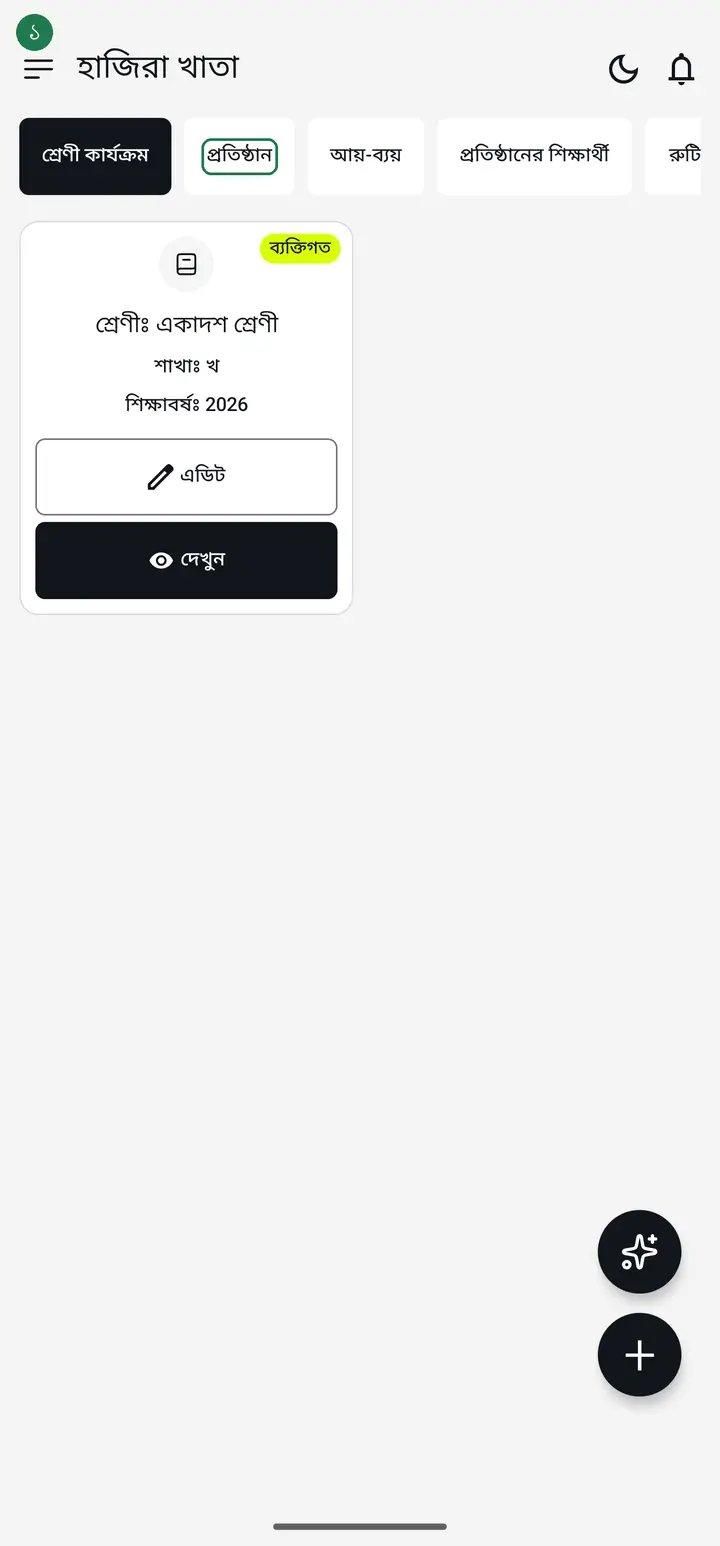
Tap the "প্রতিষ্ঠান" (Institution) tab, then tap "কোড দিয়ে যোগ দিন" (Join with a code).
-
Type the 6-character code from your school into "আমন্ত্রণ কোড" (Invitation code).
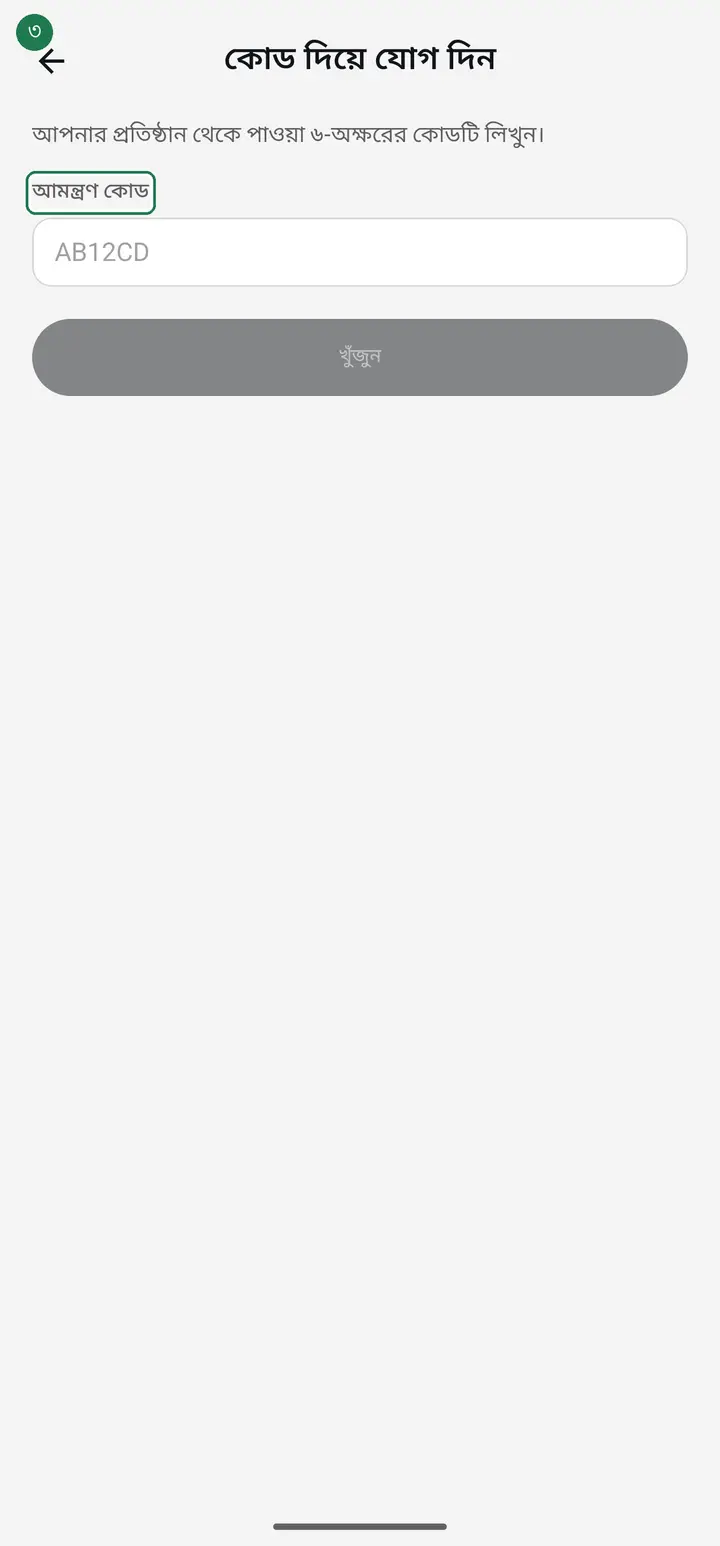
Codes never contain the letters I, L, O or U. If you think you see one, it is really a 1 or a 0.
-
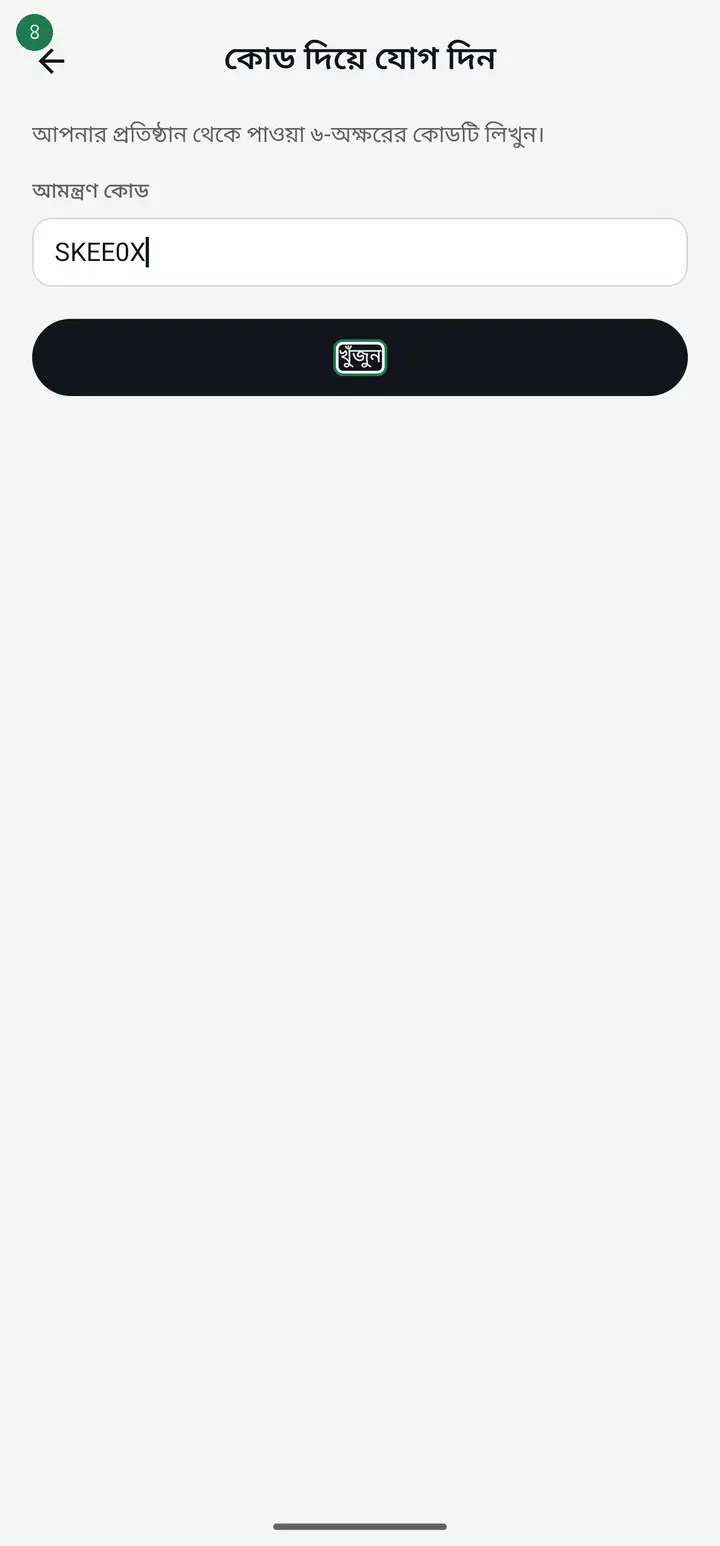
Tap "খুঁজুন" (Find). The button stays inactive until you have typed at least four characters.
-
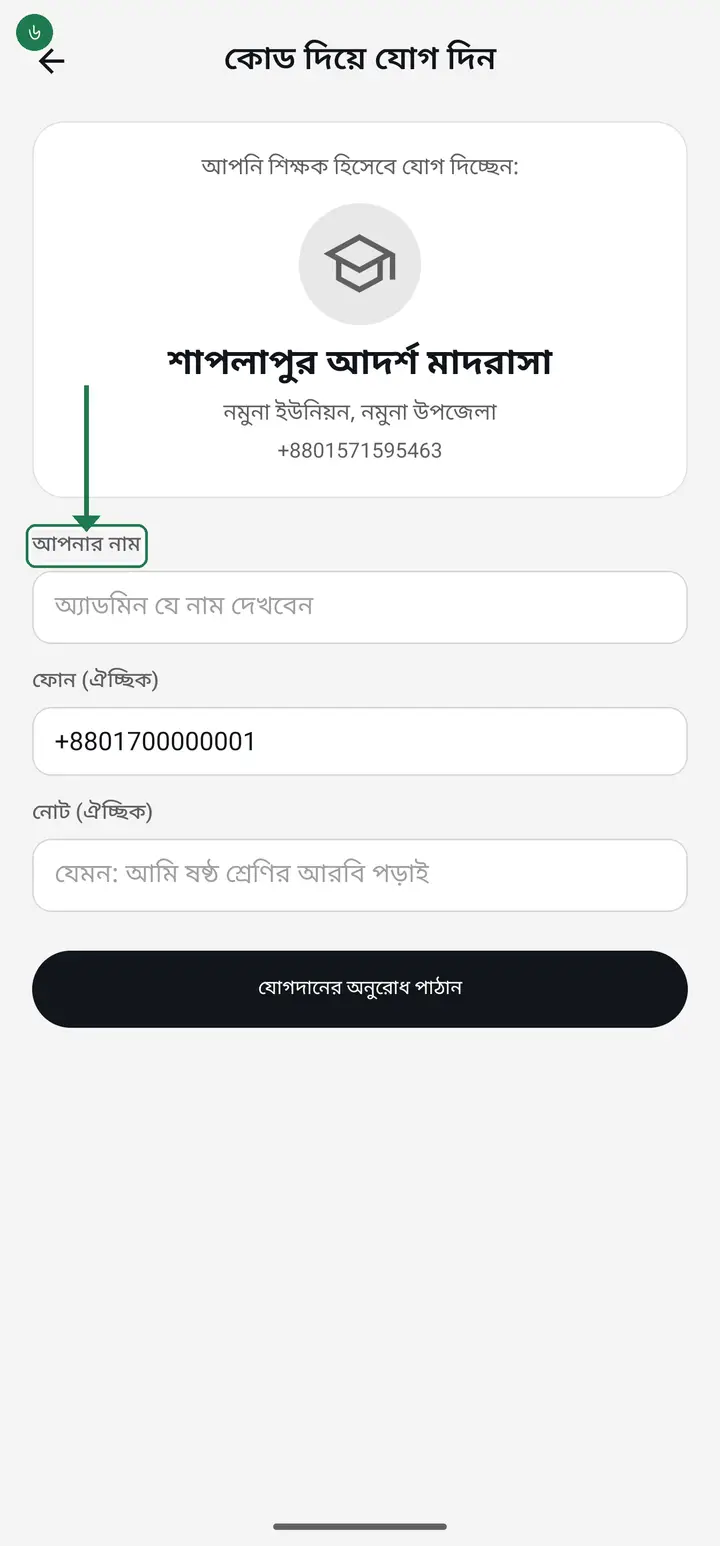
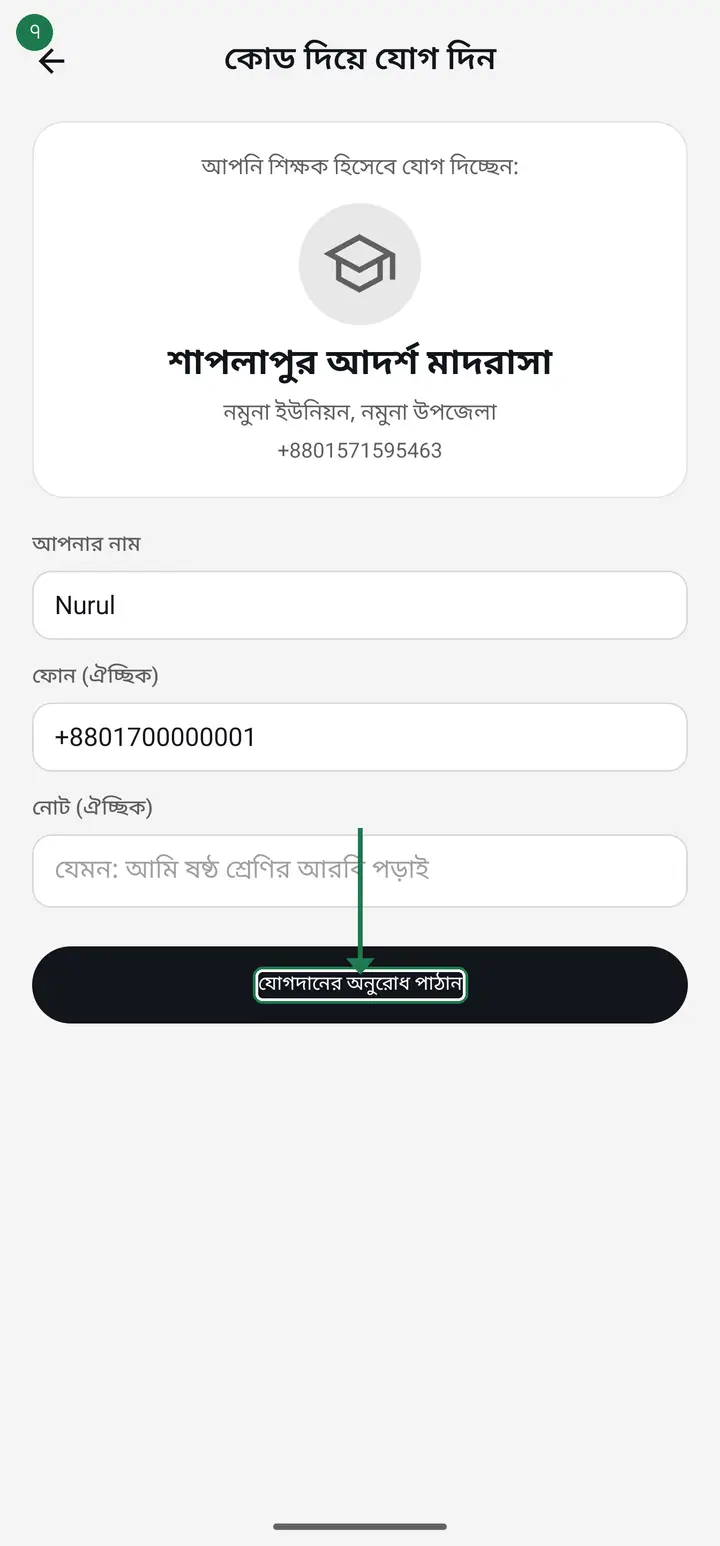
The school's name appears — check it is the right one. Then type your own name in "আপনার নাম" (Your name).
-
Tap "যোগদানের অনুরোধ পাঠান" (Send join request).
-
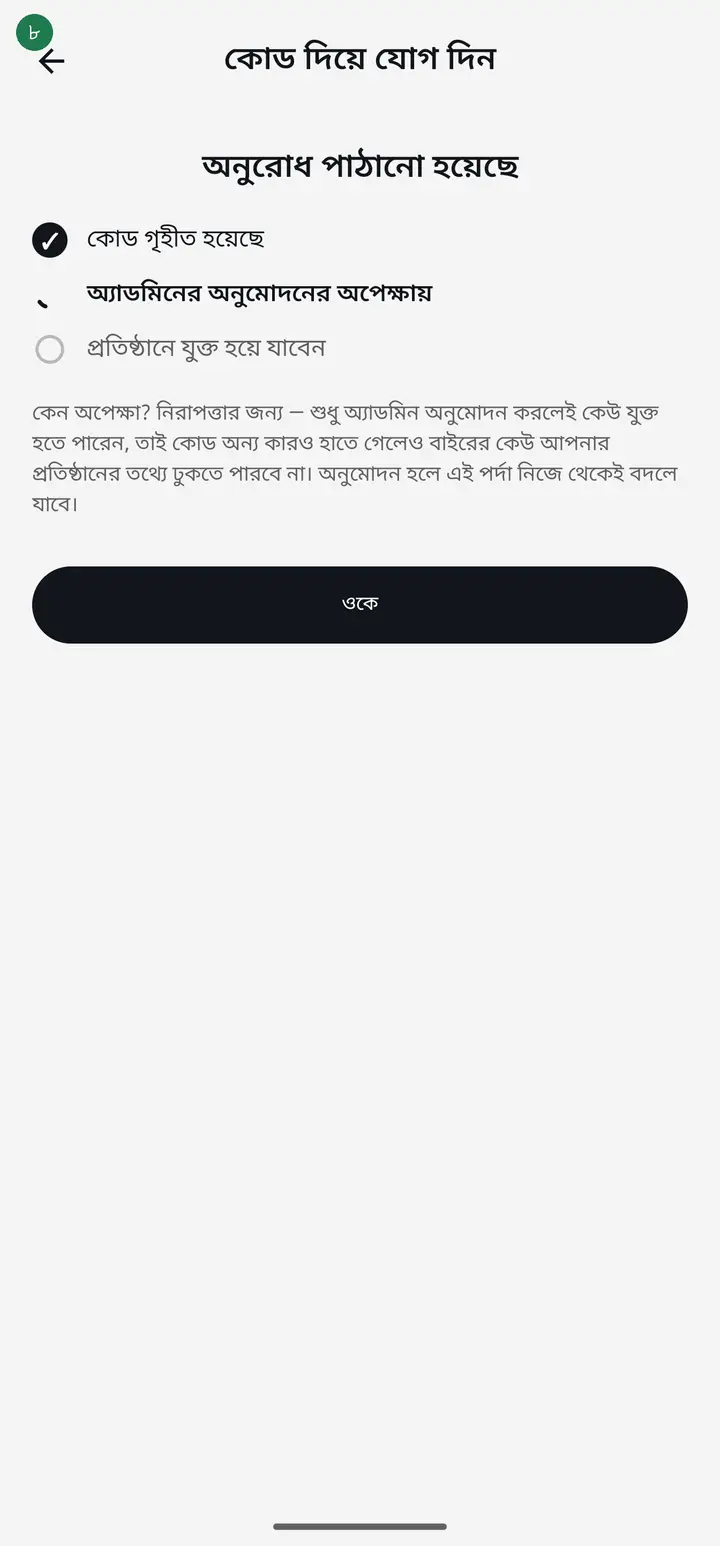
Now wait for the school admin to approve. The screen shows a three-step tracker. You can tap "ওকে" (OK) and leave — the app updates itself when approval comes.
-
Once approved you see "অনুমোদন হয়েছে!" (Approved). Tap "প্রতিষ্ঠানে যান" (Go to institution).
-
There is an easier second path if you have no code. If the admin added your number directly, you type nothing — just sign in with that same number. Your home screen then shows an institution card; tap "একসেপ্ট করুন" (Accept). Once the admin taps "এপ্রুভ" (Approve) you are a member. If the admin added your email, sign in with "জিমেইল দিয়ে" (With Gmail) or "ইমেইল দিয়ে (পাসওয়ার্ড ছাড়া)" (With email, no password) using that exact email — accepting works only in the phone app, not on the website yet.
If the card never appears, the likeliest reason is that you signed in with a different number or a Gmail. You must use the exact number the admin added — ask them to confirm it.
Common questions
I was approved but I see no classes. Why?
Approval makes you a member, but the admin must separately assign which classes are yours. Ask your admin to assign them. Nothing is wrong with the app.
It says the code is not valid.
A code works for 30 days and then expires on its own. Ask your school to send a fresh one.
What if the admin does not approve?
From the waiting screen you can tap "অ্যাডমিনকে জানান" (Notify admin) to remind them. If you requested the wrong school, tap "আমার অনুরোধ বাতিল করুন" (Cancel my request).
My school sent a link instead of a code.
Just tap the link — the app opens with the code already filled in. You only need to type your name and send the request.
Ask AI about this page
Ask an AI app to explain this page in simple language.
Copied — now paste it
Get Hazira Khata free on Google Play
More tutorials
- How to set up your institution Once your institution profile exists you can add other teachers, and everyone sees the same classes and students.
- Inviting and approving teachers Adding a teacher to your institution — share the code, then approve the request with one tap.
- Assign a teacher to a class (make them a class teacher) Teacher joined the institution but sees nothing? This one job fixes it — 2 minutes.
- Who can see what — designations and permissions How your other teachers sign in, how much power to give each one through designations — and now, more precisely for one person, through permissions too.
- A teacher has left — removing a member Somebody has resigned, or you approved the wrong person. Take the name off in one tap without losing any of the attendance or fees they recorded — and how to leave an institution yourself.
- Record a teacher's salary and send the receipt After paying a teacher, send them a receipt right from the app — instantly if they use WhatsApp, and as a shareable picture even if they don't.
- Leaving my old institution to open my own Want to leave your old school, or open your own? The red "এই প্রতিষ্ঠান ছাড়ুন" at the very bottom of the প্রতিষ্ঠান tab changes nothing until you confirm. After leaving, open your own.
- Taking admissions online Make one link and share it. Guardians fill the form from home, the applications land in your app, and approving one adds the student straight into a class.